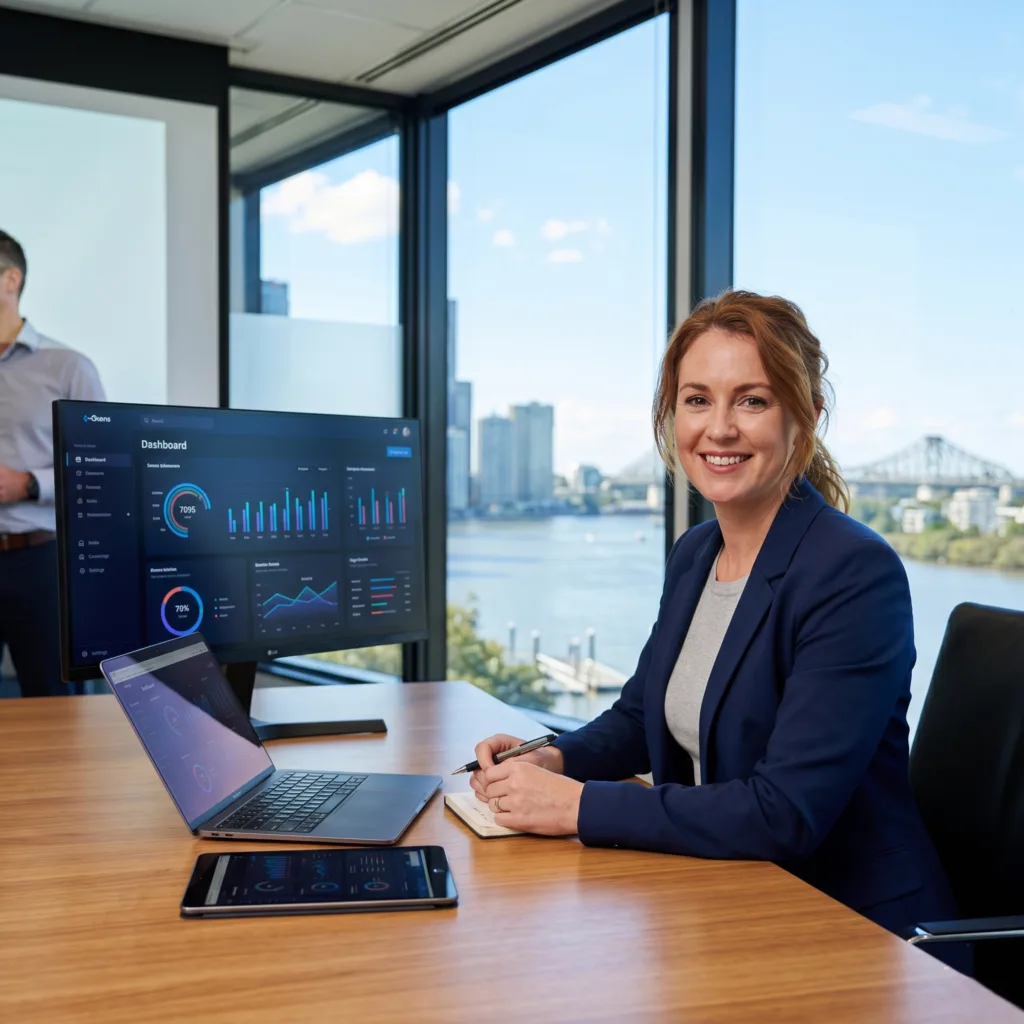
Captivate your audience with high-performance UI/UX with Vue.js. vorza360 creates pixel-perfect, interactive, and inclusive designs that turn visitors into loyal customers.
The Challenge Noah had beautiful designs created in Figma, but he was worried that the final website wouldn’t look quite as good as the pictures. He needed a team that could handle a high-fidelity conversion, ensuring that every bit of spacing, every font choice, and every brand color was mirrored exactly. He also wanted to clean up the messy code from his previous interface to make future updates easier for his team.
The vorza360 Solution We executed a pixel-perfect conversion into Vue.js code with remarkable precision. We treated his design like a blueprint for a high-end home, making sure every detail remained intact across all web browsers. We used a clean and modular CSS approach, which is like organizing a workshop so that every tool has its own place. This made the code neat and drastically reduced the technical debt that was slowing them down.
The Result The brand identity is now perfectly consistent across the web. Noah’s internal team finds it incredibly easy to manage updates, and the error-free layouts have made the site more stable than ever. He finally has a website that looks exactly like the vision he started with, giving his business a high-end feel that stands out in the Australian market.
Linh Nguyen (Vietnam)
The Challenge Linh needed a design strategy that worked for shoppers using all kinds of phones and connection speeds. In a market where some people have the latest 5G and others are on slower 3G networks, the site had to be lightweight but still look great. She also needed the buttons to be easy to tap on small screens to avoid frustrating accidental clicks.
The vorza360 Solution We built a responsive UI that focuses on a mobile-first strategy. We optimized the tap targets, which means we made the buttons just the right size for a human thumb to hit comfortably. We wrote lightweight code to ensure fast loading even on slow connections and followed strict accessibility standards. This ensures that the site is inclusive and usable for people with different needs or older devices.
The Result The platform exceeded all expectations and has become a truly inclusive tool for a diverse market. Accidental clicks have been virtually eliminated, and the fast loading times mean no one is left waiting. Linh now has a professional digital store that welcomes every shopper in Vietnam, regardless of their phone or internet speed.
Aroha Te Kani (New Zealand)
The Challenge Aroha’s admin portal used to be a frustrating mess of confusing forms and cluttered screens. Her staff found it difficult to find the most important data, which made their daily tasks feel like a chore. She needed a professional and organized interface that felt modern, provided real-time feedback, and was easy for a global staff to navigate.
The vorza360 Solution We developed a bento grid layout, which organizes information into clean, rectangular blocks that are very easy to scan with the eye. We streamlined the forms and added real-time feedback so that when a user completes a task, they get an instant visual confirmation. This creates a clear visual hierarchy that puts the most critical data right where it needs to be.
The Result The portal has been transformed into a simple and intuitive experience. Tasks that were once frustrating are now easy to navigate, and the global staff loves the modern feel of the interface. Aroha now has a professional tool that helps her team stay organized and efficient, proving the power of a well-designed frontend.
Ji-Hoon Kim (South Korea)
The Challenge Ji-Hoon wanted his website to feel as fluid as a high-end mobile app. His old site had a problem with flickering during page transitions, which made the whole experience feel glitchy and cheap. He also needed to show high-resolution imagery without slowing down the site for users who were browsing through thousands of items at once.
The vorza360 Solution We used high-performance optimization tricks like lazy loading for his high-res images, meaning the site only loads a picture right as you are about to see it. We also used built-in motion tools to create smooth transitions and micro-interactions. These are tiny animations like a button subtly changing color when you hover over it that make the site feel alive and responsive.
The Result The user journey now feels incredibly fluid and app-like. The flickering is gone, replaced by smooth transitions that guide the user through the site. Ji-Hoon’s design remains beautiful and fast even when handling massive amounts of data, ensuring his business in South Korea always feels premium and high-tech.
Isla Robertson (Australia)
The Challenge Isla wanted to captivate her audience with a mix of visual storytelling and interactive dashboards. She needed layouts that could adjust perfectly from a massive ultra-wide monitor in an office to a small handheld device on the go. She also wanted a sleek dark mode feature to satisfy her customers who prefer a more modern, eye-friendly look.
The vorza360 Solution We delivered a highly creative UX design that focuses on reactivity. We used modern styling tools to create layouts that stretch and shrink perfectly for any screen. We implemented a sleek dark mode that users can toggle easily, and we made sure every swipe and scroll feels satisfying. The interactive dashboards allow her users to play with data in a way that feels like telling a story.
The Result The new design has become a favorite among her loyal customers. The reactive feel of the site makes it a joy to use, and the dark mode has been a huge hit. Isla now has a unique digital presence that combines creativity with technical excellence, keeping her audience engaged across all of Australia.
Siti Aminah (Malaysia)
The Challenge Siti wanted her application to feel more than just a tool; she wanted it to have a sense of life. She needed a way to guide her users through complex data sets using animations that felt natural and seamless. She was also deeply committed to making her services accessible to a wider audience by following strict global accessibility rules.
The vorza360 Solution We prioritized the feel of the app by using reactive data that provides an instant response to every interaction. We built seamless animations that act as a tour guide, showing users where to look next as they move through data. We also followed WCAG accessibility rules to the letter, ensuring that people with visual or motor impairments can use the site just as easily as anyone else.
The Result The level of technical excellence has opened Siti’s services to a much wider audience. The application feels alive and responsive, making complex tasks feel simple. Her commitment to inclusive design has been a massive success, proving that a professional user interface can be both beautiful and helpful for everyone in Malaysia.
vorza360’s Tech Edge
Responsive Layouts
Animation & Transitions
UX Interaction Design
+ 2
More
Theming & Styling
Accessibility Standards
vorza360’s Tech Edge
Responsive Layouts
Our responsive UI with Vue.js automatically adjusts to fit mobile phones, tablets, and desktops, so your brand looks professional on every screen.
Animation & Transitions
vorza360 uses Vue’s built-in motion tools to create smooth “micro-interactions” that guide your users and make your app feel alive.
UX Interaction Design
We focus on the “feel” of the app. By using reactive data, we ensure every click, scroll, and swipe gets an instant, satisfying response.
Theming & Styling
Whether you want a sleek Dark Mode or a colorful brand identity, we use modern tools like Tailwind and Vuetify for modern UI design in Vue.js.
Accessibility Standards
We follow “A11y” rules (WCAG) to make sure your site is usable for everyone, including people using screen readers or keyboard navigation.
Custom UI/UX Development Using Vue.js
We design and build one-of-a-kind interfaces tailored specifically to your business goals and user needs.
Advantages
Vue.js UX design focused on easy navigation
Interactive dashboards for complex data
Fast-loading "App-like" user journeys
Unique branding and visual storytelling
Custom icons and brand-specific visuals
Pixel-Perfect UI Development in Vue.js
Our developers take your designer’s vision and turn it into reality, down to the very last pixel.
Advantages
High-fidelity conversion from Figma/Adobe XD to code
Consistent spacing, fonts, and colors across all pages
Vue.js user interface development for high-end brands
Error-free layouts that don't "break" on different browsers
Clean, modular CSS that’s easy to update later
Responsive and User-Friendly UI in Vue.js
We ensure your website is easy to use for everyone, everywhere, regardless of their device or connection speed.
Advantages
Mobile-first design strategy for modern shoppers
Touch-friendly buttons and gesture controls
Fluid grids that resize beautifully on ultra-wide monitors
Optimized "Tap Targets" to prevent accidental clicks
Lightweight code for fast loading on 3G or 4G networks
Vue.js UI Design for Web Applications
vorza360 builds specialized interfaces for complex software, making hard tasks feel simple and intuitive.
Advantages
Streamlined forms that reduce user frustration
Real-time feedback for user actions (like "Save" or "Delete")
Vue.js frontend development for secure admin portals
Clear visual hierarchy to highlight important data
"Bento Grid" layouts for modern, organized content
High-Performance UI/UX with Vue.js
We focus on speed and efficiency, ensuring your beautiful design never slows down your business.
Advantages
Vue.js UI development using "Lazy Loading" for images
Smooth page transitions without "flickering"
Minimal code size for the fastest possible first-paint
Efficient state management to handle thousands of items
Regular performance audits and design "health checks"
Custom UI/UX Development Using Vue.js
We design and build one-of-a-kind interfaces tailored specifically to your business goals and user needs.
ADVANTAGES
Vue.js UX design focused on easy navigation
Unique branding and visual storytelling
Interactive dashboards for complex data
Fast-loading "App-like" user journeys
Custom icons and brand-specific visuals
Pixel-Perfect UI Development in Vue.js
Our developers take your designer’s vision and turn it into reality, down to the very last pixel.
ADVANTAGES
High-fidelity conversion from Figma/Adobe XD to code
Consistent spacing, fonts, and colors across all pages
Vue.js user interface development for high-end brands
Error-free layouts that don't "break" on different browsers
Clean, modular CSS that’s easy to update later
Responsive and User-Friendly UI in Vue.js
We ensure your website is easy to use for everyone, everywhere, regardless of their device or connection speed.
ADVANTAGES
Mobile-first design strategy for modern shoppers
Touch-friendly buttons and gesture controls
Optimized "Tap Targets" to prevent accidental clicks
Fluid grids that resize beautifully on ultra-wide monitors
Lightweight code for fast loading on 3G or 4G networks
Vue.js UI Design for Web Applications
vorza360 builds specialized interfaces for complex software, making hard tasks feel simple and intuitive.
ADVANTAGES
Streamlined forms that reduce user frustration
Real-time feedback for user actions (like "Save" or "Delete")
Clear visual hierarchy to highlight important data
Vue.js frontend development for secure admin portals
"Bento Grid" layouts for modern, organized content
High-Performance UI/UX with Vue.js
We focus on speed and efficiency, ensuring your beautiful design never slows down your business.
ADVANTAGES
Vue.js UI development using "Lazy Loading" for images
Smooth page transitions without "flickering"
Minimal code size for the fastest possible first-paint
Efficient state management to handle thousands of items
Regular performance audits and design "health checks"
Here is what our Clients are saying About us
Lukas Müller (Switzerland)
vorza360 implemented our design system in Vue.js with component-level animation, transition effects, and the visual quality our product requires. Implementation that matches our design intent.
Ahmad Al-Zahrani (Kuwait)
vorza360 developed our Vue.js UI with custom animations using the transition system and GSAP integration that make our application feel polished.
Ionuț Marin (Romania)
vorza360 built our Vue.js frontend with a responsive layout system, dark mode support, and the theming architecture our white-label product requires.
Priya Krishnan (India)
vorza360 implemented our Vue.js UI with the visual density and interaction patterns appropriate for our enterprise users who work with our application all day.
Budi Santoso (Indonesia)
vorza360 developed our Vue.js UI implementation with culturally appropriate visual choices and the interaction patterns our Southeast Asian users expect.
Chiamaka Nwosu (Nigeria)
vorza360 built our Vue.js UI with the mobile-first design and performance optimisation that serves our primarily mobile audience effectively.
More about Vue.js Technology
Vue.js Web App Development
Elevate your digital presence with professional Vue.Js web app development.
Got questions? We’ve got answers. Find everything you need to know about using our platform, plans, and features
What does UI/UX development with Vue.js involve at vorza360?
UI/UX development with Vue.js at vorza360 covers the complete journey from understanding your users and defining the ideal experience, through wireframing and interactive prototyping, to pixel-perfect Vue.js implementation with polished animations, responsive layouts, and accessible interactions. Our designers and Vue.js developers collaborate throughout, ensuring every design decision is both visually compelling and technically feasible. We use Figma for design and prototyping, translate designs into precise Vue.js implementations using Tailwind CSS or custom design systems, implement Vue’s transition and animation system for meaningful motion, and test the UI extensively across devices and with accessibility tools to ensure the experience is excellent for every user.
How does vorza360 implement responsive designs in Vue.js applications?
Responsive design is a standard requirement in every Vue.js project we deliver. We use Tailwind CSS’s responsive utility class system as our primary approach, applying breakpoint-prefixed classes directly in templates to control layout, typography, spacing, and visibility at every screen size without writing custom media query CSS. For component-level responsive behaviour, we use Vue’s computed properties with window.innerWidth observation or the useWindowSize composable from VueUse to reactively adapt component state to the current viewport. We test every layout at mobile (320px), tablet (768px), and large desktop (1440px+) breakpoints, and address any edge cases discovered during testing. We follow a mobile-first design and development approach, building for the most constrained layout first and progressively enhancing for larger screens.
How does vorza360 use Vue.js transitions and animations to enhance UX?
Vue’s built-in transition system provides first-class support for entering, leaving, and list animations without requiring external animation libraries for most use cases. vorza360 uses Vue’s <Transition> and <TransitionGroup> components for page and component transitions, list item animations, modal and overlay appearances, and loading state transitions, applying CSS transitions for simple property changes and GSAP or Motion One for more sophisticated, sequenced animation choreography. Our principle is that animation should have purpose: it should communicate state changes, guide users’ attention, provide feedback for interactions, and create a sense of continuity in the interface. We are careful to implement the prefers-reduced-motion media query to respect users who have indicated they experience discomfort from motion on screen.
Can vorza360 implement dark mode in a Vue.js application?
Yes, dark mode implementation is a service we deliver as a standard feature in Vue.js projects when requested. We implement dark mode using CSS custom properties (CSS variables) for all color tokens, switching between light and dark variable sets by toggling a class on the root HTML element. We use Tailwind’s dark variant for utility-class-based dark mode toggling. We detect the user’s system preference using the prefers-color-scheme media query as the default, store the user’s explicit choice in localStorage for persistence across sessions, and provide a toggle control with appropriate ARIA labelling. We review every UI component in both light and dark modes during QA, ensuring consistent contrast ratios, legible text, and visually coherent appearance in both themes.
How does vorza360 ensure Vue.js interfaces meet WCAG accessibility standards?
Accessibility compliance is built into our Vue.js UI development process as a standard requirement, not retrofitted at the end. We use semantic HTML elements (nav, main, article, button, etc.) in all Vue templates so assistive technologies understand the structure of the page without relying on ARIA alone. We add ARIA attributes precisely where semantic HTML is insufficient, such as aria-expanded on accordion triggers, aria-live on dynamically updating content, and role on custom interactive widgets. We ensure all interactive elements are keyboard reachable and have visible focus styles. We validate color contrast ratios against WCAG 2.1 AA minimums using automated tools and manual review. We test with screen readers, NVDA on Windows, VoiceOver on macOS and iOS, to confirm the announced experience matches the visual one. Our deliverables include WCAG compliance documentation on request. TECHNOLOGIES › VUE.JS › SUBPAGE 10