Engage your audience with professional multimedia integration. vorza360 provides high-performance audio and video solutions that load fast and look stunning on every device.
The Challenge Annika runs a digital publication in Sweden and wanted a very specific look for her new podcast series. She needed a custom audio player that fit her clean, minimalist style, but she was worried that adding heavy media would make her articles slow and clunky. Her previous developers struggled with the page jumping around while the audio was loading, which frustrated her readers.
The vorza360 Solution We used the latest technical tools to build a custom player that matches her brand perfectly. We added precise controls so her listeners can easily adjust the volume and playback speed. More importantly, we optimized everything so that even her longest articles load instantly in Stockholm. It is like having a high-end record player built right into a beautiful book everything is in its place and it works the moment you open it.
The Result Annika’s publication has been transformed. Her media-heavy stories now load in a flash, even on a basic mobile connection. There are no more annoying layout jumps, and her readers are enjoying a smooth, high-quality listening experience that matches the premium feel of her brand.
Gareth Owen (UK)
The Challenge Gareth wanted to take his online shop to the next level by adding high-definition video galleries. He wanted his customers to see his products from every single angle in 360-degree detail. However, he was terrified that these big video files would kill his page speed and hurt his search engine rankings. He needed a way to show off his goods without slowing down the shopping experience.
The vorza360 Solution We integrated specialized media tools that allow for high-quality video without the weight. We used a clever trick called lazy-loading, which means the videos only start working when a customer actually scrolls down to see them. This keeps the rest of the site lightning-fast and search-engine friendly. It is like having a physical showroom where the lights only turn on in the specific room you are walking through, saving energy and keeping everything efficient.
The Result Gareth has seen a massive improvement in how long customers stay on his site and how often they buy. His products look stunning, and the site remains one of the fastest in the British market. He now has a competitive edge that keeps his shop at the top of the search results.
Ionut Drăghici (Romania)
The Challenge Ionut runs an online training platform and needed a way to blend video lessons with interactive quizzes. He wanted his students to hear audio feedback as they learned, but the synchronization was always slightly off. He also needed to make sure these videos fit perfectly on every device, whether a student was using a giant monitor or a small tablet.
The vorza360 Solution We provided expert integration that perfectly syncs the audio with the text on screen. We handled the setup on his private servers to ensure that every video fits its container exactly, no matter the screen size. It is like a perfectly choreographed dance where the music and the movement are always in total harmony. This makes the learning process much more natural and engaging for his students.
The Result The learning experience has improved significantly, and his students are finishing their courses at a much higher rate. The videos look and sound professional on every device, and Ionut can rest easy knowing that his technical setup is flawless across all of Romania.
Mariam Al-Khouri (Qatar)
The Challenge Mariam manages a huge corporate portal that uses a lot of background video headers to tell the brand story. Over time, these files became outdated, links started breaking, and some videos wouldn’t even play on newer browsers. She needed a dedicated team to perform a health check and bring her media assets up to the highest 2026 standards.
The vorza360 Solution We stepped in to handle the ongoing maintenance of her video servers. We updated every single legacy file, fixed the broken links, and ensured that her background videos play smoothly on every modern browser. Having our team on call is like having a personal pit crew for her website, we make sure the engine is always tuned and the visuals are always running at peak performance.
The Result Mariam has saved countless hours of work and no longer worries about her site looking broken. Her brand story is told through high-quality, uninterrupted visuals that make a great first impression every time. Her corporate portal in Qatar is now a leading example of how to maintain a high-end digital presence.
Arvydas Sabonis (Lithuania)
The Challenge Arvydas has a growing site and needed a way to display high-resolution photos and videos in a smooth gallery system. He was worried that high-quality content would be too heavy for his mobile users in Lithuania. He wanted his site to look professional without the frustration of pages shifting or loading slowly.
The vorza360 Solution We built a custom gallery and slider system that handles high-resolution content with ease. We added an automatic compression feature that shrinks the files for mobile users without losing any of the beauty. We also fixed the technical issues that cause layout shifts, so the site stays rock-solid while the media loads. It is like having a professional art gallery that is easy to navigate and looks just as good on a small screen as it does on a massive wall.
The Result Arvydas is thrilled with how professional and user-friendly his site has become. He has a technical edge that supports his search engine rankings rather than hurting them. His mobile users are having a great experience, and his high-quality content is finally getting the attention it deserves.
Sameer Iqbal (Pakistan)
The Challenge Sameer was working on an interactive digital book and needed a way to make it truly captivating. He didn’t want the boring, generic buttons that most agencies use. He wanted a custom experience where the play, pause, and mute buttons matched his brand perfectly. He also needed his heavy 4K video assets to load almost instantly so he wouldn’t lose his audience’s attention.
The vorza360 Solution We utilized the best tools available to create a one-of-a-kind user experience. We designed custom buttons from scratch and used a high-performance strategy to tune the speed of his pages. Even with heavy 4K assets, his landing pages now load in under two seconds. It is like opening a magical storybook where the pictures come to life the moment you turn the page, with no waiting and no glitches.
The Result The digital book has been a massive success. Sameer’s audience stays engaged from the very first click, and the custom design makes the brand feel unique and high-end. He found that our focus on performance and brand-matching was exactly what he needed to turn his vision into a reality.
vorza360’s Tech Edge
HTML5 Audio API
HTML5 Video API
Media Controls
+ 2
More
Embedded Media Handling
Performance Optimization
vorza360’s Tech Edge
HTML5 Audio API
We go beyond simple playback. vorza360 builds custom audio players that let you control volume, speed, and timing perfectly for your brand.
HTML5 Video API
We use the latest video standards to ensure your content plays smoothly in the background or as a main feature, even on slow mobile connections.
Media Controls
We design custom “play,” “pause,” and “mute” buttons that match your website’s style perfectly, ensuring a professional look and feel.
Embedded Media Handling
Whether it’s YouTube, Vimeo, or a private server, we handle the multimedia content integration so your videos always fit their “containers” perfectly.
Performance Optimization
No one likes a slow site. We use smart technique integration multimedia to compress files, so they load instantly without losing quality.
Integrated Multimedia Solutions
We create a smooth blend of text, images, and video to tell your brand’s story effectively.
Advantages
Seamless multimedia integration in web design
Professional background video headers
Custom podcast and audio player setups
Interactive gallery and slider systems
Scalable integrated multimedia for growing sites
E-commerce Media Integration
vorza360 helps online shops showcase products better using 360° videos and interactive guides.
Advantages
Use of bigcommerce multimedia content integration tools
Interactive "How-to" video guides for buyers
High-definition product video galleries
Optimized loading for heavy media files
Improved sales through better multimedia integration
Interactive Digital Media
We help creators build engaging content for books and educational platforms using advanced tools.
Advantages
Best tools for integrating multimedia content in interactive digital books
Interactive quizzes with audio feedback
Embedded video lessons for training sites
Synced audio and text for better learning
Expert media integration in multimedia projects
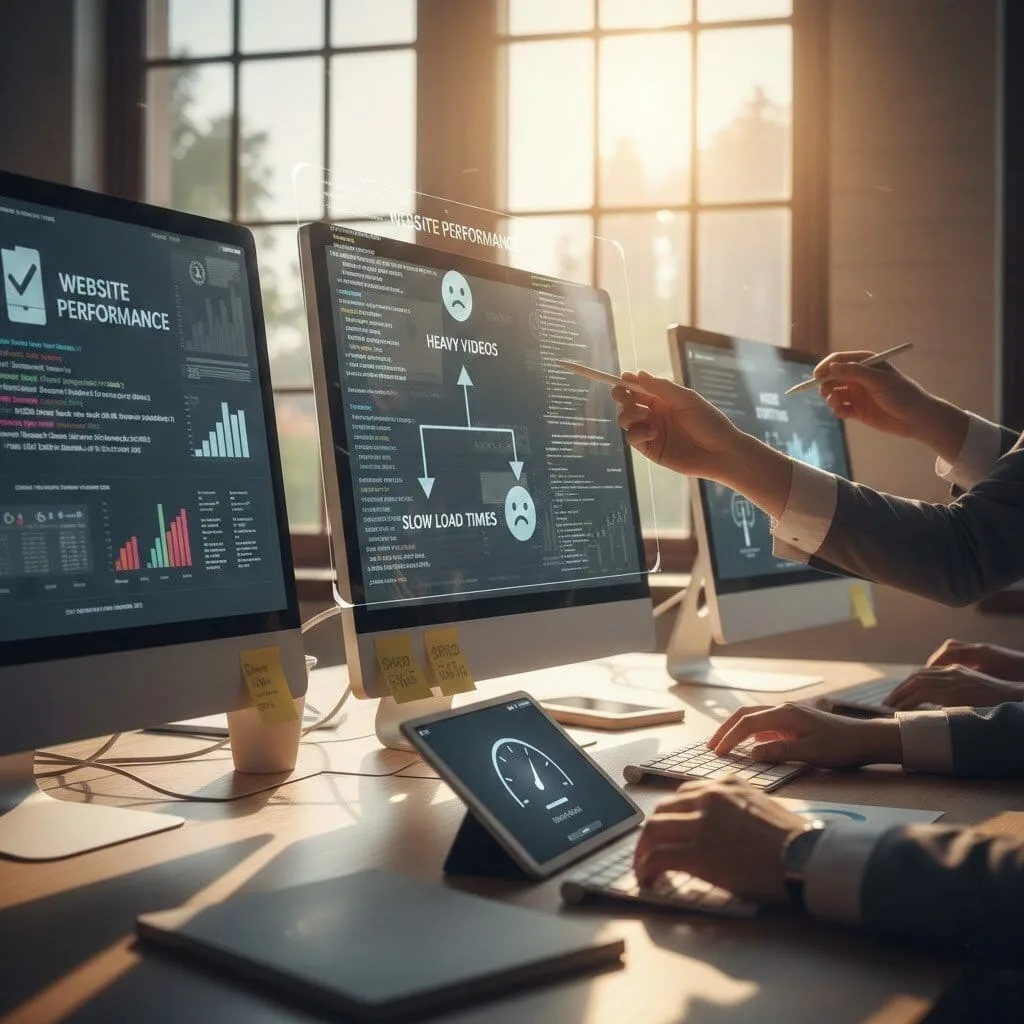
Website Performance & Speed Tuning
We make sure your heavy videos don’t hurt your SEO or drive away mobile customers.
Advantages
One of the key benefits of integrating multimedia in the website done right
Automatic file compression for mobile users
Smart "Lazy-Loading" for all video and audio
Preventing "Layout Shift" when videos load
Faster page speeds for better Google rankings
Custom Media Support & Maintenance
vorza360 provides ongoing support to ensure your media never breaks or goes out of date.
Advantages
Fixing broken video links and players
Updating old media files to 2026 standards
Managing integration multimedia across large sites
Regular "health checks" for your video servers
Dedicated multimedia content integration support
Integrated Multimedia Solutions
We create a smooth blend of text, images, and video to tell your brand’s story effectively.
Advantages
Seamless multimedia integration in web design
Professional background video headers
Custom podcast and audio player setups
Interactive gallery and slider systems
Scalable integrated multimedia for growing sites
E-commerce Media Integration
vorza360 helps online shops showcase products better using 360° videos and interactive guides.
Advantages
Use of bigcommerce multimedia content integration tools
High-definition product video galleries
Interactive "How-to" video guides for buyers
Optimized loading for heavy media files
Improved sales through better multimedia integration
Interactive Digital Media
We help creators build engaging content for books and educational platforms using advanced tools.
Advantages
Best tools for integrating multimedia content in interactive digital books
Interactive quizzes with audio feedback
Embedded video lessons for training sites
Synced audio and text for better learning
Expert media integration in multimedia projects
Website Performance & Speed Tuning
We make sure your heavy videos don’t hurt your SEO or drive away mobile customers.
Advantages
One of the key benefits of integrating multimedia in the website done right
Smart "Lazy-Loading" for all video and audio
Automatic file compression for mobile users
Preventing "Layout Shift" when videos load
Faster page speeds for better Google rankings
Custom Media Support & Maintenance
vorza360 provides ongoing support to ensure your media never breaks or goes out of date.
Advantages
Fixing broken video links and players
Updating old media files to 2026 standards
Managing integration multimedia across large sites
Regular "health checks" for your video servers
Dedicated multimedia content integration support
Here is what our Clients are saying About us
Pieter Janssen (Netherlands)
vorza360 implemented HTML5 video and audio for our media platform with multiple format support, captions, and the controls and attributes that ensure correct playback across browsers.
Sara Al-Madani (Qatar)
vorza360 developed HTML multimedia integration for our content platform with native video elements, picture-in-picture support, and the lazy loading that defers media requests until needed.
Ionuț Marin (Romania)
vorza360 built HTML5 video integration for our e-learning platform with WebVTT captions, chapter markers, and the accessibility attributes our inclusive education platform requires.
Priya Sharma (India)
vorza360 implemented HTML audio and video for our media application with adaptive streaming integration, format fallbacks, and playback that works across the browsers our users have.
Anisa Putri (Indonesia)
vorza360 built our website with Bootstrap with customisation that makes our brand distinguishable. Framework foundation without the generic appearance that unmorphed Bootstrap produces.
Adaeze Obi (Nigeria)
vorza360 implemented Tailwind CSS for our web project with the configuration and build optimisation that delivers small CSS bundles for our performance-sensitive audience.
More about HTML5
HTML5 Development
Build the foundation of your digital success with expert HTML5 development services.
Got questions? We’ve got answers. Find everything you need to know about using our platform, plans, and features
How does HTML5 handle audio and video without requiring plugins like Flash?
HTML5 introduced native audio and video elements that allow browsers to play media content directly without requiring any third-party plugin. The video element renders a video player with controls natively in the browser, and the audio element does the same for audio. Both elements support multiple source formats via nested source elements, allowing the browser to select the first format it supports from a priority list. For video, this typically means providing MP4 (H.264/H.265) for broad compatibility, WebM (VP9/AV1) for better compression in supporting browsers, and OGG for legacy support. Providing multiple formats ensures the widest possible browser compatibility while allowing modern browsers to use the most efficient codec. vorza360 implements HTML5 media elements as the standard for all audio and video embedding on web projects.
How does vorza360 optimize HTML5 video for fast loading and good performance?
Video is one of the heaviest assets on a web page, and poorly optimized video directly harms page load times, Core Web Vitals scores, and user experience. vorza360 optimizes HTML5 video through several strategies: we set the preload attribute to ‘metadata’ or ‘none’ for above-the-fold videos to prevent automatic downloading of video data on page load. We use the poster attribute to display a static image frame while the video loads, preventing a blank space. We implement lazy loading for below-the-fold videos by initially omitting the src attribute and adding it via JavaScript when the video approaches the viewport. We transcode videos to web-optimised formats with appropriate bitrates. For background videos, we implement the playsinline, autoplay, and muted attributes correctly for cross-browser autoplay, and disable them based on the prefers-reduced-motion media query.
How does vorza360 make HTML5 audio and video accessible to all users?
Making multimedia content accessible requires providing alternatives for users who cannot hear or see the media. For video content, vorza360 implements closed captions using the HTML5 track element with WebVTT format subtitle files, providing captions for deaf or hard-of-hearing users and for environments where audio cannot be played. We add descriptive audio description tracks for video content where the visual information is not conveyed through speech. For audio content, we provide text transcripts. We ensure custom media player controls are keyboard operable and properly labelled with ARIA attributes so screen reader users can control playback. We test all media controls with keyboard-only navigation to confirm play, pause, seek, volume, and caption toggle are all reachable without a mouse.
Can vorza360 embed YouTube or Vimeo videos responsively in HTML without affecting page performance?
Yes, and handling third-party video embeds responsively and without performance impact requires specific techniques. Standard YouTube or Vimeo iframes are fixed-size and block page rendering by loading significant third-party resources immediately. vorza360 implements responsive iframe embedding using the CSS aspect-ratio property or the classic padding-top trick to maintain a 16:9 ratio across all screen widths. For performance, we implement a facade pattern (sometimes called a YouTube Lite Embed), displaying a poster image and play button that looks identical to the real player, and only loading the actual YouTube or Vimeo iframe when the user clicks play. This eliminates the significant performance penalty of loading YouTube’s third-party scripts on every page load, dramatically improving Lighthouse performance scores and Core Web Vitals.
How does vorza360 handle autoplay video in HTML to avoid user experience issues?
Autoplay video is one of the most contentious UX decisions in web development, and browsers have implemented strict policies around it. Modern browsers block autoplay with audio by default to prevent unexpected sound, allowing autoplay only for videos that are muted. vorza360 implements autoplay HTML video following these constraints: we always combine autoplay with the muted attribute to ensure browser policies are respected across Chrome, Firefox, and Safari. We add the playsinline attribute for iOS Safari compatibility. We always provide a visible play button as a fallback in case autoplay is blocked. We implement the prefers-reduced-motion media query to disable autoplaying background videos for users who have indicated motion sensitivity. For legitimate autoplay cases (background videos, demo loops), this approach produces consistent cross-browser behaviour without jarring sound surprises.