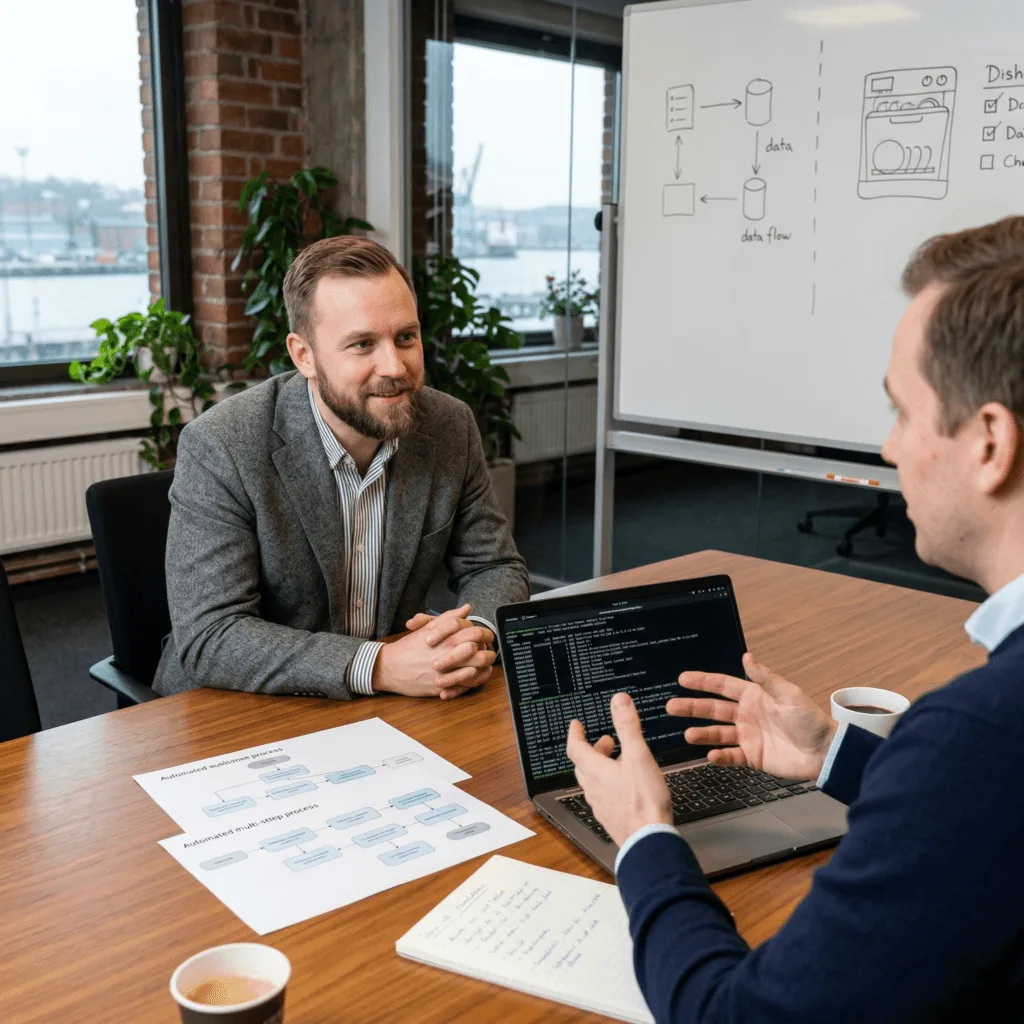
Free your team from repetitive tasks with vorza360’s Linux automation services. We use smart cron jobs Linux to handle your routine maintenance, backups, and updates automatically and accurately.
The Challenge Arvid had a simple timer set up to move his company’s data every night, but it often failed because it would start before the files were actually ready. This caused errors that his team in Sweden had to fix manually every morning. He needed “intelligent” Linux automation that was smart enough to check the system’s status before starting a task.
The vorza360 Solution We didn’t just set a simple schedule; we built custom Linux automation scripts that “think” first. Our scripts now check if the files are ready and if the server isn’t too busy before they begin their work. It is like having a smart dishwasher that only starts running once it’s full and the water is at the right temperature, ensuring the job is done perfectly every single time.
The Result The morning errors have completely disappeared. Arvid’s team can walk into the office knowing their data is exactly where it should be. He loves that our efficient server automation saves him hours of manual troubleshooting every week.
Elena Rossi (Italy)
The Challenge Elena’s server was slowing down every day at noon because all her maintenance tasks, backups, and updates were scheduled to run at the exact same time. This “traffic jam” made her website lag for her Italian customers. She needed an insightful strategy to organize her list of cron jobs in Linux so they wouldn’t overwhelm her hardware.
The vorza360 Solution We performed a complete “Process Discovery” to see which tasks were eating up her system’s power. We then organized her tasks into a clean, staggered schedule. Now, her backups run at midnight, her updates happen at 3:00 AM, and her database cleanups occur at dawn. It is like a well-managed train station, instead of all the trains trying to leave the same platform at once, they depart in a smooth, organized line that keeps the station clear and moving.
The Result The noon-time slowdowns are a thing of the past. Elena’s website remains snappy all day long, and her business operations move smoothly. She values the optimization service we provide to keep her cron jobs running at peak speed.
Lars Janssen (Netherlands)
The Challenge Lars Janssen’s team in London was manually uploading new website features, which was slow and often led to small “copy-paste” errors. He needed an automated Linux deployment solution that would ensure his new software went live without any glitches. He wanted a professional way to handle his global web app updates across multiple cloud environments.
The vorza360 Solution We set up a powerful deployment tool that acts as a bridge between his code and his servers. Now, whenever his team finishes a new feature, our automation builds the files and uploads them to the server automatically. We included “digital alarms” that notify us instantly if an automated task ever fails. It is like having a high-tech assembly line for your software, the product is built, tested, and delivered to the customer perfectly every time, with zero human effort.
The Result Lars Janssen’s team can now launch new features with total confidence. The manual setup hours have been eliminated, and his global app is more stable than ever. He appreciates our 6-step service cycle that turns a complex task into a simple, hands-free process.
Clara Lindgren (Mexico)
The Challenge Clara’s business in Mexico was growing, and her IT person was spending days manually installing Linux and office tools on every new computer. She needed a way to automate the installation process to save her team time and ensure every computer was set up with the exact same professional standards.
The vorza360 Solution We created a specialized “automated Linux installation” script. Now, instead of clicking through settings for hours, her team just plugs in a drive and walks away, the script handles the rest, from the initial setup to the final security hardening. It is like having a “magic button” for your office, you press it, and ten minutes later, a perfectly configured workstation is ready for your new employee to start working.
The Result Clara Lindgren has saved her team dozens of hours of manual labor. Every new computer in her office is now a perfect match for the others, keeping her digital workspace tidy and professional. She loves the tailored solution we built specifically for her local hardware.
Kenan Yilmaz (Egypt)
The Challenge Kenan Yilmaz had some data on his local office servers in Egypt and some in the public cloud. He needed them to work together as one automated unit, but he was struggling to link his local and cloud scripts. He wanted a partner who could manage his hybrid environment and ensure his “edge” devices were also kept up to date.
The vorza360 Solution We used professional automation tools to link his local hardware and his cloud servers together. We wrote custom Python scripts to schedule data analysis while he sleeps and set up automated database cleanups for his customer portals. We also provided specialized “edge” scripts for his remote devices to keep them healthy. It is like having a remote control that works for every appliance in your house and your office at the same time, everything stays in sync and works perfectly from one central plan.
The Result Kenan’s hybrid system is now fully automated and incredibly efficient. He no longer has to worry about “bridging the gap” between his different environments because we manage it all as one healthy unit. He trusts vorza360 as his long-term partner for hands-free technology.
Mila Novak (Slovenia)
The Challenge Mila wanted to automate her server configuration but was worried that a mistake in a script might crash her live system in Slovenia. She needed a professional service-based approach where every script was tested in a safe area before being launched on her real business tools.
The vorza360 Solution We followed our strict service cycle, starting with environment testing in a safe “sandbox.” We ran her custom Linux automation scripts multiple times to make sure they handled every situation perfectly before we ever moved them to her live servers. We also set up monitoring to keep a close eye on the scripts once they were deployed. It is like testing a new airplane design in a flight simulator, we make sure everything is perfect in a safe world before we ever take the real plane up into the sky.
The Result Mila’s automation launch was 100% successful and stress-free. She has a reliable, human-centered service that handles her routine maintenance and updates accurately. She values the professional care we take to ensure her business stays safe while it moves faster.
How we do it
We turn manual, time-consuming chores into “set-it-and-forget-it” systems that work perfectly every time.
Creative Approaches
We don’t just schedule tasks; we build “intelligent” Linux automation scripts. Instead of a simple timer, our scripts can check if your system is too busy or if a file is actually ready before starting, ensuring your Linux server automation is both smart and efficient.
Insightful Strategies
Our strategy focuses on building a clean list of cron jobs in Linux that are easy to manage. We organize your tasks so they don’t all run at the exact same time, which prevents your server from slowing down and keeps your business operations moving smoothly.
Tailored Solutions
Whether you need to automate Linux commands for a small home project or require an automated Linux deployment for a global web app, we customize the code. We can even automate Linux installation processes for new office computers, saving your team hours of manual setup.
Creative Approaches
We don’t just schedule tasks; we build “intelligent” Linux automation scripts. Instead of a simple timer, our scripts can check if your system is too busy or if a file is actually ready before starting, ensuring your Linux server automation is both smart and efficient.
Insightful Strategies
Our strategy focuses on building a clean list of cron jobs in Linux that are easy to manage. We organize your tasks so they don’t all run at the exact same time, which prevents your server from slowing down and keeps your business operations moving smoothly.
Tailored Solutions
Whether you need to automate Linux commands for a small home project or require an automated Linux deployment for a global web app, we customize the code. We can even automate Linux installation processes for new office computers, saving your team hours of manual setup.
Tools
Tools vorza360 Offers for This Service
Crontab
The classic tool we use to manage precise cron jobs Linux schedules for any repetitive task.
Ansible
Our go-to for Linux server automation, allowing us to update or configure hundreds of servers with one click.
Bash & Python
We write custom Linux automation scripts that can handle complex business logic and data processing.
Jenkins
A powerful tool we use for automated Linux deployment, ensuring your new software features go live without errors.
Multiple Platform Support
vorza360 provides automation solutions that work seamlessly across all your favorite environments.
Public Cloud
Expert automation for AWS, Google Cloud, and Azure to manage your virtual servers.
Private Data Centers
Custom scripts to manage local hardware and keep your internal network fast.
On-Premise Servers
Hands-on Linux automation for physical machines located right in your office.
Hybrid Environments
We link your local and cloud systems so they work together as one automated unit.
Edge Computing
Specialized Linux home automation software and “edge” scripts for small, remote devices.
Virtual Machines
Automated management for VMware or VirtualBox setups to keep your digital workspace tidy.
Public Cloud
Expert automation for AWS, Google Cloud, and Azure to manage your virtual servers.
Private Data Centers
Custom scripts to manage local hardware and keep your internal network fast.
On-Premise Servers
Hands-on Linux automation for physical machines located right in your office.
Hybrid Environments
We link your local and cloud systems so they work together as one automated unit.
Edge Computing
Specialized Linux home automation software and “edge” scripts for small, remote devices.
Virtual Machines
Automated management for VMware or VirtualBox setups to keep your digital workspace tidy.
Multiple Framework Support
Node.js
Automatically restart your web apps and clear out old logs to keep things fresh.
Python
Schedule data analysis or report generation to happen while you sleep.
PHP/Laravel
Automate database cleanups and email queues for your customer portals.
Ruby on Rails
Seamlessly manage background workers and system maintenance tasks.
React/Vue
Automate the building and uploading of your website files to the server.
Docker
Schedule the cleaning and updating of your app “containers” for better security.
Kubernetes
Automate the scaling of your apps so they grow or shrink based on traffic.
Java/Spring
Manage system health checks and memory clearing for enterprise-level tools.
Custom Headless Development
We are an eCommerce website design company, that uses the best creative skills to meet your business needs and ensure customer satisfaction. We’re with you every step of the way, from the beginning of your project to its completion.
Fashion & Apparel
Food & Grocery
Retail
FMCG
Real Estate
Construction
Hotel
Healthcare
Telecom
Fintech
Manufacturing
Automotive
Our 6-Step Service Cycle
We provide a professional, service-based approach to bringing automation to your business.
Step 1
Process Discovery
Step 2
Script Development
Step 3
Environment Testing
Step 4
Scheduling & Deployment
Step 5
Monitoring & Alerts
Step 6
Optimization Service
Step 1
Process Discovery
We meet with you to find which daily tasks are eating up your team’s valuable time.
Step 2
Script Development
Our experts write custom Linux automation scripts designed specifically for your needs.
Step 3
Environment Testing
We run the automation in a safe “sandbox” to make sure it works exactly as planned.
Step 4
Scheduling & Deployment
We set up the cron jobs Linux and launch the automation on your live systems.
Step 5
Monitoring & Alerts
We add “digital alarms” that notify us if an automated task ever fails to run.
Step 6
Optimization Service
vorza360 continuously checks your list of cron jobs in Linux to find ways to make them even faster.
Here is what our Clients are saying About us
Teodora Marinescu (Romania)
Our team was manually running the same maintenance tasks every day across dozens of servers. vorza360 automated the entire routine using cron jobs and shell scripts, then centralised the scheduling so everything is visible from one place. Hours of manual work simply disappeared.
Samir Haddad (Morocco)
vorza360 built an automation framework for our deployment pipeline that triggers builds, runs tests, and deploys to staging automatically on every commit. The ‘commit-to-deploy’ automation they set up has made our release process faster and far less stressful.
Liisa Mäkinen (Finland)
We had a collection of cron jobs scattered across servers with no documentation and no monitoring. vorza360 audited every scheduled task, removed redundant ones, fixed broken ones, and set up proper logging so we know if something fails. Order out of chaos.
Aarav Sharma (India)
vorza360 set up automated certificate renewal, log rotation, database vacuuming, and health checks all running on schedule without any human intervention. The ‘self-managing server’ model they built means our team focuses on building rather than maintaining.
Eleni Papadaki (Greece)
vorza360 built custom automation scripts that synchronise data between our Linux servers on a precise schedule with full error handling and retry logic. Previous attempts at this had always been fragile. Their ‘resilient-automation’ approach handles failures gracefully and alerts us when something needs attention.
Bruno Cavalcanti (Brazil)
vorza360 implemented a job scheduling system that replaced our unreliable mix of cron jobs with a centralised, monitored solution. We can now see every scheduled task, its last run time, and whether it succeeded, all from a single dashboard. Managing automation has never been this straightforward.
More about Linux
Linux Server Setup & Configuration
Get your business running smoothly with our expert Linux server setup and…
Got questions? We’ve got answers. Find everything you need to know about using our platform, plans, and features
What kinds of business tasks can vorza360 automate using Linux cron jobs and automation scripts?
vorza360 uses Linux automation and cron jobs to eliminate repetitive manual tasks across virtually every aspect of server management and business operations. Common automations we implement include automated database and file backups running nightly or hourly, system health reports emailed to management each morning summarising server status across your infrastructure, automated deployment of application code from source control to production servers triggered by your development pipeline, cleanup tasks removing old log files, temporary files, and expired cache data that would otherwise consume disk space, automated SSL certificate renewal ensuring HTTPS never expires, database maintenance tasks including index optimisation and statistics updates, automated user account provisioning triggered by HR system events, and synchronisation of data between different systems or locations. Virtually any task your team performs repeatedly on a fixed schedule is a candidate for automation.
How does vorza360 ensure automated cron jobs do not fail silently without anyone knowing?
Silent failure in automated cron jobs is a serious risk, if a backup, security update, or critical maintenance task fails without notification, you may only discover the problem when you desperately need the result. vorza360 addresses this comprehensively: every cron job we configure includes structured logging that records the start time, completion status, and any errors to a dedicated log file. We configure cron’s built-in email notification for jobs that produce output, directing failure messages to a monitored inbox. For critical jobs, we implement positive success confirmation, the job sends a signal to a monitoring platform (such as Healthchecks.io or a custom monitoring endpoint) when it completes successfully, and the monitoring platform alerts us if the signal is not received within the expected window. This heartbeat approach catches scenarios where the job never starts (perhaps because the server was unavailable) in addition to cases where it starts but fails partway through.
Does vorza360 use Ansible for Linux server automation, and how does it compare to shell scripts?
Yes. Ansible is a core tool in vorza360’s Linux automation toolkit, and we select between Ansible and shell scripts based on the nature of the automation task. Shell scripts written in Bash excel at local, single-server automations, tasks that run on one machine, use standard Linux tools, and need to be lightweight and dependency-free. Ansible is our recommendation for multi-server automation, configuration management, and deployment tasks where consistency across multiple servers is critical. Ansible’s declarative approach, defining the desired state of a server rather than scripting the steps to reach it, makes it idempotent: running the same Ansible playbook multiple times always produces the same result without unintended side effects. Ansible’s human-readable YAML syntax makes automation comprehensible to anyone on your team, not just the person who wrote it. For complex automation involving both orchestration across servers and platform-level operations, we combine Ansible for orchestration with Python scripts for data processing logic.
Can vorza360 automate the deployment of new applications and software updates on Linux servers?
Yes. Automated application deployment is one of the highest-value automations vorza360 implements. Manual deployment processes are slow, error-prone, and difficult to repeat consistently, every manual step is an opportunity for a mistake that causes downtime or inconsistency between environments. vorza360 builds automated deployment pipelines tailored to your application: for web applications, this typically includes pulling the latest code from your Git repository, installing or updating dependencies, running database migrations, building static assets, and gracefully restarting or reloading the application server, all in a defined sequence with rollback capability if any step fails. We integrate these deployments with CI/CD tools including Jenkins, GitLab CI, and GitHub Actions, so a successful test pipeline automatically triggers deployment without manual intervention. Blue-green or rolling deployment strategies are implemented where zero-downtime deployment is a requirement.
How does vorza360 document and manage automation scripts so they remain maintainable long-term?
Automation scripts that are poorly documented or managed become a liability, they are difficult to modify safely, impossible to debug when they fail, and create dependency on whoever originally wrote them. vorza360 builds automation with long-term maintainability as an explicit goal. All scripts are stored in a version-controlled Git repository with descriptive commit messages explaining why each change was made. Every script includes a header comment documenting its purpose, the author, the date of last modification, the inputs it expects, and the output or changes it produces. Complex logic is broken into well-named functions with inline comments explaining non-obvious decisions. Scripts are written to be parameterised and configurable rather than hard-coded to specific values, making them adaptable as your environment changes. We provide handover documentation when transferring automation to your team or another provider, ensuring everything we build remains an asset rather than a mystery.