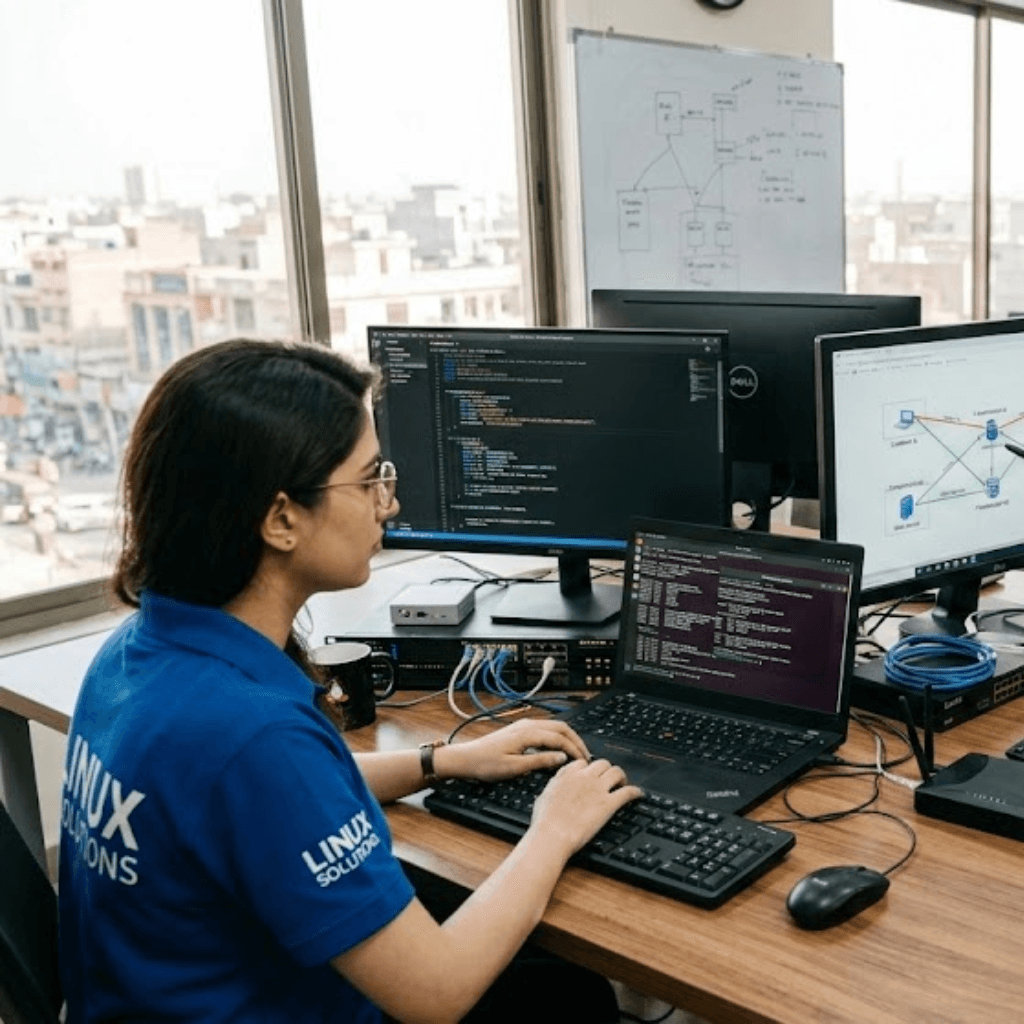
Keep your business connected and protected with vorza360’s expert Linux Networking & Firewall Configuration services. We build secure digital paths and strong shields to keep your data moving safely.
The Challenge Aris was struggling with a slow, “cluttered” network that caused lag whenever his team tried to share large files between offices. His standard setup couldn’t handle the volume of data, and he was worried that a weak connection would eventually stop his work entirely. He needed an expert to look at his “digital wiring” and find a more efficient way to route his information.
The vorza360 Solution We used advanced Linux network commands to bridge his interfaces together, creating a custom-built highway designed for pure speed. We didn’t just use a basic configuration; we found creative ways to list and link his network paths to ensure maximum reliability. It is like taking a congested city street and building a wide, multi-lane bypass, suddenly, the traffic moves perfectly, and there are no more bottlenecks holding anyone back.
The Result The lag has completely vanished, and the network is now the reliable heartbeat of his company. Aris’s team can communicate and share files without a single interruption. He appreciates that we handled the complex technical side so he could focus on his Greek business goals.
Beatrice Vane (UK)
The Challenge Beatrice had a great network, but she didn’t feel safe. She was worried about unwanted visitors “sniffing” around her servers and needed a firewall configuration that could act as a permanent security guard. She wanted to ensure her private business information stayed inside her walls while letting her customers access her website smoothly.
The vorza360 Solution We built a powerful shield around her data, setting up strict rules for every bit of traffic entering or leaving her office. Our firewall configuration monitors her traffic 24/7, blocking suspicious IPs while keeping the “good” paths open for her team and clients. It is like having a high-tech gatehouse at the entrance of your property, the guards check every ID and every package, making sure only the invited guests get through while the troublemakers are sent away.
The Result Beatrice now has total peace of mind. Her network is as safe as it is fast, and she hasn’t had a single security scare since we took over. She values the “security-first” approach we bring to her London-based infrastructure.
Jānis Bērziņš (Latvia)
The Challenge Jānis was tired of “network surprises”, sudden slowdowns or crashes that happened without warning. He needed an insightful strategy to watch over his system’s health and catch problems before they affected his team’s work. He wanted to move away from fixing things after they broke and toward a proactive monitoring model.
The vorza360 Solution We set up a constant Linux network monitor that watches his system’s vitals every second. By using these monitoring tools, we can see a “traffic jam” forming or a setting starting to fail long before it causes a slowdown. This allows us to perform a quick fix or a network reset behind the scenes while Jānis and his team keep working. It is like having a weather satellite that tells you a storm is coming, giving you plenty of time to close the Windows and stay dry before the first drop of rain even falls.
The Result Jānis no longer experiences unexpected downtime. His network is more stable than ever, and he loves that our team is always one step ahead of potential trouble. His business in Latvia is now running on a truly “smart” network.
Julian Pierce (USA)
The Challenge Julian runs a complex set of web servers and needed a specific Ubuntu firewall configuration that wouldn’t block his legitimate customers. He had tried “one size fits all” solutions in the past, but they often made work difficult by blocking the very apps his team used every day. He needed a tailored solution built specifically for his unique digital tools.
The vorza360 Solution We studied exactly how Julian’s team works and built a firewall configuration that matches his daily tools perfectly. We mapped out his specific network interfaces across multiple locations and tailored the security rules to be “invisible” to his employees but “impenetrable” to hackers. It is like having a suit of armor that is custom-fitted to your body, it protects you perfectly, but it is so comfortable and well-designed that you almost forget you are wearing it.
The Result The web servers are now fully protected, and Julian’s team hasn’t run into a single “blocked” error while doing their jobs. He values the personalized attention we gave to his setup in the USA, ensuring his protection never gets in the way of his productivity.
Birgit Nilsson (Sweden)
The Challenge Birgit has a growing company with teams in several different locations, and she needed them all to feel like they were working in the same room. She needed a complex setup to show and link Linux network interfaces across multiple sites, creating a secure digital bridge that her whole company could use to stay connected.
The vorza360 Solution We designed a “multi-site” network plan that links all of Birgit’s locations into one secure environment. We handled the digital wiring to ensure that file sharing and communication happen instantly, regardless of the physical distance. We also applied a consistent firewall configuration across the whole bridge to keep every office equally safe. It is like building a private, high-speed tunnel between two cities, you can travel back and forth in total safety and speed, completely separate from the public roads.
The Result Birgit’s team is now more unified than ever. Distant offices can collaborate in real-time without any lag, and the entire network is managed as one healthy unit. She sees vorza360 as her long-term partner for keeping her Swedish business connected to the world.
Saskia de Jong (Netherlands)
The Challenge Saskia de Jong runs an online platform in the Netherlands that sees huge spikes in traffic during seasonal sales. During these busy times, her network interfaces would often get overwhelmed, leading to slow load times and “spinning wheels” for her customers. She needed an expert to fine-tune her networking so her business could handle high-volume traffic without any interruptions or lag.
The vorza360 Solution We performed a deep-tissue optimization of Saskia’s network settings, using advanced commands to ensure her system can handle massive amounts of data at once. We set up a “load-balancing” firewall that directs traffic smoothly across her servers, preventing any single point from getting too hot or overloaded. It is like upgrading a narrow city street into a professional high-speed motorway, it is built to handle extreme speed and a high volume of travelers without ever slowing down.
The Result Saskia’s platform now handles high-traffic days with ease. Her customers enjoy a fast, snappy experience no matter how busy the site gets. She values the technical “edge” we provided, turning her network into a powerful asset that supports her business growth across Europe.
Connecting Your Business to the World
In today’s digital world, your network is the heartbeat of your company. If your servers can’t talk to each other or your internet connection is weak, your work stops. At vorza360, we specialize in Linux networking, making sure all your systems are linked together perfectly. We handle the complex “digital wiring” so your team can share files, host websites, and communicate without any lag or interruptions.
Beyond just connecting, we focus heavily on firewall configuration to act as a 24/7 security guard for your data. A properly set up network is only useful if it is also safe. Our team monitors your traffic and blocks unwanted visitors, ensuring that your private business information stays inside your walls while the “good” traffic flows through smoothly.
How we do it
We treat your network like a custom-built highway designed for speed, safety, and growth.
Creative Approaches
We use advanced Linux network commands to find the most efficient ways to route your data. Instead of standard setups, we look for creative ways to list Linux network interfaces and bridge them together, giving you more speed and reliability than a basic configuration could offer.
Insightful Strategies
A great network starts with a great plan. Our strategy involves setting up a constant Linux network monitor to watch over your system’s health. By using Linux network monitoring, we can see a problem coming before it even affects your work, allowing us to perform a Linux reset network or fix a setting long before you notice a slowdown.
Tailored Solutions
Every office has different needs. Whether you need a specific Ubuntu firewall configuration for your web servers or a complex setup to show Linux network interfaces across multiple locations, we build it just for you. We don’t believe in “one size fits all”; we tailor every firewall configuration to match the exact apps and tools your business uses every day.
Creative Approaches
We use advanced Linux network commands to find the most efficient ways to route your data. Instead of standard setups, we look for creative ways to list Linux network interfaces and bridge them together, giving you more speed and reliability than a basic configuration could offer.
Insightful Strategies
A great network starts with a great plan. Our strategy involves setting up a constant Linux network monitor to watch over your system’s health. By using Linux network monitoring, we can see a problem coming before it even affects your work, allowing us to perform a Linux reset network or fix a setting long before you notice a slowdown.
Tailored Solutions
Every office has different needs. Whether you need a specific Ubuntu firewall configuration for your web servers or a complex setup to show Linux network interfaces across multiple locations, we build it just for you. We don’t believe in “one size fits all”; we tailor every firewall configuration to match the exact apps and tools your business uses every day.
Here is what our Clients are saying About us
Aleksander Nowak (Poland)
Our network configuration had grown organically over years and nobody fully understood it anymore. vorza360 mapped the entire setup, identified redundancies and risks, then rebuilt the routing and firewall rules logically. The network finally makes sense.
Nour Al-Deen Khalil (Lebanon)
vorza360 configured our iptables rules from scratch after a security review flagged our existing setup as dangerously permissive. They implemented a strict allowlist model and tested every rule thoroughly. Our network perimeter is genuinely secure now for the first time.
Astrid Magnusson (Sweden)
Setting up VLANs and inter-network routing on our Linux servers had stumped our team for weeks. vorza360 handled it methodically, tested everything end-to-end, and left us with clear documentation. The ‘network-clarity’ they brought to our infrastructure was long overdue.
Rohan Mehta (India)
vorza360 set up firewalld across our entire server fleet with consistent zone policies that match our security requirements. They also automated the rule review process so we get a monthly report on what’s being blocked and why. Excellent ongoing visibility.
Pieter De Vos (Netherlands)
We needed a complex multi-homed server setup with precise traffic routing between networks. vorza360 handled the entire configuration including bonding, routing tables, and firewall rules. The ‘precision-routing’ solution they built has been completely stable since day one.
Yemi Adeyemi (Nigeria)
vorza360 configured our Linux-based firewall to replace an aging hardware appliance at a fraction of the cost. The performance is better, the rules are cleaner, and we have full visibility into traffic for the first time. A genuinely smart infrastructure decision.
More about Linux
Linux Server Setup & Configuration
Get your business running smoothly with our expert Linux server setup and…
Got questions? We’ve got answers. Find everything you need to know about using our platform, plans, and features
What does vorza360's Linux networking and firewall configuration service cover?
vorza360’s Linux networking and firewall configuration service covers the complete networking layer of your Linux server environment. This includes configuring network interfaces with static or dynamic IP addresses, setting up routing tables so traffic flows correctly between your server and its connected networks, implementing DNS resolution for reliable name lookups, configuring VLANs and network bonding for enterprise environments, setting up VPN connections for secure remote access, and deploying and managing firewalls using tools like iptables, nftables, or UFW to control exactly what traffic is permitted to enter and leave your server. We also implement network performance monitoring to identify bandwidth usage, detect unusual traffic patterns, and ensure your connections remain fast and reliable. Every network configuration decision is documented so your team has a clear record.
How does vorza360 configure a Linux firewall to protect my server?
vorza360 configures Linux firewalls using a deny-all-by-default approach, starting from a position where all incoming traffic is blocked and then explicitly opening only the ports and protocols required for your server’s legitimate function. For web servers, this typically means allowing HTTP (port 80) and HTTPS (port 443) from any source while blocking everything else. SSH access is restricted to specific IP addresses or ranges where your administrators connect from, rather than the whole internet. Database ports are typically blocked from public access entirely, accessible only from the application servers that need them. We use UFW for straightforward Ubuntu and Debian environments, iptables or nftables for more complex rule sets, and firewalld for RHEL-based systems. All firewall rules are tested after implementation, and we use monitoring tools to verify only expected traffic patterns are occurring.
Can vorza360 set up a network connection between multiple Linux servers in different locations?
Yes. Connecting Linux servers across different locations, whether between cloud regions, between your office and cloud servers, or between different data centres, is a common requirement that vorza360 handles through VPN configuration and network routing. We implement site-to-site VPNs using OpenVPN or WireGuard to create encrypted, private tunnels between your server locations, allowing servers in different environments to communicate as if they were on the same private network. This is particularly important for database replication, application cluster communication, and centralised management access. We configure routing tables on each server to ensure traffic destined for remote networks uses the VPN tunnel rather than attempting to traverse the public internet unencrypted. For high-throughput inter-server communication, we also implement direct peering arrangements where cloud providers support them.
What is the difference between iptables, UFW, and firewalld, and which does vorza360 recommend?
iptables is the foundational Linux firewall tool that directly interfaces with the kernel’s netfilter packet filtering framework, it is extremely powerful and flexible but requires detailed knowledge to configure correctly, as rules are written in a specific syntax that can be difficult to manage for complex rule sets. UFW (Uncomplicated Firewall) is a user-friendly front end for iptables, designed for Ubuntu and Debian systems, that provides a simplified command interface for common firewall rules while still using iptables under the hood. firewalld is the default firewall manager for RHEL, CentOS, and Fedora-based systems, offering a dynamic firewall with zone-based configuration that allows rules to be applied without restarting the firewall service. vorza360 recommends UFW for standard Ubuntu and Debian servers where simplicity and maintainability are the priority, iptables or nftables for environments requiring advanced, highly customised rules, and firewalld for RHEL-based enterprise deployments.
How does vorza360 monitor Linux network performance and diagnose connectivity issues?
vorza360 monitors Linux network performance using a combination of real-time tools and continuous monitoring platforms. For ongoing performance monitoring, we deploy Netdata or Prometheus with Grafana dashboards to track bandwidth utilisation, packet loss rates, connection counts, and interface error rates in real time. Monitoring alerts notify our team when network metrics exceed defined thresholds, such as bandwidth saturation, which often indicates either traffic growth requiring capacity planning or unexpected data exfiltration. For diagnosing connectivity issues when they occur, we use a systematic toolkit: ping and traceroute to test basic connectivity and identify where packets are dropping, ss and netstat to inspect current connections and listening ports, tcpdump and Wireshark for deep packet-level analysis, iftop and nethogs to identify which processes are consuming the most bandwidth, and ip commands to inspect routing tables and interface states. We document root causes and preventive measures after every significant incident.