Keep your business data safe and organized with vorza360’s professional Linux user group management services. We handle access control and permissions so your team can work securely without any technical friction.
The Challenge Julian Bennett’s tech startup in Canada was expanding fast, and he was struggling to get new hires set up with the right access. Some people had too much power over the system, while others couldn’t even open the folders they needed to do their jobs. He needed a strategic way to provide unique identities and shared folders for collaboration without the technical friction.
The vorza360 Solution We implemented a group-based permission model that organizes Julian’s team by department. Now, when a new person joins the engineering or sales team, we use our automation tools to give them the exact “keycard” they need in seconds. We also set up home directories with storage limits to keep the server tidy. It is like having a professional HR and Security team working together to make sure every new desk is set up with the right keys and equipment before the employee even arrives.
The Result New team members are now ready to work immediately. Julian loves the consistency across his departments, and he no longer worries about simple mistakes leading to data leaks. His digital structure is tidy, professional, and follows his company policy perfectly.
Yuki Tanaka (Japan)
The Challenge Yuki Tanaka’s office in Japan has a mix of full-time staff and temporary guest workers. He was worried about sensitive local files being accessed by the wrong people and was frequently hitting permission errors that stopped his team from working. He needed a “master key” system that provided high-speed, on-site security for his local users and groups in Tokyo.
The vorza360 Solution We refined his local access control by restricting sensitive folders to authorized staff only. We set up specialized guest accounts that have a “read-only” view of the office, preventing them from changing or deleting anything important. We also fixed all the underlying permission errors and simplified the command-line tasks for him. It is like having a high-security filing cabinet where the managers have the master key, the staff can only open their own drawers, and visitors can’t even get into the room.
The Result The friction in his daily workflow has disappeared. Yuki’s most important data is now locked down, and his temporary workers have exactly the access they need without risking the company’s safety. He appreciates the “master key” approach we provided for his local security and the peace of mind it brings to his office.
Liam O’Connor (UK)
The Challenge Liam was managing a cloud network across multiple servers and virtual machines. His staff was frustrated because they had to remember a different password for every single system, and updating permissions on hundreds of servers at once was becoming an impossible task. He needed to centralize his logins and sync user accounts across his entire network.
The vorza360 Solution We used powerful identity tools to centralize his logins. Now, his staff only needs one secure password to access every server they are authorized to use. We also implemented a global group rule system that allows us to update permissions for the whole team across hundreds of servers in just a few clicks. It is like moving from a bunch of separate houses with different keys to a modern apartment complex where one smart-key gets you through the front gate, into the gym, and into your own front door.
The Result The “password fatigue” for his team is gone, and the management of his global network is now 100 percent accurate. Liam saved a massive amount of time on administrative tasks and has the best user management setup for his growing UK business.
Sylvie Dubois (France)
The Challenge Sylvie realized that many former employees still had active accounts on her server, creating “backdoors” that a hacker could potentially use. She had no way of tracking who was logging in or when, and her server was becoming cluttered with leftover files. She needed a proactive partner to perform regular check-ups and account auditing.
The vorza360 Solution We performed a complete safety audit and cleaned up all the unused accounts from her system. We set up a tracking system that monitors logins and generates simple reports on who has access to what. We also enforced strong password policies to make sure every active account is protected by more than just a lucky guess. It is like a building manager who changes the locks every time a tenant moves out and keeps a log of everyone who enters the building after hours.
The Result Sylvie’s server is now clean, secure, and easy to manage. She has total transparency into her team’s access levels and feels much safer knowing that all the old backdoors are closed. Our regular check-ups ensure her system stays healthy as her business in FranceMexico evolves.
Thabo Mbeki (South Africa)
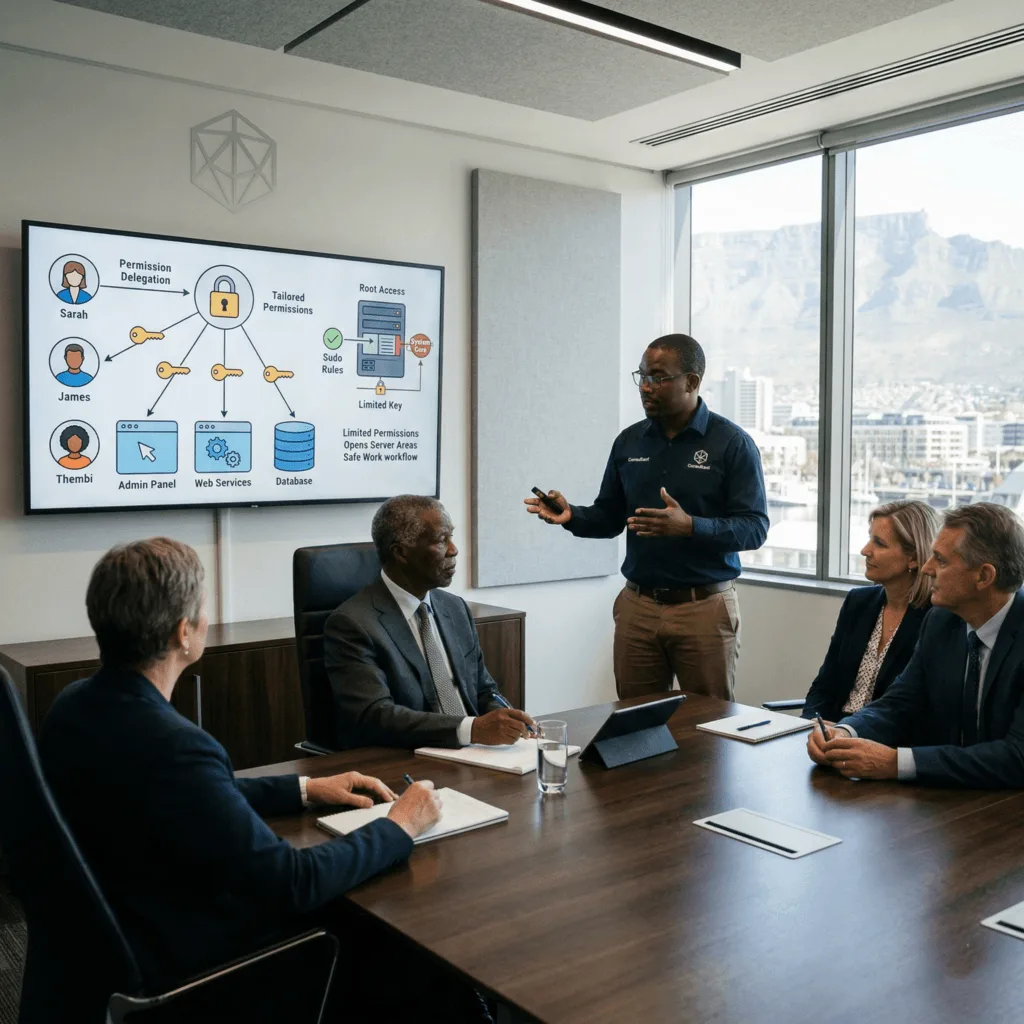
The Challenge Thabo had a few senior staff members who needed to perform administrative tasks, but he didn’t want to give them full “root” access to the entire system core. He was worried that a single mistake with that much power could crash the whole server. He needed to share responsibility safely through advanced permission delegation.
The vorza360 Solution We set up specific “sudo” rules that give his staff the permissions they need for their specific jobs, and nothing else. This allows them to manage their own apps and settings without risking the health of the entire system. We created a smooth workflow where “super powers” are only active when they are actually needed. It is like giving a specialized contractor a key that only opens the electrical room, they can do their job perfectly, but they can’t wander into the bank vault or the CEO’s office.
The Result Responsibility is now shared safely across his organization. Thabo’s senior staff can do their work efficiently, and the system core remains protected from accidental mistakes. He appreciates the technical precision we used to balance power with safety.
Isla Murray | UK (Scotland)
The Challenge Isla wanted a management model that would grow with her business. She didn’t want a “set it and forget it” tool; she wanted a long-term partner who would update her permissions as her team changed and her digital structure became more complex. She needed a service that focused on security first while keeping things simple for her team.
The vorza360 Solution We act as Isla’s proactive partners, using professional identity tools to manage her whole office. We handle all the technical user group management settings and adjust permissions as her business evolves. We make it easy for her staff to get what they need without them ever having to see the complex “under the hood” details. It is like having a personal security consultant who knows your business so well that they automatically adjust the building’s access levels as you hire more people or move to a bigger office.
The Result Isla has a reliable, human-centered service that she can trust. Her data is safe, her team is productive, and she knows that vorza360 is always there to keep her digital structure tidy. She has the perfect balance of advanced technology and simple, friendly support.
vorza360’s Tech Edge
User Account Provisioning
Group-Based Permission Models
Password Policy Enforcement
+ 2
More
Privilege Delegation (sudoers)
Account Auditing & Cleanup
vorza360’s Tech Edge
User Account Provisioning
We quickly set up new team members with the exact access they need to start working.
Group-Based Permission Models
We organize your team into groups to ensure department-wide security and consistency.
Password Policy Enforcement
We set up strong safety rules to protect your accounts from being easily guessed by hackers.
Privilege Delegation (sudoers)
We give “super powers” only to the people who need them, keeping your system core safe.
Account Auditing & Cleanup
We regularly check for old or unused accounts and remove them to keep your server clean and secure.
Strategic User and Group Management in Linux
We provide a complete solution for user and group management in Linux to keep your company’s digital structure tidy.
Advantages
Creating unique identities for every team member.
Setting up shared folders for team collaboration.
Managing home directories and storage limits.
Handling password resets and account recoveries.
Ensuring Linux users and groups management follows your company policy.
Local Access Control
Our team specializes in managing local users and groups in Linux for offices that need high-speed, on-site security.
Advantages
Restricting access to sensitive local files and folders.
Setting up specialized "guest" accounts for temporary workers.
Fixing permission errors that stop your team from working.
Managing the Linux manages users and groups command line tasks for you.
Providing a "master key" system for your most important data.
Multi-Server & VM Management
We offer the best user and group management for Linux for multiple VMS/servers, keeping your settings the same across all your systems.
Advantages
Syncing user accounts across your entire cloud network.
Centralizing logins so your staff only needs one password.
Managing global group rules for large, growing teams.
Updating permissions on hundreds of servers at once.
Providing the best user and group management for Linux environments.
Effective Security Auditing
Our effective users and groups management Linux service includes regular check-ups to make sure only the right people have access.
Advantages
Tracking which users are logging in and when.
Finding and closing "backdoor" accounts.
Generating simple reports on your team's access levels.
Running all the necessary user and group management commands in Linux.
Cleaning up leftover files from former employees.
Advanced Permission Delegation
Through expert Linux group user management, we help you share responsibility safely across your organization.
Advantages
Setting up "sudo" rules so staff can do their jobs without full admin access.
Creating "read-only" groups for viewing data safely.
Locking down specific apps to authorized users only.
Managing the technical user group management in Linux settings.
Providing a smooth workflow for Linux managing users and groups.
Strategic User and Group Management in Linux
We provide a complete solution for user and group management in Linux to keep your company’s digital structure tidy.
ADVANTAGES
Creating unique identities for every team member.
Setting up shared folders for team collaboration.
Managing home directories and storage limits.
Handling password resets and account recoveries.
Ensuring Linux users and groups management follows your company policy.
Local Access Control
Our team specializes in managing local users and groups in Linux for offices that need high-speed, on-site security.
ADVANTAGES
Restricting access to sensitive local files and folders.
Setting up specialized "guest" accounts for temporary workers.
Fixing permission errors that stop your team from working.
Managing the Linux manages users and groups command line tasks for you.
Providing a "master key" system for your most important data.
Multi-Server & VM Management
We offer the best user and group management for Linux for multiple VMS/servers, keeping your settings the same across all your systems.
ADVANTAGES
Syncing user accounts across your entire cloud network.
Managing global group rules for large, growing teams.
Centralizing logins so your staff only needs one password.
Updating permissions on hundreds of servers at once.
Providing the best user and group management for Linux environments.
Effective Security Auditing
Our effective users and groups management Linux service includes regular check-ups to make sure only the right people have access.
ADVANTAGES
Tracking which users are logging in and when.
Finding and closing "backdoor" accounts.
Generating simple reports on your team's access levels.
Running all the necessary user and group management commands in Linux.
Cleaning up leftover files from former employees.
Advanced Permission Delegation
Through expert Linux group user management, we help you share responsibility safely across your organization.
ADVANTAGES
Setting up "sudo" rules so staff can do their jobs without full admin access.
Creating "read-only" groups for viewing data safely.
Locking down specific apps to authorized users only.
Managing the technical user group management in Linux settings.
Providing a smooth workflow for Linux managing users and groups.
Why Choose vorza360 for This Service?
Managing who has access to your business information is a big responsibility. At vorza360, we take that burden off your shoulders by providing a reliable, human-centered service.
Security First Approach
We build our management models around keeping your data safe, ensuring that a simple mistake never leads to a big security leak.
Simplicity for Your Team
We make it easy for your staff to get the access they need without having to understand the complex user and group management in Linux details.
Proactive Service
vorza360 doesn’t just set it and forget it; we act as your long-term partner, updating your permissions as your business evolves and grows.
Tools
Tools & Plugins We Use
FreeIPA
A powerful tool we use for Linux user group management that handles identity and security for your whole office.
Ansible User Module
A plugin that allows us to manage users and groups on all your servers at the same time with perfect accuracy.
Webmin Users Plugin
A simple interface that lets us quickly adjust your user group management in Linux settings without any downtime.
Sudoers Manager
A specialized tool we use to safely give your team the permissions they need without risking your system’s health.
Here is what our Clients are saying About us
Marta Wiśniewska (Poland)
Access control was a mess when vorza360 first looked at our systems. Users had permissions they didn’t need, old accounts from ex-employees were still active, and there was no clear ownership structure. They rebuilt our entire user and group hierarchy cleanly and safely.
Omar Al-Rashidi (Kuwait)
vorza360 implemented a proper RBAC structure across all our Linux systems. Every team member now has exactly the access they need, nothing more, nothing less. The ‘least-privilege’ model they set up has become the foundation of our internal security policy.
Elise Moreau (Belgium)
We needed to onboard fifteen new developers quickly without compromising security. vorza360 set up a streamlined user provisioning process that gets a new developer fully configured and access-controlled in under five minutes. The efficiency gain has been remarkable.
Vikram Nair (India)
After a staff restructure, we had a tangled web of group memberships that nobody fully understood. vorza360 audited everything, removed stale accounts, restructured the groups logically, and documented the new policy clearly. Clean, thorough, and exactly what we needed.
Sigrid Thorvaldsen (Iceland)
vorza360 integrated our Linux user management with our existing Active Directory setup. It sounds simple but the implementation required careful planning across multiple systems. They handled it seamlessly and our IT team now manages everything from one place.
Chidi Okafor (Nigeria)
vorza360 set up sudo policies across our server fleet that gave our team the right level of administrative access without opening security holes. The ‘controlled-privilege’ system they built means our junior admins can do their jobs without risk to production systems.
More about Linux
Linux Server Setup & Configuration
Get your business running smoothly with our expert Linux server setup and…
Got questions? We’ve got answers. Find everything you need to know about using our platform, plans, and features
What is Linux user and group management and why is it important for security?
Linux user and group management is the administration of who can log into your servers, what they can do once logged in, and which files and services they can access. Every action taken on a Linux system is performed in the context of a user account, and the permissions associated with that account determine what is possible. Proper user and group management is fundamental to security: it implements the principle of least privilege, ensuring each person and each application has only the access they need for their specific role and nothing more. This limits the damage possible if an account is compromised, a compromised low-privilege account cannot reach your database or modify system files. vorza360 designs and implements structured user and group architectures that balance security with usability, ensuring your team can work efficiently while your most sensitive data and systems remain protected.
How does vorza360 manage user accounts across multiple Linux servers?
Managing user accounts individually on each server becomes unmanageable as infrastructure grows and creates security risks, accounts that should be disabled after an employee leaves may persist on servers that were updated manually. vorza360 addresses this through centralised user management. For organisations with multiple Linux servers, we implement centralised identity management using tools like FreeIPA or LDAP, allowing a single user account to authenticate against any server in your fleet without duplicating accounts on each machine. Changes made in the central directory, such as disabling an account when an employee leaves, propagate automatically to all connected servers. For environments where centralised authentication is not appropriate, we use Ansible to synchronise user account states across your server fleet from a single management point, ensuring consistency without manual per-server administration.
Can vorza360 set up sudo access so team members can perform administrative tasks without full root privileges?
Yes. Configuring granular sudo access is an important security practice that vorza360 implements as part of every Linux user and group management engagement. Rather than granting full root access to everyone who needs to perform administrative tasks, which creates unnecessary risk, we configure the sudoers file to grant each user or group only the specific commands they need to carry out their role. For example, a web developer might be granted sudo access to restart the web server process but not to modify system files or create new user accounts. An application deployment user might have access only to deploy files to specific directories. This granular delegation keeps your system secure while allowing your team to work effectively without constantly asking an administrator for help with routine tasks. All sudo usage is logged automatically, creating a complete audit trail.
How does vorza360 handle the removal of user accounts when employees leave an organisation?
Promptly and thoroughly removing access for departing employees is a critical security requirement that vorza360 handles systematically as part of its user and group management service. When notified of a departure, we immediately disable the user’s account to prevent any further login, remove or revoke all SSH public keys associated with the account, invalidate any active sessions, review and adjust shared credentials or service accounts the individual may have known, archive the user’s home directory and any work files to a secure location before removal, and document the offboarding in the audit log. For organisations using centralised identity management through FreeIPA or LDAP, disabling an account in the central directory simultaneously removes access across all connected servers. We recommend establishing a clear offboarding notification process so vorza360 can act immediately when an employee departure is confirmed.
What tools does vorza360 use for Linux user and group management in enterprise environments?
vorza360 selects and deploys user management tools appropriate to the scale and complexity of each enterprise environment. FreeIPA is our recommended solution for organisations needing full-featured centralised identity management on Linux, it provides user account management, Kerberos-based authentication, sudo policy management, host-based access control, and a certificate authority all in one integrated system. For environments requiring compatibility with Microsoft Active Directory, we implement SSSD to allow Linux servers to authenticate against Active Directory without migrating to FreeIPA. The Ansible User Module allows us to manage user accounts across your entire fleet programmatically and consistently. Webmin provides a web interface for administrators who prefer a GUI for routine user management tasks. Sudoers Manager handles the complex task of maintaining granular sudo policies safely across multiple servers.