
Azure Logic Apps
Connect your apps and automate your business processes with vorza360’s expert Azure logic app services. We build smart, visual workflows that link your data and tools together effortlessly.

Shopify

WordPress

Figma

PHP

Flutter

React Js

Node Js

Python

Swift

Java

Vue.js

Kotlin

CSS

HTML

JavaScript
Customer Success Story

Wolfgang Schreiber (Germany)
The Challenge: Wolfgang’s company had a large on-premises server estate that needed to migrate to Azure. Previous cloud migration discussions had stalled on the question of which workloads to migrate in which order, every team had opinions but there was no objective data to base the migration sequencing on.
The vorza360 Solution: vorza360 deployed Azure Migrate to assess the entire on-premises estate: dependency mapping to identify which workloads depended on which others, performance data collection to size Azure VMs appropriately, and migration readiness assessment for each workload. The assessment produced a migration wave plan sequenced by dependencies and business impact.
The Result: Wolfgang’s migration had a data-driven, dependency-aware plan rather than an opinion-driven sequence. The first migration waves completed without the cross-dependency complications that had derailed previous migration discussions. Azure Migrate’s sizing recommendations meant the migrated VMs were right-sized from the start rather than copied directly from on-premises over-provisioning.

Layla Al-Sayed (UAE)
The Challenge: Layla’s company needed to migrate their SQL Server databases to Azure SQL as part of a broader infrastructure migration. Their DBAs were concerned about compatibility, their SQL Server instances were running non-standard features that might not be supported in Azure SQL, and a failed database migration would be far more disruptive than a failed server migration.
The vorza360 Solution: vorza360 used the Azure Database Migration Service assessment to evaluate each database for Azure SQL compatibility, identified and resolved compatibility issues for the majority of databases, and recommended Azure SQL Managed Instance for the databases with features that required instance-level compatibility rather than database-level. The migrations were executed with online migration mode to minimise downtime.
The Result: All SQL Server databases migrated to Azure successfully with under 30 minutes of combined downtime across all databases. Layla’s DBAs had confidence in the migration because every compatibility issue was identified and addressed before any data moved. The Azure SQL environment performed comparably to on-premises without the infrastructure maintenance overhead.

Marian Georgescu (Romania)
The Challenge: Marian’s company had on-premises file servers with 20TB of data that needed to migrate to Azure Files as part of their infrastructure migration. The challenge was migrating 20TB with minimal disruption to the thousands of users who accessed the file shares daily.
The vorza360 Solution: vorza360 used Azure File Sync for the migration: Azure File Sync agents installed on the on-premises file servers created tiered caches that kept frequently accessed data local while syncing to Azure Files in the background. Once the sync was complete and users were reading from Azure Files, the on-premises servers were retired from active file serving.
The Result: The 20TB file migration was invisible to users, they accessed the same file shares through the same paths throughout the migration. Marian’s file servers were retired without any user-visible disruption, and the Azure Files shares had exactly the same data as the on-premises shares, verified by Azure File Sync’s consistency checking.

Vikram Agarwal (India)
The Challenge: Vikram’s company had a phased cloud migration strategy but was struggling with the hybrid period, managing both on-premises and Azure workloads simultaneously was creating operational complexity, and the identity and networking connections between the two environments were unstable.
The vorza360 Solution: vorza360 stabilised the hybrid foundation first: Azure AD Connect health checked and repaired, ExpressRoute connectivity established replacing the unreliable VPN, and hybrid DNS configured correctly so name resolution worked from both environments. With the hybrid foundation stable, the remaining migration waves were executed against a reliable platform.
The Result: Migration velocity improved significantly once the hybrid foundation was stable. Vikram’s team stopped spending time troubleshooting hybrid connectivity issues and spent it executing migrations. The remaining on-premises workloads migrated on schedule, and each wave completed reliably against the stable hybrid platform.

Lars Holm (Norway)
The Challenge: Lars’s company had acquired a business that was entirely on-premises while the parent company was primarily in Azure. The integration plan required the acquired company’s workloads to move to Azure, but the acquired company’s IT team had no Azure experience and the parent company’s Azure team had no capacity to run the migration themselves.
The vorza360 Solution: vorza360 acted as the migration delivery partner: assessed the acquired company’s on-premises estate, produced an Azure target architecture aligned to the parent company’s Azure standards, executed the workload migrations, and ran knowledge transfer sessions for the acquired company’s IT team so they could operate their workloads in Azure after the migration.
The Result: The acquisition was integrated onto a single Azure platform within four months. Lars’s acquired company IT team had the Azure operational capability they needed, the workloads were running in Azure meeting the parent company’s governance standards, and the IT integration that had seemed like the most complex aspect of the acquisition was completed on schedule.
Amara Diallo (Senegal)
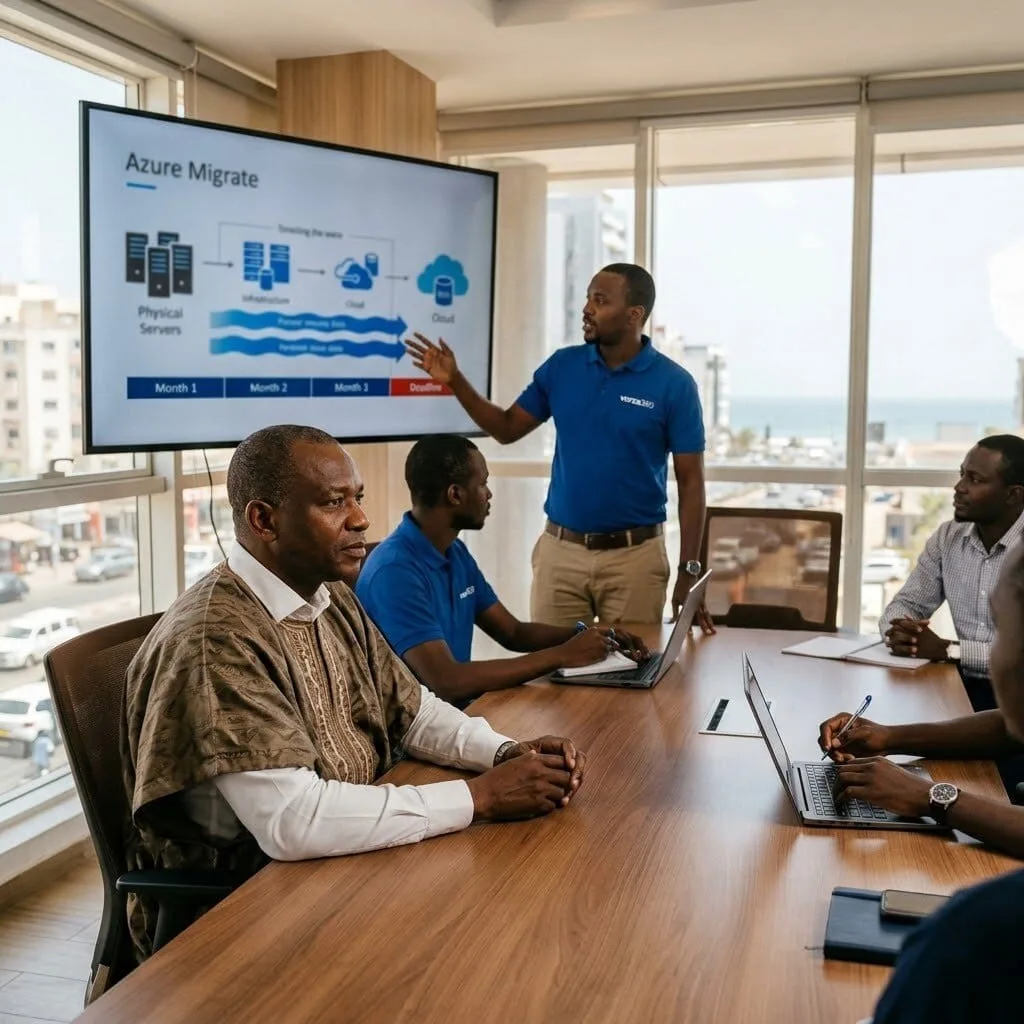
The Challenge: Amara’s company was migrating from a co-location data centre to Azure but had a hard deadline, their co-location contract was expiring in four months and renewal would be expensive. Four months for a migration that their team estimated would take eight months without external help.
The vorza360 Solution: vorza360 accelerated the migration timeline by running migration waves in parallel rather than sequentially, prioritised the highest-dependency workloads first to unblock subsequent waves, and used Azure Migrate’s agentless migration for compatible workloads to reduce the pre-migration preparation required.
The Result: The co-location migration was completed within the four-month contract deadline. Amara’s team avoided the expensive contract renewal, and the workloads running in Azure performed comparably to co-location while providing the operational flexibility that on-premises infrastructure had never offered. The deadline that had seemed impossible was met with two weeks to spare.
vorza360’s Tech Edge
Workflow Automation Designer
Pre-Built Connectors
API-Driven Integrations
+ 2
More
Event-Based Triggers
Business Process Orchestration
vorza360’s Tech Edge
Workflow Automation Designer
We use a visual building tool to map out your business steps, making it easy for you to see exactly how your data flows from one app to another.
Pre-Built Connectors
We can instantly link your workflow to over 1,000 popular services like Office 365, Salesforce, and Dropbox using professional Azure logic app services.
API-Driven Integrations
If you have a custom or unique tool, we build “digital handshakes” (APIs) to ensure it talks perfectly with the rest of your cloud environment.
Event-Based Triggers
We set up “if-this-then-that” rules, such as an Azure logic app blob trigger that starts a process the moment a new file is uploaded to your storage.
Business Process Orchestration
For complex tasks, we combine Azure functions logic apps to handle both simple data moves and heavy-duty calculations in one smooth cycle.

Seamless Cloud Integration
We help your different cloud tools work together as one single, powerful system.
Advantages
- Professional setup of Azure logic app services.
- Connecting your CRM, email, and file storage.
- Real-time data syncing between different platforms.
- Elimination of manual "copy-paste" work between apps.
- Easy Azure devops logic app connections for team tracking.
Automated Document Handling
vorza360 makes managing files easy by automating how they are saved, moved, and shared.
Advantages
- Setup of Azure logic app blob trigger for instant file actions.
- Automatic sorting of incoming attachments into the right folders.
- Converting files (like PDF to text) as they arrive.
- Securely moving data from old office servers to the cloud.
- Notifying your team the moment a critical file is ready.


Advanced Team Notifications
We ensure the right people get the right message at the right time, every time.
Advantages
- Custom alerts for your team on Teams, Slack, or SMS.
- Weekly "health reports" of your business sent to your inbox.
- Instant notifications for new customer leads or sales.
- Securely linking your Azure devops logic apps to project updates.
- Escalation rules that alert a manager if a task isn't finished.
Hybrid Data Bridges
We connect your on-site office computers to your cloud apps so they can share info safely.
Advantages
- Securely accessing your local databases from the cloud.
- Bridging the gap between legacy software and modern tools.
- Safe and encrypted data transfers that follow all security rules.
- Professional Azure logic app local development and testing.
- A "best-of-both-worlds" setup for growing businesses.


Custom Task Automation
For unique business needs, we combine logic with custom code to solve any challenge.
Advantages
- Using Azure functions logic apps for complex math or data cleaning.
- Building custom logic for specialized industry tools.
- Scheduling tasks to run at specific times (like 2 AM backups).
- Multi-step approval workflows for your HR or Finance team.
- Flexible scaling that grows with your business activity.
Seamless Cloud Integration
We help your different cloud tools work together as one single, powerful system.
ADVANTAGES
- Professional setup of Azure logic app services.
- Connecting your CRM, email, and file storage.
- Real-time data syncing between different platforms.
- Elimination of manual "copy-paste" work between apps.
- Easy Azure devops logic app connections for team tracking.
Automated Document Handling
vorza360 makes managing files easy by automating how they are saved, moved, and shared.
ADVANTAGES
- Setup of Azure logic app blob trigger for instant file actions.
- Automatic sorting of incoming attachments into the right folders.
- Converting files (like PDF to text) as they arrive.
- Securely moving data from old office servers to the cloud.
- Notifying your team the moment a critical file is ready.
Advanced Team Notifications
We ensure the right people get the right message at the right time, every time.
ADVANTAGES
- Custom alerts for your team on Teams, Slack, or SMS.
- Escalation rules that alert a manager if a task isn't finished.
- Weekly "health reports" of your business sent to your inbox.
- Instant notifications for new customer leads or sales.
- Securely linking your Azure devops logic apps to project updates.
Hybrid Data Bridges
We connect your on-site office computers to your cloud apps so they can share info safely.
ADVANTAGES
- Securely accessing your local databases from the cloud.
- Bridging the gap between legacy software and modern tools.
- Safe and encrypted data transfers that follow all security rules.
- Professional Azure logic app local development and testing.
- A "best-of-both-worlds" setup for growing businesses.
Custom Task Automation
For unique business needs, we combine logic with custom code to solve any challenge.
ADVANTAGES
- Using Azure functions logic apps for complex math or data cleaning.
- Building custom logic for specialized industry tools.
- Scheduling tasks to run at specific times (like 2 AM backups).
- Multi-step approval workflows for your HR or Finance team.
- Flexible scaling that grows with your business activity.
Here is what our Clients are saying About us

Eerikki Korhonen (Finland)
We had manual integration processes between our business applications that were consuming hours of staff time every week. vorza360 built Azure Logic Apps workflows that handle the data flows automatically. The staff who used to do that work manually are now doing things that actually need human judgement.
Hind Al-Mansoori (UAE)
vorza360 built a Logic Apps integration between our CRM, ERP, and email systems so customer data flows between platforms automatically when key events occur. The ‘connected-by-default’ integration they delivered has eliminated the duplicate data entry that had been a constant source of errors and frustration.
Mihai Ionescu (Romania)
Our approval workflows had been running on email threads that got lost, ignored, or replied to out of order. vorza360 built Azure Logic Apps workflows that manage approvals systematically, the right people get notified, deadlines are tracked, and escalations happen automatically. Process compliance improved immediately.
Deepa Sharma (India)
vorza360 implemented Azure Logic Apps to automate our invoice processing workflow, documents arrive, data is extracted, approvals are routed, and the ERP is updated, all without manual handling for the majority of invoices. Our accounts payable team now handles exceptions rather than processing every invoice manually.
Signe Larsen (Denmark)
vorza360 built a Logic Apps solution that monitors our Azure resource health and automatically creates tickets in our ITSM system when issues are detected, enriched with the relevant diagnostic information. The ‘alert-to-ticket-automatically’ workflow they delivered means our support team responds faster and with better information.
Ngozi Okafor (Nigeria)
vorza360 built an Azure Logic Apps integration between our e-commerce platform and our warehouse management system so orders flow automatically without manual intervention. What used to require someone to export and import data twice a day now happens within minutes of each order being placed. A straightforward workflow that’s made a real operational difference.
More about Microsoft Azure
Azure Virtual Machines
Scale your business effortlessly with vorza360’s expert Azure virtual machine services.
Azure App Services
Launch and grow your web applications effortlessly with vorza360’s expert Azure app…
Azure Functions
Run your code without the hassle of managing servers with vorza360’s expert Azure…
Azure SQL Database
Secure and scale your business data with vorza360’s expert Azure SQL database services.
Azure Blob Storage
Simplify your data storage with vorza360’s expert Azure storage blob service.
Azure Active Directory
Secure your business with vorza360’s expert Microsoft Azure Active Directory service.
+ 5
More
Azure Kubernetes Service (AKS)
Simplify container management with vorza360’s expert Azure kubernetes services AKS.
Azure DevOps
Accelerate your software delivery with vorza360’s affordable Azure devops services.
Azure Networking
Build a fast and secure digital foundation with vorza360’s expert Azure network services.
More about Microsoft Azure
Azure Virtual Machines
Azure App Services
Azure Functions
+ 12
More
Azure SQL Database
Azure Blob Storage
Azure Active Directory
Azure Kubernetes Service (AKS)
Azure DevOps
Frequently Asked Questions
Got questions? We’ve got answers. Find everything you need to know about using our platform, plans, and features
What are Azure Logic Apps and what business automation problems do they solve?
Azure Logic Apps is a cloud-based integration platform that allows you to build automated workflows connecting different applications, services, and data sources, using a visual designer with hundreds of pre-built connectors, with no or minimal code required. The business problems Logic Apps solves are the integration gaps between disconnected systems: when a new lead is created in Salesforce, automatically create a task in Microsoft Teams, add a record to SharePoint, and send a confirmation email via Outlook, all without manual data entry. When an order is placed in Shopify, automatically update inventory in an ERP, send a confirmation to the customer, and alert the fulfillment team. When a critical Azure Monitor alert fires, automatically create an incident in ServiceNow and notify the on-call engineer via SMS. vorza360 implements Azure Logic Apps to automate the repetitive, multi-system workflows that currently require manual data entry or custom code, delivering efficiency gains and eliminating transcription errors.
How does vorza360 design Azure Logic Apps for production reliability?
A Logic App workflow that runs reliably in development can fail unpredictably in production when API responses are slow, data is formatted unexpectedly, or external services are temporarily unavailable. vorza360 designs production-reliable Logic Apps with resilience built in at every action: we configure retry policies on all HTTP connectors and external service actions so transient failures (network timeouts, temporary API unavailability) are automatically retried with exponential backoff rather than immediately failing the workflow. We implement error handling using the ‘Configure Run After’ feature to define behavior when a specific action fails, running a notification or compensation action rather than silently failing the entire workflow. We store credentials and connection strings in Azure Key Vault rather than inline in the workflow. We configure Logic App run history retention and integrate with Azure Monitor for alerting when workflow runs fail. We implement logging actions that write key workflow variables to Azure Log Analytics for post-execution debugging and audit trails.
What connectors does vorza360 use most frequently when building Azure Logic Apps?
Azure Logic Apps provides over 400 pre-built connectors for popular services, and vorza360 implements them across a wide range of integration scenarios. Commonly used connectors in our implementations include: Microsoft 365 connectors (Outlook for email triggers and sending, SharePoint for document management, Teams for notifications and approvals, OneDrive for file operations); Dynamics 365 and Dataverse connectors for CRM and business application integration; Salesforce connector for CRM data synchronization; ServiceNow connector for ITSM ticket creation and updates; Azure service connectors (Service Bus for reliable messaging, Blob Storage for file operations, SQL Database for database reads and writes, Event Grid for event-driven triggers, Azure Monitor for alert-triggered workflows); HTTP and HTTP with Azure AD connectors for calling custom REST APIs; and the Office 365 Users connector for employee directory lookups. For systems without a native connector, we use the HTTP connector to call any REST API directly, covering virtually any integration requirement.
How does vorza360 use Azure Logic Apps for business process approval workflows?
Approval workflows, where a request must be reviewed and approved by one or more designated reviewers before an action is taken, are one of the most valuable Logic Apps use cases because they combine human judgment with automated processing. vorza360 implements Logic Apps approval workflows using the built-in approval action connector which sends an approval request via email or Microsoft Teams with Approve and Reject buttons embedded directly in the message, waits for the reviewer’s response, and then takes different actions based on the outcome, all without any custom code. Common approval workflows we implement include: purchase order approval (triggered by a SharePoint form submission, routing to the appropriate approver based on department and amount, automatically processing approved requests in the ERP system); new user access requests (employee submits a form, manager approves, IT receives the provisioning request automatically); contract review workflows (document uploaded to SharePoint triggers legal team review with deadline tracking); and expense approval processes. We configure parallel approval paths (requiring all approvers to approve), sequential approval chains, and timeout handling for delayed responses.
How does vorza360 monitor Azure Logic Apps workflow health and troubleshoot failures?
Azure Logic Apps provides built-in run history that records every workflow execution, showing each action’s status, inputs, outputs, and duration, making troubleshooting significantly more transparent than debugging custom integration code. vorza360 monitors Logic Apps health by enabling diagnostics logging to Azure Monitor Log Analytics, allowing us to query run history across all workflow instances using KQL queries that identify patterns in failures. We configure Azure Monitor metric alerts for failed run rates (alerting when more than a defined percentage of runs fail in a time period) and workflow disabled events (alerting if a workflow is accidentally disabled). For complex multi-action workflows, we implement tracking properties on key actions that capture business-relevant identifiers (order number, customer ID, record reference) so we can search the run history by business context rather than just by technical run ID. We conduct regular run history reviews as part of the ongoing support service, identifying recurring failures that indicate upstream system issues or data quality problems before they escalate.