
Collaboration Tools Support
Boost your team’s productivity with vorza360’s expert collaboration tools support. We manage your planning and brainstorming apps so your team can work together perfectly from anywhere.

Shopify

WordPress

Figma

PHP

Flutter

React Js

Node Js

Python

Swift

Java

Vue.js

Kotlin

CSS

HTML

JavaScript
Customer Success Story

Lukas Nielsen (Denmark)
The Challenge Lukas runs a busy architectural firm in Copenhagen where the “to-do” lists were spiraling out of control. His team was using sticky notes, separate spreadsheets, and endless email threads to track project deadlines. This “manual” way of working led to missed meetings and confusion over who was responsible for which floor plan. He needed a professional collaboration tools support partner to bring order to the chaos and help his team work together perfectly from anywhere.
The vorza360 Solution We acted as Lukas’s productivity architects, building a visual workspace using Microsoft Planner. We moved those messy spreadsheets into clean, digital project boards where every task has a clear owner and a ticking deadline. We also used the Microsoft Graph API as “digital glue” to ensure that a task assigned in a meeting shows up instantly on his team’s Microsoft To Do list on their phones. It’s like replacing a pile of loose papers with a smart, glowing map that tells everyone exactly where to go.
The Result The “deadline anxiety” at Lukas’s firm has vanished. His architects are more focused, and projects are finishing ahead of schedule. He loves the automated reminders we set up and values the high-quality 360 support solutions that keep his team’s digital boards running smoothly in Denmark.

Elina Karlsson (Sweden)
The Challenge Elina manages a large marketing agency in Stockholm and was struggling to collect feedback from her global clients. Her old way of sending PDF surveys was slow, and her team had to manually type the results into a chart, which took hours. She needed a way to gather interactive data collection that was professional, fast, and secure.
The vorza360 Solution We implemented a streamlined survey system using Microsoft Forms. We designed custom client intake sheets that not only look beautiful but also automatically sort the answers into easy-to-read charts. Using Power Automate, we set up a rule that sends a “Thank You” note and alerts a manager the moment a form is filled out. It is like having a digital receptionist who not only takes the message but also organizes the data and files it in the right cabinet before you even ask.
The Result Elina’s agency has slashed the time spent on admin work by 40%. She can now see her client feedback in real-time and make faster business decisions. She appreciates the reliable Microsoft office support tools we provide and the fact that her data is securely stored in her private cloud in Sweden.

Callum O’Shea (Ireland)
The Challenge Callum runs a creative tech startup in Dublin and found that his team’s best ideas were being lost in “meeting fatigue.” By the time a brainstorming session was over, the notes were scattered across different chat apps, and no one knew which version of a document was the latest. He needed real-time brainstorming support that would allow his team to spark new ideas together without losing the “magic.”
The vorza360 Solution We provided a “breathable” digital environment using Microsoft Loop components. We set up live tables and lists that stay updated in real-time, whether the team is talking in Teams or emailing in Outlook. We also configured shared digital notebooks for meeting minutes, ensuring that everyone can edit the same document at once with full version control. It is like having a magical whiteboard where the ink never runs out and everyone can write on it at the same time from different cities.
The Result The “digital noise” has been replaced by a clear creative flow for Callum’s team. They no longer waste time searching for notes, and their Microsoft teams collaboration tools are now a powerhouse for innovation. He loves the “security-first” thinking we used to protect his team’s intellectual property in Ireland.

Amélie Roche (France)
The Challenge Amélie manages a high-end fashion brand in Paris and was worried about her team’s mental health. With so many digital pings and meetings, her designers were struggling to find “focus time” to actually create. She needed managed feedback and insights to understand how her team was working together and where they could find a healthier balance.
The vorza360 Solution We acted as Amélie’s digital wellness partners by configuring Viva collaboration tools. We used these smart insights to identify “meeting fatigue” and helped her set up “Quiet Time” and “Focus Time” blocks in everyone’s calendar. We provided her with tips on how to spend less time on email and more time on high-value creative work. It is like having a smart fitness tracker for your office that tells you when it’s time to sprint and when it’s time to take a breath and recharge.
The Result: The creative energy in Amélie’s Paris office has reached a new high. Her designers feel more connected and less stressed, and the quality of their work has improved. She values the expert management of Microsoft 360 support tools and the human-centric approach vorza360 takes to building a healthy digital workplace.
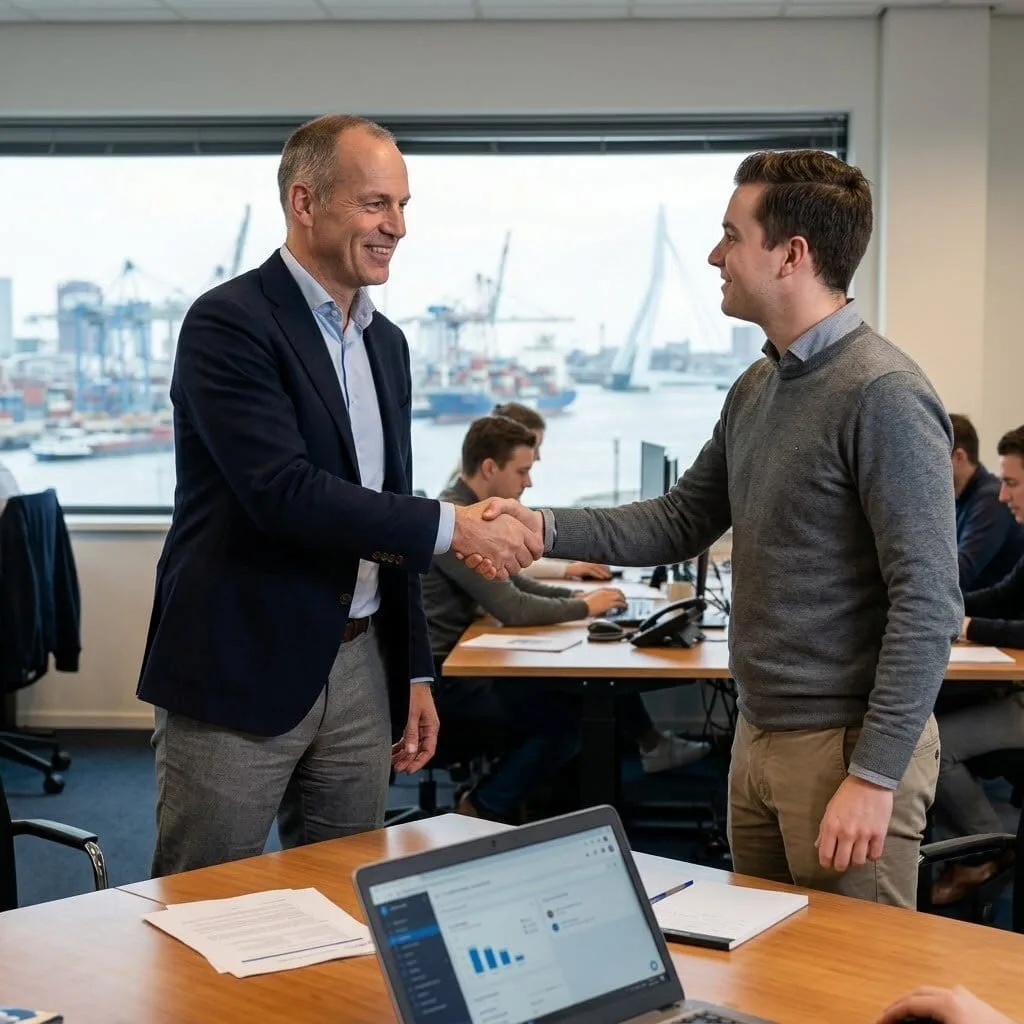
Pieter de Witt (Netherlands)
The Challenge: Pieter runs a logistics firm in Rotterdam and was plagued by “sync errors.” Every few days, a shared file would stop updating, or a planner board would disappear, causing a total stop in his shipping schedule. He needed a technical safety net, a collaboration tools customer support team that could fix glitches before they became disasters.
The vorza360 Solution We stepped in as Pieter’s proactive maintenance team. We used the Microsoft support and recovery assistant tool to perform regular health checks on his entire system. Our team is always on standby to fix sync errors or recover deleted notes instantly. We also installed specialized Office Add-ins to bring his collaboration tools directly into the apps his team uses most. It is like having a professional pit crew for your business; we handle the engine checks and tire changes behind the scenes so the race never has to stop.
The Result Pieter’s logistics center hasn’t had a technical delay in months. His team feels supported and confident in their digital tools, and Pieter loves the system health and recovery peace of mind. He values the simple language we use to explain his Microsoft 365 support tools and the fact that we are always just one call away in the Netherlands.

Inès Salazar (Spain)
The Challenge Inès manages a busy law firm in Madrid and needed a way to link her client intake forms to her project boards. She found that her staff was manually creating tasks in Planner based on what clients wrote in their forms, which was a huge waste of time. She wanted a “Total Tool Sync” where her Microsoft office support tools would talk to each other perfectly.
The vorza360 Solution We used the Power Automate framework to build a bridge between her apps. Now, the moment a new client fills out a form, a project board is automatically created in Microsoft Planner, and specific “must-do” tasks are added to the lead lawyer’s Microsoft To Do list. We designed the entire structure so her collaboration tools and customer support team can work without friction. It is like building a series of smart conveyor belts that move the right information to the right person at the exact right time.
The Result Inès’s firm is now a model of efficiency in Spain. Her staff has reclaimed hours of their day, and her clients are impressed by how quickly their cases are processed. She loves the proactive maintenance we provide and the fact that vorza360 acts as a true productivity partner, not just a vendor.
vorza360’s Tech Edge
Microsoft Planner
Microsoft To Do
Microsoft Loop Components
+ 2
More
Microsoft Forms
Viva Collaboration Tools
vorza360’s Tech Edge
Microsoft Planner
We build visual boards for your projects, making it easy to assign tasks and track deadlines without the mess of spreadsheets.
Microsoft To Do
Our team helps you sync your daily tasks across every device, ensuring your “must-do” list is always with you.
Microsoft Loop Components
We set up live, “breathable” parts of your work like lists or tables that stay updated in real-time across Teams, Outlook, and Word.
Microsoft Forms
We create professional surveys and polls to help you collect data from customers or feedback from your team instantly.
Viva Collaboration Tools
We use these smart insights to help your team find a healthy balance between focused work time and collaborative meetings.

Team Planning & Project Management
We help you organize your daily work so everyone knows exactly what to do and when to do it.
Advantages
- Setting up professional project boards in Microsoft Planner.
- Linkage between tasks and your team's shared calendar.
- Custom status reports to show project progress at a glance.
- High-quality 360 support solutions with collaboration tools.
- Automated reminders for upcoming deadlines and late tasks.
Interactive Data Collection
vorza360 manages your forms and surveys to make gathering information easy and professional.
Advantages
- Creating custom Microsoft Forms for client intake or internal polls.
- Visualizing survey results into easy-to-read charts.
- Automating the "Next Steps" once a form is filled out.
- Securely storing your collected data in the cloud.
- Reliable Microsoft office support tools for every survey need.


Real-Time Brainstorming Support
We provide the “digital whiteboard” tools your team needs to spark new ideas together.
Advantages
- Setup of collaborative creativity supports tool environments like Loop.
- Managing shared digital notebooks for meeting minutes and ideas.
- Ensuring every team member can edit the same document at once.
- Version control so you can always go back to an older idea.
- Support for Microsoft teams collaboration tools for customer support.
Managed Feedback & Insights
We use data to show you how your team is working together and where they can improve.
Advantages
- Configuring Microsoft Viva to track "Quiet Time" and "Focus Time."
- Identifying "meeting fatigue" before it slows down your team.
- Providing tips on how to spend less time on email and more time on work.
- Creating a healthier, more connected digital workplace.
- Expert management of Microsoft 360 support tools.


System Health & Recovery
We act as your technical safety net, ensuring your collaboration apps never stop working.
Advantages
- Proactive use of the Microsoft support and recovery assistant tool.
- Recovering deleted tasks or notes for your team.
- Regular health checks for all your Microsoft 365 support tools.
- Fixing "sync errors" in shared files and planners instantly.
- A dedicated collaboration tools customer support team just for you.
Team Planning & Project Management
We help you organize your daily work so everyone knows exactly what to do and when to do it.
ADVANTAGES
- Setting up professional project boards in Microsoft Planner.
- Linkage between tasks and your team's shared calendar.
- Automated reminders for upcoming deadlines and late tasks.
- Custom status reports to show project progress at a glance.
- High-quality 360 support solutions with collaboration tools.
Interactive Data Collection
vorza360 manages your forms and surveys to make gathering information easy and professional.
ADVANTAGES
- Creating custom Microsoft Forms for client intake or internal polls.
- Automating the "Next Steps" once a form is filled out.
- Visualizing survey results into easy-to-read charts.
- Securely storing your collected data in the cloud.
- Reliable Microsoft office support tools for every survey need.
Real-Time Brainstorming Support
We provide the “digital whiteboard” tools your team needs to spark new ideas together.
ADVANTAGES
- Setup of collaborative creativity supports tool environments like Loop.
- Managing shared digital notebooks for meeting minutes and ideas.
- Ensuring every team member can edit the same document at once.
- Version control so you can always go back to an older idea.
- Support for Microsoft teams collaboration tools for customer support.
Managed Feedback & Insights
We use data to show you how your team is working together and where they can improve.
ADVANTAGES
- Configuring Microsoft Viva to track "Quiet Time" and "Focus Time."
- Identifying "meeting fatigue" before it slows down your team.
- Providing tips on how to spend less time on email and more time on work.
- Creating a healthier, more connected digital workplace.
- Expert management of Microsoft 360 support tools.
System Health & Recovery
We act as your technical safety net, ensuring your collaboration apps never stop working.
ADVANTAGES
- Proactive use of the Microsoft support and recovery assistant tool.
- Fixing "sync errors" in shared files and planners instantly.
- Recovering deleted tasks or notes for your team.
- Regular health checks for all your Microsoft 365 support tools.
- A dedicated collaboration tools customer support team just for you.
Why Choose vorza360 for This Service?
We act as your expert productivity partners, building and managing the perfect digital workspace so your team can focus on their next big idea instead of fighting with their software.
We Build the Structure
We don’t just “give you the app”; we design the workflow so your collaboration tools customer support team can work without friction.
Total Tool Sync
We ensure your Microsoft office support tools talk to each other perfectly, so a task in Planner shows up in your To Do list automatically.
Proactive Maintenance
We use the Microsoft support and recovery tool to solve technical glitches behind the scenes, so your team’s brainstorming never gets interrupted.
Tools
Tools and Plugins for Frameworks

Microsoft Support and Recovery Assistant
A professional diagnostic tool we use to fix your Office and Outlook setup issues.

Power Automate
A framework we use to link your Forms and Planner to other business apps automatically.

Microsoft Graph API
The “digital glue” we use to sync your collaboration data across your entire company.

Office Add-ins
Specialized plugins we install to bring your collaboration tools directly into Word and Excel.
Here is what our Clients are saying About us

Paavo Leinonen (Finland)
Our Microsoft 365 collaboration tools, Teams, SharePoint, Yammer, Planner, had all been enabled but nobody had thought about how they should be used together. vorza360 developed a clear collaboration framework for our organisation that defines which tool is for what purpose. Confusion and duplication dropped significantly.
Rasha Al-Mansoori (UAE)
vorza360 configured Microsoft Planner and To Do integration for our project teams so task management flows naturally between individual and team planning without requiring a separate tool. The ‘work-together-natively’ setup they delivered improved our project coordination noticeably without adding any new software to manage.
Ionuț Popa (Romania)
vorza360 set up Microsoft Viva Connections for our organisation as a Teams-integrated intranet experience that gives our staff a personalised home base for company news, their tasks, and their team sites. Staff engagement with internal communications improved within the first month of launch.
Rohit Verma (India)
vorza360 configured Microsoft Loop for our product team’s collaborative documentation needs. The real-time co-authoring and cross-app content integration it provides has replaced a patchwork of Google Docs and wiki tools our team had been using. Everything collaborative lives in one ecosystem now.
Emilie Christoffersen (Denmark)
vorza360 set up Microsoft Forms and Power Automate together to automate our internal approval and feedback collection processes. Forms replace manual request submissions, Power Automate routes them to the right approver, and results feed automatically into SharePoint lists. Three manual processes replaced by one connected workflow.
Chiamaka Okafor (Nigeria)
vorza360 configured Microsoft Whiteboard and Stream integration into our Teams meetings environment so our remote workshops and training sessions have the same collaborative richness as in-person sessions. The ‘distance-doesn’t-matter’ collaboration setup they built has made a real difference to how effectively our distributed team works together.
More about Microsoft 365 Services
Exchange Online Support
Keep your business communication running smoothly with vorza360’s expert exchange online support services.
SharePoint Online Support
Access your files from anywhere and keep them safe with vorza360’s expert OneDrive for…
OneDrive for Business Support
Access your files from anywhere and keep them safe with vorza360’s expert OneDrive for…
Teams Setup & Management
Transform your collaboration with vorza360’s expert microsoft team setup & management.
Microsoft 365 Admin Center
Take total control of your digital workspace with vorza360’s Microsoft 365 admin center…
Outlook Configuration
Get your email running perfectly with vorza360’s professional outlook email configuration…
+ 5
More
Microsoft 365 Security & Compliance
Build a digital fortress with vorza360’s Microsoft 365 security solutions. We manage your…
User Onboarding & Offboarding
Simplify your team’s lifecycle with vorza360’s expert user onboarding and offboarding…
License Management
Stop overspending on unused software with vorza360’s Microsoft 365 license managed…
More about Office 365 / Microsoft 365
Exchange Online Support
SharePoint Online Support
OneDrive for Business Support
+ 12
More
Teams Setup & Management
Microsoft 365 Admin Center
Outlook Configuration
Microsoft 365 Security & Compliance
User Onboarding & Offboarding
Frequently Asked Questions
Got questions? We’ve got answers. Find everything you need to know about using our platform, plans, and features
What collaboration tools beyond Teams and SharePoint does vorza360 support within Microsoft 365?
Microsoft 365 includes a rich ecosystem of collaboration tools beyond the headline applications, and vorza360 supports the full portfolio. We support Microsoft Planner for visual project and task management using Kanban-style boards, helping teams organize work, assign tasks, and track progress. Microsoft To Do for individual task management synchronized across devices and integrated with Outlook tasks and Teams. Microsoft Loop for co-creation of content with interactive components that stay live and synchronized across Teams, Outlook, OneNote, and other Microsoft 365 apps. Microsoft Forms for surveys, quizzes, and data collection. Microsoft Whiteboard for collaborative visual brainstorming in meetings. Microsoft Viva suite components for employee experience and learning. Power Automate for workflow automation between Microsoft 365 and other business applications. We help organizations discover and adopt these tools to replace the separate point solutions they currently pay for.
How does vorza360 configure Microsoft Planner and To Do for effective team task management?
Microsoft Planner and To Do serve complementary task management purposes, Planner for team-level shared task boards and project tracking, To Do for individual personal task management, and vorza360 configures both to work effectively for your team. For Planner, we help design the board structure for each team’s specific workflow, whether a simple to-do board with basic status buckets, a project management board with stages that mirror the team’s delivery process, or an intake and prioritization board for a service team managing incoming requests. Planner tasks assigned to individuals appear automatically in their Microsoft To Do My Tasks view, creating a single consolidated personal task list combining assigned Planner tasks with personal tasks. We configure Planner integrations in Teams by adding Planner tabs to relevant team channels and Power Automate workflows that create Planner tasks automatically from form submissions, emails, or other triggers.
How does vorza360 implement Microsoft Viva to improve employee engagement and productivity?
Microsoft Viva is the employee experience platform within Microsoft 365 addressing four areas: connection through Viva Connections providing a personalized company intranet in Teams, insights through Viva Insights providing productivity and wellbeing analytics for individuals and leaders, learning through Viva Learning centralizing learning content from LinkedIn Learning, Microsoft Learn, and internal training libraries, and engagement through Viva Engage for enterprise social networking. vorza360 implements Microsoft Viva components based on your organization’s specific employee experience priorities: Viva Connections for organizations wanting to increase employee awareness of company news and resources within the Teams interface they already use daily; Viva Insights for leaders wanting data-driven understanding of collaboration patterns; Viva Learning for organizations centralizing learning and development content in the tools employees already use; and Viva Engage for building community and peer connection in distributed or hybrid organizations.
How does vorza360 configure Power Automate workflows to automate Microsoft 365 business processes?
Power Automate is Microsoft’s workflow automation tool, deeply integrated with Microsoft 365, it can trigger on Microsoft 365 events such as new email, new SharePoint item, new Teams message, or new form response, and take actions across Microsoft 365 and hundreds of connected services. vorza360 implements Power Automate workflows for Microsoft 365 business process automation including: approval workflows that route SharePoint document approvals through Teams or email with Approve and Reject buttons; document management workflows that move files between SharePoint libraries based on metadata or approval outcomes; notification workflows that post Teams messages when important SharePoint content is updated; data collection workflows that copy Microsoft Forms responses to SharePoint lists or Excel tables; and IT administration workflows that perform routine user management tasks based on triggers from HR systems. We design workflows that are resilient with retry handling, documented with clear naming, and owned by appropriate business owners who can adjust them as processes change.
How does vorza360 support Microsoft 365 adoption to ensure employees actually use the tools?
Technology investments only deliver value when people use them, and Microsoft 365 roll-outs that are technically perfect but poorly adopted leave significant productivity improvements unrealized. vorza360 supports Microsoft 365 adoption through a structured approach: we begin with a usage analytics review using Microsoft 365 Usage Reports and Adoption Score to understand which services are actively used and which have low adoption, identifying the highest-opportunity improvement areas. We develop targeted adoption communications, short, role-specific guidance on how specific features save time and improve the way people work using real examples relevant to your team’s actual work. We create self-service learning resources using Microsoft Viva Learning or SharePoint-hosted quick reference guides. We facilitate hands-on workshops for the highest-impact tools that walk employees through real work scenarios rather than abstract feature demonstrations. We track adoption metrics over time and celebrate adoption milestones to create positive momentum.