Protect your business from data loss with vorza360’s expert data backup and recovery services. We provide secure, automated solutions to ensure your information is always safe and easy to restore.
The Challenge Mats runs a high-end furniture design studio in Stockholm. One Tuesday morning, a sudden power surge fried his main office server, instantly vanishing months of intricate 3D blueprints and client contracts. Without a “Digital Insurance Policy,” Mats was looking at a total disaster that could have closed his doors. He needed more than just a disk drive; he needed data backup and recovery services that could bring his business back from the dead in minutes, not days.
The vorza360 Solution We stepped in as Mats’s digital safety crew. We had already implemented an “Instant Restore” strategy using our specialized backup and data recovery software. Because our system only saves the small changes made throughout the day, the recovery process was lightning-fast. We followed the “3-2-1 Rule,” pulling his lost files from a high-security cloud copy we had tucked away. It’s like having a magical “undo” button for your entire office, one click, and his blueprints were right back where they belonged.
The Result Mats was back to work before his morning coffee got cold. He didn’t lose a single drawing, and his clients in Sweden never even knew there was a problem. He loves the “invisible” nature of our data backup recovery and values the peace of mind that comes from knowing vorza360 is watching his files around the clock.
Elspeth Murray (Ireland)
The Challenge Elspeth manages a busy medical clinic in Galway where patient records are the lifeblood of the practice. She was terrified of a “what if” scenario like a fire or a flood destroying her physical office. She knew that losing her data wouldn’t just be a headache; it would be a legal nightmare. She needed a managed data backup and recovery plan that was robust enough to survive a physical disaster but simple enough for her medical staff to trust.
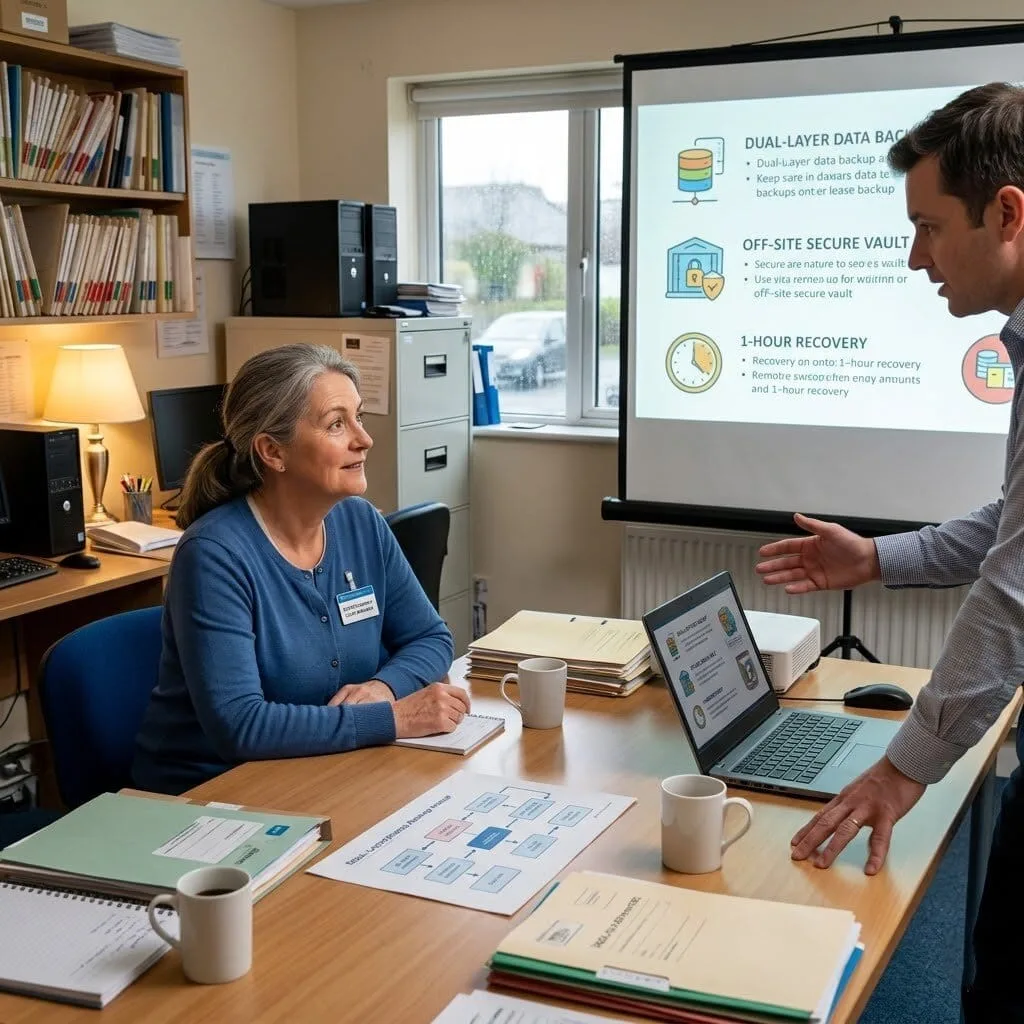
The vorza360 Solution We provided a tailored solution that treats Elspeth’s data with the highest level of care. We set up a dual-layer protection system: one copy stays in her Galway office for high-speed local fixes, and a second copy is encrypted and sent to a secure off-site vault. We sat down with her to decide on a “Recovery Time” that made sense for a busy clinic, ensuring that if the worst happened, her patient files would be available on any laptop within an hour. It’s like having a fireproof safe that automatically makes a twin of every document and teleports it to a secret, guarded mountain.
The Result Elspeth now focuses on her patients, not her servers. She passed her latest data safety audit with a perfect score and feels completely protected. She appreciates the easy words we used to explain her data backup and disaster recovery services and knows that her clinic’s history is tucked away safely.
Bram van den Berg (Netherlands)
The Challenge Bram runs a fast-moving logistics company in Rotterdam that handles hundreds of shipping manifests every hour. His biggest fear wasn’t just a total crash, but a “silent” data loss where a virus might slowly delete files over time. He needed data backup and recovery solutions that were smart enough to catch errors and reliable enough to offer a “clean” version of his data from any point in the past.
The vorza360 Solution We acted as Bram’s technical safety net by setting up a continuous, automated backup cycle. Our creative approach uses “Version Tracking,” which allows us to look back at his data history like a time machine. If a virus ever tries to scramble his files, we can simply “rewind” to the hour before the attack and restore a perfect, clean copy. It’s like having a digital bodyguard who takes a high-definition photo of your business every few minutes, so you can always prove exactly where everything was.
The Result Bram’s shipping manifests are now “un-loseable.” His team stays productive without interruptions because our data backup and recovery runs quietly in the background. He values the insightful strategy we used to keep his storage costs low while providing maximum protection for his busy Rotterdam warehouse.
Lucie Fournier (France)
The Challenge Lucie owns a prestigious law firm in Lyon and handles highly sensitive litigation files. She was using a basic “manual” backup method, plugging in a portable drive once a week, but she often forgot to do it. She realized that a single week of lost work could cost her firm thousands of Euros and damage her reputation. She needed a professional backup and data recovery experience that was completely automated and hands-free.
The vorza360 Solution We replaced Lucie’s manual guesswork with an expert, managed service. We installed a “safety net” network that performs daily file saves automatically, without her having to lift a finger. We also provided her with a “Uptime Guarantee,” promising that her most critical legal files would always be easy to restore. It is like moving from a manual lock on a gate to a high-tech biometric security system that locks itself behind you and keeps a perfect record of everyone who entered.
The Result Lucie has reclaimed her peace of mind and her Friday afternoons. She no longer worries about “forgetting” the backup because she knows vorza360 is managing her data backup recovery around the clock. She loves the professional, human-centered service we provide and feels that her Lyon firm is now a model of digital safety.
Tiago Silva (Portugal)
The Challenge Tiago runs a creative marketing agency in Lisbon and manages massive video files for his clients. His old backup system was so slow that it would “clog” his internet, making it impossible for his team to upload their work to YouTube or social media. He needed data backup and recovery services that were fast, smart, and didn’t interfere with his team’s creative flow.
The vorza360 Solution We implemented an insightful performance-based backup strategy for Tiago. We used “Deduplication” technology, which is a fancy way of saying our software only saves the new parts of his video files, rather than the whole thing every time. This kept his systems running fast and his storage costs manageable. We also set up his data backup and disaster recovery services to run during the middle of the night in Lisbon, so his team has full internet speed during the day. It’s like having a cleaning crew that only comes in while the office is empty, making sure everything is perfect for the next morning without ever getting in the way.
The Result Tiago’s agency is more productive than ever. His team never notices the backup happening, but they know their hard work is always safe. He values the tailored solutions we built for his specific video needs and appreciates the clear, human communication vorza360 provides as his dedicated partner.
Your Digital Insurance Policy
Imagine coming into the office to find your most important project files are gone due to a server crash or a virus. Without a plan, this could mean days of lost work and high stress. At vorza360, we provide the service of a “Digital Insurance Policy.” We manage your data backup recovery around the clock, so you never have to worry about a “what if” scenario. We don’t just sell software; we deliver the peace of mind that comes with knowing your business history is tucked away safely.
Our data backup and disaster recovery services are designed to be invisible. We set everything up to run quietly in the background, making sure your team stays productive without interruptions. By choosing vorza360, you get a partner who treats your data like our own. From daily file saves to full system restores, we provide a complete backup and data recovery experience that is simple, reliable, and always ready when you need it.
How we do it
We use a mix of smart automation and expert oversight to make sure your data is never truly gone.
Creative Approaches
We don’t believe in “one size fits all.” We use “Instant Restore” technology that lets us bring back your most critical files in minutes, not hours. By using backup and data recovery software that only saves the changes you make, we keep your systems running fast and your storage costs low.
Insightful Strategies
We follow the “3-2-1 Rule” keeping three copies of your data in different places. We provide a managed data backup and recovery plan that stores one copy in your office for speed and another in a high-security cloud for total safety against fires or floods.
Tailored Solutions
Whether you are a small team or a large company, we build data backup and recovery solutions that fit your specific needs. We manage your “Recovery Time,” which is a fancy way of saying we decide together how fast you need to be back online, then we make it happen.
Creative Approaches
We don’t believe in “one size fits all.” We use “Instant Restore” technology that lets us bring back your most critical files in minutes, not hours. By using backup and data recovery software that only saves the changes you make, we keep your systems running fast and your storage costs low.
Insightful Strategies
We follow the “3-2-1 Rule” keeping three copies of your data in different places. We provide a managed data backup and recovery plan that stores one copy in your office for speed and another in a high-security cloud for total safety against fires or floods.
Tailored Solutions
Whether you are a small team or a large company, we build data backup and recovery solutions that fit your specific needs. We manage your “Recovery Time,” which is a fancy way of saying we decide together how fast you need to be back online, then we make it happen.
Here is what our Clients are saying About us
Mikko Korhonen (Finland)
We’d been assuming Microsoft 365 backed up our data automatically. vorza360 explained the shared responsibility model, showed us exactly what Microsoft does and doesn’t protect, and implemented a third-party backup solution covering Exchange, SharePoint, OneDrive, and Teams. A misconception corrected before it became a disaster.
Fatima Al-Rashidi (Kuwait)
vorza360 implemented a comprehensive Microsoft 365 backup solution that covers all our critical data across all services with retention policies that match our compliance requirements. The first restore test we ran recovered a deleted SharePoint site completely within minutes. Confidence we simply didn’t have before.
Silviu Marin (Romania)
A ransomware attack encrypted files that had synced to OneDrive before we could contain it. vorza360 used the version history and backup solution they’d previously implemented to restore all affected files to their pre-encryption state. The recovery that would have been catastrophic was handled cleanly because the backup foundation was solid.
Deepa Nair (India)
vorza360 set up granular backup and recovery for our Microsoft 365 tenant so we can restore individual emails, calendar items, files, or entire mailboxes depending on what’s needed. The ‘right-restore-for-the-situation’ capability they built is far more useful than the all-or-nothing approach we’d had previously.
Bjarne Andersen (Denmark)
vorza360 configured Microsoft 365 retention policies and backup together as a layered data protection strategy, retention policies handle compliance requirements while backup handles accidental deletion and corruption recovery. Having both in place and working correctly gives our legal and operations teams confidence for different reasons.
Adaora Eze (Nigeria)
vorza360 set up automated backup reporting for our Microsoft 365 environment so our IT manager receives a daily confirmation that all backup jobs completed successfully and an immediate alert if anything fails. We know our data is protected every morning without anyone having to log in and check manually.
More about Microsoft 365 Services
Exchange Online Support
Keep your business communication running smoothly with vorza360’s expert exchange online support services.
Got questions? We’ve got answers. Find everything you need to know about using our platform, plans, and features
Does Microsoft 365 need third-party backup and why does vorza360 recommend it?
Microsoft 365 is not a backup service, it is a productivity platform with limited, short-term data recovery capabilities. The key limitations: deleted items in Exchange Online are permanently purged after 30 days from the second-stage Recycle Bin. SharePoint and OneDrive preserve a 93-day version history and Recycle Bin, but ransomware or mass deletions that propagate through sync clients before being detected can corrupt all versions. Teams chat messages have limited export capability and no granular message-level restore. Microsoft explicitly states in its shared responsibility model that customers are responsible for their data, Microsoft manages platform availability, not data backup. vorza360 recommends third-party backup solutions such as Veeam Backup for Microsoft 365, Acronis Cyber Protect Cloud, or Microsoft’s own Microsoft 365 Backup service to provide long-term, granular recovery capability for Exchange, SharePoint, OneDrive, and Teams.
How does vorza360 implement Microsoft 365 backup using third-party solutions?
vorza360 implements Microsoft 365 third-party backup by deploying a backup solution that uses Microsoft’s APIs to take regular backups of all Microsoft 365 content and store it in a secure, independent repository outside Microsoft’s own infrastructure. Our implementation covers: deploying and configuring the backup solution with appropriate Microsoft 365 service account permissions, defining backup schedules with typically daily full backups and more frequent incremental backups for high-velocity email, configuring storage retention policies aligned with your legal and compliance retention requirements commonly 7 years for financial records and 3 years for general business correspondence, enabling encryption of backup data both in transit and at rest, configuring backup health monitoring and failure alerting, and testing restore procedures for each data type including single email restore, mailbox restore, file restore, and site restore to validate that recovery works correctly before it is needed in an emergency.
How does vorza360 recover Microsoft 365 data after a ransomware attack?
Ransomware attacks on Microsoft 365 environments typically occur through malicious email attachments that encrypt locally synced OneDrive or SharePoint files which then sync the encrypted versions to the cloud overwriting clean versions, or through compromised admin credentials used to mass-delete or encrypt cloud-stored data directly. vorza360 responds to Microsoft 365 ransomware incidents with a structured recovery process: we immediately isolate affected devices by disabling their Microsoft 365 account and blocking sync clients to prevent further encrypted file synchronization. We assess the extent of the compromise using Microsoft’s audit logs to determine exactly when encryption began. For OneDrive and SharePoint, we use the Files Restore feature to roll back all files to a point in time before the encryption event within the 30-day restore window for limited attacks. For attacks exceeding Microsoft’s native recovery Windows, we restore from the third-party backup to a clean recovery state and provide a full incident report.
What is Microsoft 365 Backup (native) and how does it differ from third-party backup solutions?
Microsoft 365 Backup is Microsoft’s own first-party backup service that provides faster and more granular restore capabilities than Microsoft’s existing retention features for Exchange Online, SharePoint Online, and OneDrive for Business. Unlike retention policies which preserve content but do not enable item-level restore, Microsoft 365 Backup provides point-in-time restore to any moment within the backup retention period with granular item-level recovery, managed within the Microsoft 365 Admin Center. The key differences from third-party solutions: Microsoft 365 Backup stores data within Microsoft’s own infrastructure so data does not leave the Microsoft 365 environment, while third-party solutions store backup data in an independent repository. Third-party solutions typically offer longer retention periods, broader coverage including Teams chat history, and more flexible recovery options. vorza360 assesses which approach or combination best meets your recovery requirements and compliance obligations.
How does vorza360 recover an accidentally deleted Microsoft 365 user account and their data?
Accidentally deleting a Microsoft 365 user account is recoverable if acted upon promptly. A deleted Microsoft 365 user account enters a 30-day soft-deletion period during which it can be completely restored, the user account, mailbox, OneDrive, and all associated data, through the Microsoft 365 Admin Center’s Deleted Users section. vorza360 performs this restoration immediately upon receiving the request. If the 30-day window has expired and the account has been permanently purged, recovery options are limited to what was captured by the third-party backup solution if deployed, or what was preserved under Microsoft Purview retention policies. This is why vorza360 recommends configuring a minimum retention hold on all Microsoft 365 mailboxes and OneDrive accounts, it preserves data even after the user account’s 30-day recovery window expires, providing a longer recovery safety net for the content even if the account itself cannot be restored.