Get your email running perfectly with vorza360’s professional outlook email configuration services. We handle the technical setup, syncing, and settings so you can communicate without the stress.
The Challenge: Hans’s company had migrated from on-premises Exchange to Exchange Online but Outlook clients were experiencing AutoDiscover issues, some users couldn’t configure Outlook automatically, others were prompted repeatedly for credentials, and a few had Outlook connecting to cached on-premises settings rather than Exchange Online.
The vorza360 Solution: vorza360 resolved the AutoDiscover issues: updated the AutoDiscover DNS records to correctly point to Exchange Online, removed the on-premises AutoDiscover SCP records that were causing Outlook to prefer the old configuration, and reconfigured the affected Outlook profiles to re-AutoDiscover against the correct Exchange Online endpoint.
The Result: Outlook configuration became reliable across the organisation. Hans’s IT team stopped receiving calls about Outlook credential prompts and manual profile configuration, and new users and new Outlook installations configured automatically and correctly from the updated AutoDiscover records.
Layla Al-Sayed (Kuwait)
The Challenge: Layla’s company had staff who heavily relied on Outlook categories and rules for email management, and a recent Outlook upgrade had lost these settings for several users. The loss of carefully organised categories and rules had significantly disrupted the affected users’ email workflows.
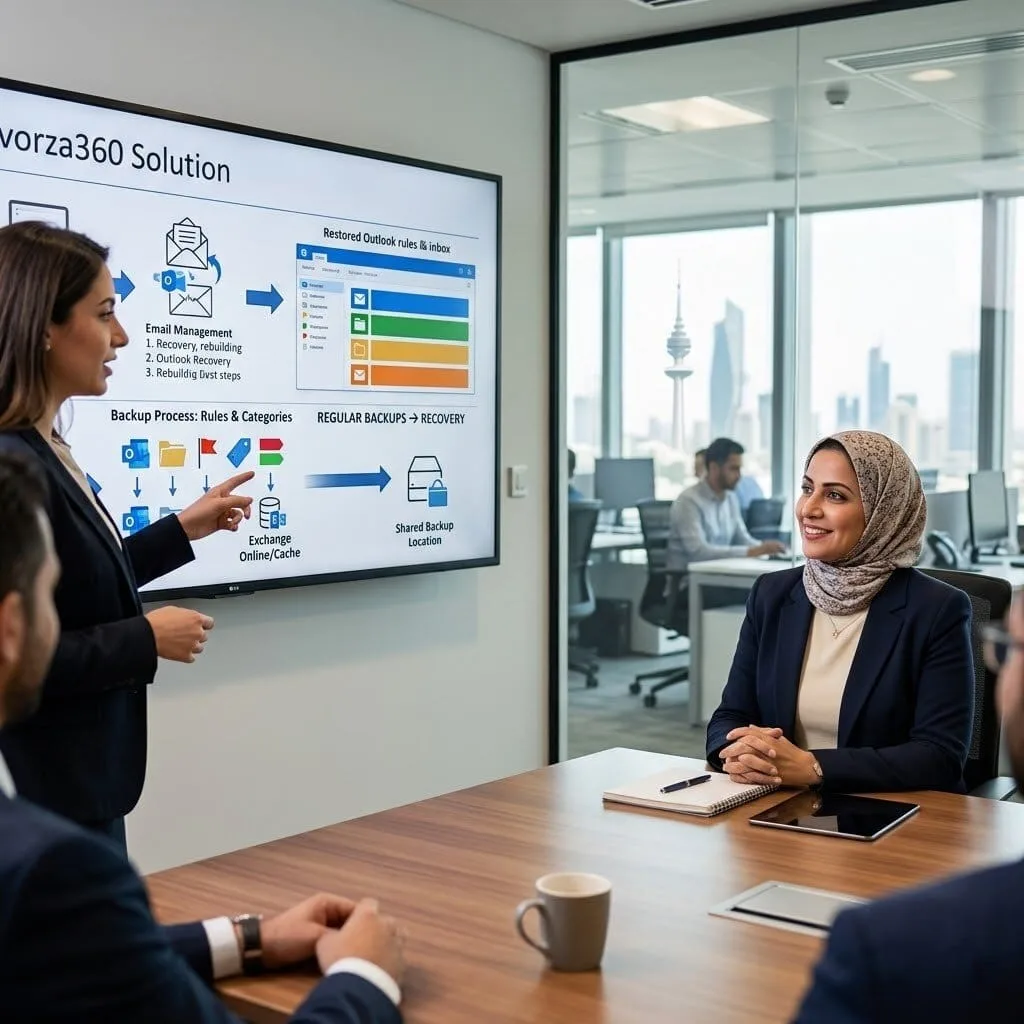
The vorza360 Solution: vorza360 recovered the lost Outlook settings where possible from cached profile data and Exchange Online rule storage, rebuilt the settings for users where recovery wasn’t possible, and implemented a process to export and backup Outlook rules and categories regularly to a shared location so that future losses could be recovered from a recent backup.
The Result: The affected users had their Outlook settings restored and their email workflows re-established. Layla’s IT team had a backup and recovery process for Outlook personal settings that hadn’t existed before the incident, and future upgrade-related setting losses could be recovered from the regular backups rather than starting from scratch.
Cosmin Ionescu (Romania)
The Challenge: Cosmin’s company had Outlook configured differently across the organisation, some users on New Outlook, some on classic, some on OWA as their primary client, creating inconsistency in user experience and difficulty providing IT support as staff described different interfaces.
The vorza360 Solution: vorza360 standardised Outlook client configuration using Group Policy and Microsoft 365 Apps admin centre policies: defined the target Outlook version for each use case, deployed the configuration through managed update channels, and produced guidance materials for the users who had been using OWA as their primary interface and were transitioning to desktop Outlook.
The Result: Cosmin’s organisation had consistent Outlook client versions and configurations across the workforce. IT support became more efficient as staff described the same interface, and the standardised update channel meant all users received updates on the same schedule rather than drifting between versions.
Rohan Malhotra (India)
The Challenge: Rohan’s company had Outlook shared mailboxes that were used by multiple team members, but team members were seeing each other’s read/deleted status, an item read by one person appeared as read to all, causing important emails to be missed because a colleague had opened but not actioned them.
The vorza360 Solution: vorza360 configured the shared mailboxes with per-user read/unread state using Exchange Online’s MRM settings, trained the team on shared mailbox best practices including task assignment and flagging to indicate ownership of email follow-up, and configured shared mailbox automapping so all team members could access the mailbox without manual configuration.
The Result: The shared mailbox read state problem was resolved, each team member saw their own read/unread state independently. Rohan’s teams stopped missing emails that had been opened by colleagues, and the task assignment practices provided a clear accountability model for actioning shared mailbox emails.
Maja Andersen (Denmark)
The Challenge: Maja’s company had implemented Microsoft 365 E3 but most staff were using Outlook only for email and weren’t aware of the calendar, task, and contact management capabilities that could improve their productivity. The investment in Microsoft 365 was being underutilised.
The vorza360 Solution: vorza360 ran a series of Outlook productivity sessions with each department: calendar scheduling and meeting management, task management using To Do integration, contact management, and the time-saving features most relevant to each team’s work patterns. Quick reference guides were provided for the features covered.
The Result: Staff engagement with Outlook’s full feature set improved after the targeted sessions. Maja heard from managers that meeting scheduling friction had reduced and team task visibility had improved as staff adopted the calendar and task features they hadn’t known were available. The Microsoft 365 investment was delivering more value from the same license cost.
Damilola Okonkwo (Nigeria)
The Challenge: Damilola’s company had received complaints that emails sent to external recipients from Outlook were being delayed by hours and occasionally bounced. Internal email worked fine, and the problem had been occurring intermittently for three weeks without the IT team identifying the cause.
The vorza360 Solution: vorza360 investigated the external email delivery issue using Exchange Online message trace, identified that emails to specific external domains were being deferred due to recipient policy restrictions at those domains triggered by a spike in bounce rates from their domain in the previous month. The original bounce spike was traced to a brief account compromise that had been resolved.
The Result: The delivery deferral issue was resolved by working with the affected domains’ postmaster contacts to clear the deferral flags, combined with DMARC reporting that demonstrated their email authentication was now correctly configured. Damilola’s external email delivery was restored to normal, and the DMARC implementation prevented future reputation damage from any account compromise.
vorza360’s Tech Edge
Outlook Desktop & Web Apps
AutoDiscover Configuration
Profile & Cache Management
+ 2
More
Calendar & Mailbox Delegation
OST/PST Handling
vorza360’s Tech Edge
Outlook Desktop & Web Apps
Whether you have a team of 2 or 200, our shared team inboxes keep everyone on the same page and in the loop.
AutoDiscover Configuration
Our team sets up the “behind-the-scenes” magic that allows your staff to log in with just an email and password, no complex server names required.
Profile & Cache Management
We manage your “Outlook Profiles” to prevent crashes and keep your app snappy, even if you have thousands of emails.
Calendar & Mailbox Delegation
We set up the permissions needed for assistants to manage calendars or for teams to share a single inbox professionally.
OST/PST Handling
We take care of your “local data files,” ensuring they don’t get too large or corrupted, keeping your history safe and searchable.
Professional Email Setup
We take the guesswork out of outlook configuration, getting your team online in minutes with the correct settings.
Advantages
Expert outlook email configuration services for new and existing staff.
Mobile app setup for iPhones and Android devices.
Automatic syncing of your folders, sent items, and drafts.
Secure login assistance with Multi-Factor Authentication.
Troubleshooting for "disconnected" or "trying to connect" errors.
Multi-Account Integration
vorza360 helps you bring all your different email addresses into one single, organized view.
Advantages
Seamless configuration gmail outlook for personal or business accounts.
Experts help to configure outlook in gmail for a unified experience.
Applying the correct gmail outlook configuration settings (IMAP/POP).
Providing a "single pane of glass" for all your professional mail.
Organizing multiple inboxes so they don't get mixed up.
Visual & Signature Branding
We ensure every email your team sends looks professional and consistent with your company brand.
Advantages
Managed help to configure signatures in outlook for the whole team.
Setting up "Out of Office" replies and professional templates.
Fixing font and layout issues across different devices.
Adding company logos and social media links to your mail.
Centralized management of your digital business cards.
Performance & Mail Settings Tuning
We dive into the outlook mail configuration settings to make sure your app is running at top speed.
Advantages
Optimizing "Cached Mode" so your email works even with slow internet.
Cleaning up "Safe Senders" and "Blocked Senders" lists.
Repairing damaged data files (PST/OST) to prevent data loss.
Managing large attachments and cloud-link sharing rules.
Providing a high-quality outlook configure services experience.
Collaborative Tools Management
vorza360 turns your email into a teamwork hub by setting up shared schedules and contact lists.
Advantages
Setting up "Shared Calendars" so everyone knows when meetings are.
Configuring "Resource Booking" for meeting rooms and equipment.
Managing "Global Address Lists" so you can find any colleague instantly.
Reliable support for all your outlook configuration needs.
Setting up "Send As" permissions for executive support staff.
Professional Email Setup
We take the guesswork out of outlook configuration, getting your team online in minutes with the correct settings.
ADVANTAGES
Expert outlook email configuration services for new and existing staff.
Automatic syncing of your folders, sent items, and drafts.
Mobile app setup for iPhones and Android devices.
Secure login assistance with Multi-Factor Authentication.
Troubleshooting for "disconnected" or "trying to connect" errors.
Multi-Account Integration
vorza360 helps you bring all your different email addresses into one single, organized view.
ADVANTAGES
Seamless configuration gmail outlook for personal or business accounts.
Experts help to configure outlook in gmail for a unified experience.
Applying the correct gmail outlook configuration settings (IMAP/POP).
Organizing multiple inboxes so they don't get mixed up.
Providing a "single pane of glass" for all your professional mail.
Visual & Signature Branding
We ensure every email your team sends looks professional and consistent with your company brand.
ADVANTAGES
Managed help to configure signatures in outlook for the whole team.
Adding company logos and social media links to your mail.
Setting up "Out of Office" replies and professional templates.
Fixing font and layout issues across different devices.
Centralized management of your digital business cards.
Performance & Mail Settings Tuning
We dive into the outlook mail configuration settings to make sure your app is running at top speed.
ADVANTAGES
Optimizing "Cached Mode" so your email works even with slow internet.
Cleaning up "Safe Senders" and "Blocked Senders" lists.
Managing large attachments and cloud-link sharing rules.
Repairing damaged data files (PST/OST) to prevent data loss.
Providing a high-quality outlook configure services experience.
Collaborative Tools Management
vorza360 turns your email into a teamwork hub by setting up shared schedules and contact lists.
ADVANTAGES
Setting up "Shared Calendars" so everyone knows when meetings are.
Configuring "Resource Booking" for meeting rooms and equipment.
Managing "Global Address Lists" so you can find any colleague instantly.
Setting up "Send As" permissions for executive support staff.
Reliable support for all your outlook configuration needs.
Why Choose vorza360 for This Service?
We take the mystery out of email setup by managing all your settings and syncing behind the scenes, ensuring your team has a professional, “always-on” mailbox without any technical frustration.
We Eliminate the Tech-Talk
You don’t need to know about “incoming servers” or “port numbers”; we handle the outlook mail configuration settings for you.
Cross-Platform Harmony
Whether you are on a Mac, PC, or phone, we ensure your experience is consistent and your data is always in sync.
Proactive Problem Solving
We don’t just wait for an error; our outlook configure services include regular check-ups to keep your mailbox fast and healthy.
Tools
Tools and Plugins for Frameworks
We Eliminate the Tech-Talk
A tool we use to automatically find and fix common Outlook setup errors.
Outlook Web Add-ins
Small plugins we install to link your email to tools like Zoom, Trello, or your CRM.
MFCMAPI
A professional tool our experts use to fix “stuck” folders or deep-level mailbox issues.
Exchange Online PowerShell
A framework we use to apply outlook configuration rules to your entire company at once.
Here is what our Clients are saying About us
Heikki Leinonen (Finland)
Our Outlook deployment was inconsistent, different signature formats, varying security settings, AutoDiscover working on some machines and not others. vorza360 standardised the configuration across the organisation using a Group Policy baseline and fixed every AutoDiscover issue. Every Outlook installation works identically now.
Rania Al-Khalidi (Lebanon)
vorza360 configured Outlook profiles for our entire organisation after a Microsoft 365 migration, ensuring mail, calendar, contacts, and shared mailboxes all came through correctly on every device. The migration had left a handful of users with incomplete Outlook configurations, vorza360 tracked down and fixed every one.
Bogdan Dumitrescu (Romania)
Our sales team had been managing a high volume of emails with no shared inbox solution. vorza360 configured a shared Outlook mailbox with proper delegation, category usage, and folder structure that gave the whole team visibility into customer communications without the chaos of CC-everyone emails.
Sneha Iyer (India)
vorza360 set up Outlook email signatures deployed centrally through Microsoft 365 so every staff member’s signature is consistent, up to date, and includes required legal disclaimers, without relying on individuals to configure their own. The ‘consistent-signature-by-policy’ approach they implemented is something our marketing team had wanted for years.
Christian Sørensen (Denmark)
Our staff were struggling with Outlook performance issues, slow to open, delayed calendar loading, occasional freezes. vorza360 diagnosed the issue as oversized OST files combined with a misconfigured cached exchange mode range. After their changes, Outlook performance was noticeably better for everyone affected.
Amina Diallo (Senegal)
vorza360 configured Outlook mobile profiles for our field team so they have consistent access to email, calendar, and contacts on their mobile devices with the right security policies applied, device PIN required, remote wipe enabled, and corporate data separated from personal applications.
More about Microsoft 365 Services
Exchange Online Support
Keep your business communication running smoothly with vorza360’s expert exchange online support services.
Got questions? We’ve got answers. Find everything you need to know about using our platform, plans, and features
What does vorza360's Outlook configuration service cover?
Our Outlook configuration service covers the complete setup, optimization, and troubleshooting of Outlook for your organization across desktop (Outlook for Windows and Mac), web (Outlook on the Web), and mobile (Outlook for iOS and Android). Services include Outlook profile creation and Autodiscover configuration, email signature deployment across all users via Exchange Online policies, calendar sharing and delegate access configuration, shared mailbox and additional mailbox access in Outlook, Outlook rules and inbox organization setup, meeting room and resource calendar booking permissions, Focused Inbox and email organization configuration, Outlook add-in deployment and management, archive mailbox configuration, mobile device Outlook setup and troubleshooting, connectivity troubleshooting, and migration to the new Outlook for Windows client. We ensure Outlook works correctly and efficiently for every user in your organization.
How does vorza360 deploy centrally managed email signatures across all Microsoft 365 users?
Consistent, professional email signatures across all employees are both a branding requirement and often a legal requirement. vorza360 deploys centrally managed email signatures using two complementary approaches. For basic organization-level disclaimers appended to all outgoing email, we configure Mail Flow Rules in Exchange Online that append HTML or text footer content to every outbound message, this works regardless of what email client or device the user is sending from. For richer signatures with user-specific information such as name, job title, and phone number pulled dynamically from Azure AD, we implement a third-party email signature solution such as Exclaimer, CodeTwo, or Mailtastic that integrates with Microsoft 365 to inject personalized signatures centrally. Both approaches eliminate reliance on individual users to configure and maintain their own signatures, ensuring consistency across the organization.
How does vorza360 troubleshoot and resolve common Outlook connectivity and performance issues?
Outlook connectivity problems, Disconnected, Trying to connect, slow loading, repeated authentication prompts, are among the most frequently reported Microsoft 365 support issues. vorza360 diagnoses these systematically: we start by checking the Microsoft 365 Service Health dashboard to rule out a Microsoft-side service incident. We run the Microsoft Support and Recovery Assistant tool which automatically diagnoses and often fixes Outlook configuration and connectivity issues. For authentication problems such as recurring sign-in prompts, we check the Windows Credential Manager for cached credentials that need clearing, verify Modern Authentication is enabled on the tenant and the Outlook profile, and check for Conditional Access policies blocking the device. For performance issues, we check mailbox size and recommend archive configuration, review Cached Exchange Mode configuration, and assess whether the issue correlates with large attachment processing or specific folder sizes.
How does vorza360 configure Outlook for new users as part of the onboarding process?
A new employee’s first Outlook experience significantly shapes their perception of the organization’s IT setup. vorza360 configures Outlook as part of standard user onboarding: for Windows devices managed with Microsoft Intune, we configure an Autopilot-deployed Outlook profile using a configuration policy that automatically sets up the correct Exchange Online mailbox, calendar, and contacts without the user needing to enter any server settings. For existing Windows devices, we use the MAPI-based Autodiscover configuration that Outlook triggers automatically when a work email address is entered. We configure the corporate address book, set up access to any shared mailboxes the new user needs, configure Outlook add-ins required by their role such as Salesforce or CRM tools, verify mobile Outlook setup on their smartphone, and document the setup steps in plain language for the user’s reference.
How does vorza360 configure Outlook calendar delegation and meeting room booking?
Calendar delegation allows specified individuals to view, create, and manage calendar items on behalf of another person, essential for executive assistants managing their manager’s schedule. Meeting room and resource booking allows users to reserve conference rooms and equipment directly through Outlook meeting invitations. vorza360 configures calendar delegation at the appropriate level, Reviewer to view appointments, Editor to create and modify, or Delegate Editor to also receive and respond to meeting requests, and configures the delegated person’s calendar to automatically process meeting requests according to the delegate’s decisions. For meeting room booking, we configure room mailboxes and equipment mailboxes in Exchange Online with booking policies including automatic acceptance for straightforward bookings, moderated acceptance requiring administrator approval for restricted rooms, booking Windows limiting how far in advance rooms can be reserved, and capacity metadata visible in the Room Finder.