
Microsoft 365 Admin Center
Take total control of your digital workspace with vorza360’s Microsoft 365 admin center support services. We manage your users, licenses, and security settings so your business runs smoothly every day.

Shopify

WordPress

Figma

PHP

Flutter

React Js

Node Js

Python

Swift

Java

Vue.js

Kotlin

CSS

HTML

JavaScript
Customer Success Story

Bernd Fischer (Germany)
The Challenge: Bernd’s company had Microsoft 365 but had never properly configured the admin centre, default settings were in place for most security controls, service health alerts went to an unmonitored mailbox, and the IT team discovered service issues from users rather than from monitoring.
The vorza360 Solution: vorza360 reviewed the Microsoft 365 admin centre configuration: corrected the technical contact details and service health notification recipients, implemented Microsoft 365 service health alerts to the IT team communication channel, reviewed and improved the organisation-wide settings including default sharing and external access policies, and enabled the recommended Microsoft 365 security defaults.
The Result: Bernd’s IT team received service health alerts through their Teams channel and were aware of Microsoft 365 service issues before users reported them. The security defaults provided immediate baseline security improvements, and the organisation-wide settings were consistent with their policies rather than Microsoft defaults.

Nadia Al-Farsi (UAE)
The Challenge: Nadia’s company had Microsoft 365 licenses that had been assigned without analysis, some users had Microsoft 365 Business Premium while performing tasks that required only F3, and there were licenses assigned to accounts that were no longer active. Their monthly Microsoft 365 bill was higher than the actual workforce required.
The vorza360 Solution: vorza360 performed a license audit: identified unused licenses assigned to inactive accounts, matched active users’ license types to their actual feature requirements, produced a license optimisation recommendation, and implemented the changes including removal of licenses from inactive accounts and downgrades where users’ actual usage didn’t justify premium licenses.
The Result: Monthly Microsoft 365 licensing costs reduced by 22% from the optimisation. Nadia’s organisation paid for the licenses their staff actually needed and used, and the inactive account cleanup was a secondary security improvement. A quarterly license review process was established to prevent the same mismatches from accumulating.
Marius Andrei (Romania)
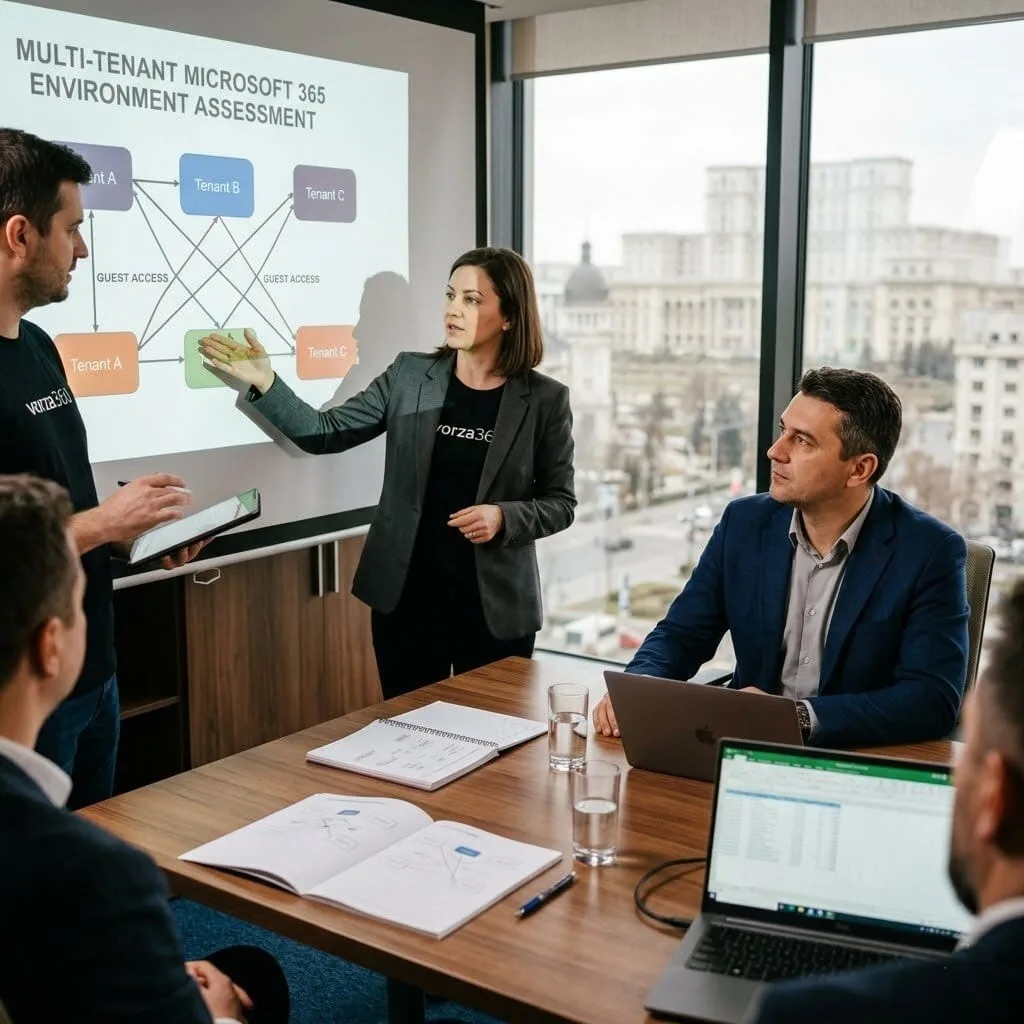
The Challenge: Marius’s company had multiple Microsoft 365 tenants from business units that operated semi-independently. Managing users across tenants was complex, licensing was duplicated, and cross-tenant collaboration required cumbersome guest access workarounds. The business was considering tenant consolidation but was uncertain of the implications.
The vorza360 Solution: vorza360 performed a tenant consolidation assessment, evaluated the technical and business implications of merging tenants, and recommended a phased consolidation approach. The consolidation was executed using Microsoft 365 migration tooling, with cross-tenant mailbox migration, SharePoint content migration, and Teams team migration handled in structured waves.
The Result: The tenant consolidation was completed without any business disruption. Marius’s organisation had a single Microsoft 365 tenant, licensing was consolidated and reduced, cross-business collaboration became seamless, and the complexity of managing multiple tenants was eliminated. The consolidation justified itself through the licensing savings alone within the first year

Anand Kumar (India)
The Challenge: Anand’s company had Microsoft 365 but their IT team had only basic familiarity with the admin centre and relied on a vendor for routine administrative tasks. The vendor relationship was expensive for tasks that internal IT should have been able to handle, password resets, license assignments, group management.
The vorza360 Solution: vorza360 ran a structured Microsoft 365 administration training programme for Anand’s IT team: a hands-on lab covering the admin centre, user and license management, Exchange Online, SharePoint admin, Teams admin, and security and compliance basics. Written runbooks were provided for the most common administrative tasks.
The Result: Anand’s IT team took over routine Microsoft 365 administration from the vendor within three months of the training. The vendor relationship was reduced to genuine specialist tasks, saving significant monthly cost. The IT team’s confidence in managing Microsoft 365 improved their response times to user requests and reduced their dependence on external help.

Lars Borg (Sweden)
The Challenge: Lars’s company had a Microsoft 365 tenant where message centre notifications, Microsoft’s announcements of upcoming feature changes and actions required, had been ignored for over a year. Several Microsoft 365 features had changed in ways that affected the business, and the IT team had been caught off guard each time.
The vorza360 Solution: vorza360 implemented a message centre management process: the message centre digest was configured to deliver to the IT team’s shared mailbox, a weekly 15-minute message centre review was established in the IT team’s calendar, and a tagging system was implemented to categorise notifications by action required, review needed, or informational.
The Result: Lars’s IT team stopped being surprised by Microsoft 365 feature changes. The weekly review meant upcoming changes were identified in advance with time to prepare, test, and communicate to users. The process required less than 15 minutes per week and prevented the reactive scrambling that had characterised their previous approach to Microsoft 365 changes.

Emeka Adeyemi (Nigeria)
The Challenge: Emeka’s company had experienced a Microsoft 365 account compromise that had been used to send phishing emails to their customers from what appeared to be a legitimate company address. The compromise had gone undetected for several days, causing significant customer relations damage.
The vorza360 Solution: vorza360 implemented Microsoft 365 security monitoring: Microsoft Secure Score improvements, sign-in risk policies in Entra ID Protection, unified audit log review process, and anomaly detection alerts for unusual mailbox activity such as mail forwarding rules being created or mass email sending from accounts. MCAS was configured to alert on suspicious activity patterns.
The Result: The monitoring and detection capability was in place before the next attempted compromise. When an attacker attempted to add a mail forwarding rule to another executive’s account, the anomaly detection alert fired within minutes. Emeka’s IT team disabled the compromised credential and removed the forwarding rule before any customer emails were sent.
vorza360’s Tech Edge
Tenant-Level Administration
Service Health Dashboard
User & Group Management
+ 2
More
Role Assignment Controls
Admin Audit Logs
vorza360’s Tech Edge
Tenant-Level Administration
We manage your “Home Base” in the cloud, ensuring your company name, custom domains, and global settings are professional and correct.
Service Health Dashboard
Our team keeps a constant eye on the online microsoft 365 admin center health feed, fixing glitches before they affect your team’s workday.
User & Group Management
We provide a professional Microsoft 365 admin center user management service, handling everything from adding new hires to organizing “Sales” or “HR” groups.
Role Assignment Controls
We follow the “least privilege” rule, ensuring everyone has the access they need to do their job, but no one has access they shouldn’t.
Admin Audit Logs
We maintain a digital “paper trail” of every change made in your system, providing you with total transparency and security for your business data.

Expert User & License Management
We ensure your team has the right tools and access from their very first day at work.
Advantages
- Quick password resets and account unlocking for your staff.
- Professional Microsoft 365 admin center user management service.
- Setting up multi-factor authentication (MFA) for every user.
- Assigning and removing licenses so you only pay for what you use.
- Managing guest access for your partners and customers.
Proactive Health & Support
vorza360 acts as your 24/7 guard, watching over your Microsoft services to ensure they are always online.
Advantages
- Direct access to our Microsoft 365 admin center help service for any issue.
- Constant monitoring via the Microsoft 365 admin portal health feed.
- Fast troubleshooting for email, Teams, or SharePoint outages.
- Coordinating with Microsoft for deep technical repairs when needed.
- Reliable microsoft 365 admin center support services tailored to you.


Global Settings & Branding
We make sure your Microsoft 365 looks and acts like your business, not just a generic tool.
Advantages
- Connecting your professional website domain (like name@yourcompany.com).
- Customizing your login screens with your company logo and colors.
- Managing your "Organization Profile" so your time zone and contact info are correct.
- Setting up company-wide rules for how long files are kept.
- Expert tuning of your online Microsoft 365 admin center global preferences.
Security & Audit Oversight
We build a “safety net” around your business by monitoring every login and every change.
Advantages
- Regular reviews of the Admin Audit Logs to spot unusual activity.
- Setting up "Security Alerts" that notify us the moment something looks wrong.
- Managing "Admin Roles" to keep your most sensitive settings locked down.
- Ensuring your setup follows the latest Microsoft 365 business admin center services safety rules.
- Providing simple reports on your company's "Security Score."
- Prise de rendez-vous qualifiés et webdémos


Subscription & Cost Control
We help you save money by ensuring your online Microsoft 365 business basic admin center is optimized for your budget.
Advantages
- Reviewing your monthly bills to find and remove "ghost" licenses.
- Guidance on when to upgrade or downgrade your plans to save money.
- Managing your payment methods and renewal dates so service never stops
- Providing clear summaries of your monthly cloud spending.
- Strategic advice to get the most value out of your Microsoft investment.
Expert User & License Management
We ensure your team has the right tools and access from their very first day at work.
ADVANTAGES
- Professional Microsoft 365 admin center user management service.
- Quick password resets and account unlocking for your staff.
- Assigning and removing licenses so you only pay for what you use.
- Setting up multi-factor authentication (MFA) for every user.
- Managing guest access for your partners and customers.
Proactive Health & Support
vorza360 acts as your 24/7 guard, watching over your Microsoft services to ensure they are always online.
ADVANTAGES
- Constant monitoring via the Microsoft 365 admin portal health feed.
- Direct access to our Microsoft 365 admin center help service for any issue.
- Fast troubleshooting for email, Teams, or SharePoint outages.
- Coordinating with Microsoft for deep technical repairs when needed.
- Reliable microsoft 365 admin center support services tailored to you.
- Prise de rendez-vous qualifiés et webdémos
Global Settings & Branding
We make sure your Microsoft 365 looks and acts like your business, not just a generic tool.
ADVANTAGES
- Connecting your professional website domain (like name@yourcompany.com).
- Customizing your login screens with your company logo and colors.
- Managing your "Organization Profile" so your time zone and contact info are correct.
- Setting up company-wide rules for how long files are kept.
- Expert tuning of your online Microsoft 365 admin center global preferences.
Security & Audit Oversight
We build a “safety net” around your business by monitoring every login and every change.
ADVANTAGES
- Regular reviews of the Admin Audit Logs to spot unusual activity.
- Setting up "Security Alerts" that notify us the moment something looks wrong.
- Managing "Admin Roles" to keep your most sensitive settings locked down.
- Ensuring your setup follows the latest Microsoft 365 business admin center services safety rules.
- Providing simple reports on your company's "Security Score."
- Prise de rendez-vous qualifiés et webdémos
Subscription & Cost Control
We help you save money by ensuring your online Microsoft 365 business basic admin center is optimized for your budget.
ADVANTAGES
- Reviewing your monthly bills to find and remove "ghost" licenses.
- Guidance on when to upgrade or downgrade your plans to save money.
- Managing your payment methods and renewal dates so service never stops
- Providing clear summaries of your monthly cloud spending.
- Strategic advice to get the most value out of your Microsoft investment.
Here is what our Clients are saying About us

Jani Korhonen (Finland)
Our Microsoft 365 tenant had been managed reactively with no consistent approach to admin tasks. vorza360 set up proper delegated admin roles so our different IT team members have the access they need for their function without everyone having Global Admin. A basic governance step that we should have done from day one.
Mona Al-Balushi (Oman)
vorza360 audited our Microsoft 365 Admin Center configuration and found several settings that had been changed from secure defaults without anyone realising the security implications. They corrected every misconfiguration and documented the intended baseline so future changes are understood before they’re made.
Silviu Constantin (Romania)
We had no clear picture of our Microsoft 365 health until vorza360 configured the Service Health dashboard and alert notifications properly. Our IT team now receives alerts for service incidents that affect us before our staff report problems. A small configuration task with a meaningful operational impact.
Deepak Iyer (India)
vorza360 set up Microsoft 365 usage analytics for our organisation so our management team can see which services are being adopted and which are underused. The data has driven concrete decisions about training investment and licence rationalisation that have saved us money and improved adoption.
Rasmus Lund (Denmark)
vorza360 configured multi-admin approval for critical Microsoft 365 admin operations so high-impact changes require a second administrator to approve before they take effect. The ‘four-eyes-for-critical-changes’ control they implemented satisfies an audit requirement we’d been struggling to address for months.
Taiwo Olatunji (Nigeria)
vorza360 set up the Microsoft 365 Message Center notification routing for our organisation so relevant service announcements and upcoming feature changes are automatically forwarded to the right team members. Important Microsoft communications had been going unread in a generic inbox, now they reach the people who need to act on them.
More about Microsoft 365 Services
Exchange Online Support
Keep your business communication running smoothly with vorza360’s expert exchange online support services.
SharePoint Online Support
Access your files from anywhere and keep them safe with vorza360’s expert OneDrive for…
OneDrive for Business Support
Access your files from anywhere and keep them safe with vorza360’s expert OneDrive for…
Teams Setup & Management
Transform your collaboration with vorza360’s expert microsoft team setup & management.
Outlook Configuration
Get your email running perfectly with vorza360’s professional outlook email configuration…
Microsoft 365 Security & Compliance
Build a digital fortress with vorza360’s Microsoft 365 security solutions. We manage your…
+ 5
More
User Onboarding & Offboarding
Simplify your team’s lifecycle with vorza360’s expert user onboarding and offboarding…
License Management
Stop overspending on unused software with vorza360’s Microsoft 365 license managed…
Collaboration Tools Support
Boost your team’s productivity with vorza360’s expert collaboration tools support.
More about Office 365 / Microsoft 365
Exchange Online Support
SharePoint Online Support
OneDrive for Business Support
+ 12
More
Teams Setup & Management
Outlook Configuration
Microsoft 365 Security & Compliance
User Onboarding & Offboarding
License Management
Frequently Asked Questions
Got questions? We’ve got answers. Find everything you need to know about using our platform, plans, and features
What does vorza360 manage through the Microsoft 365 Admin Center on behalf of clients?
The Microsoft 365 Admin Center is the central management portal for the entire Microsoft 365 tenant. vorza360 manages a comprehensive set of Admin Center functions on behalf of clients: user account creation, modification, and deactivation; license assignment and reallocation; password reset and account unlock for locked-out users; domain management including adding new domains, verifying DNS records, and setting the default email domain; organizational profile settings; admin role assignments following least-privilege principles; Microsoft 365 Groups and team management; service health monitoring; Message Center review to track upcoming Microsoft changes; support case creation with Microsoft when issues require escalation; and billing and subscription management. We act as the expert technical administrator so your internal team does not need to understand every nuance of the Admin Center.
How does vorza360 assign and manage Microsoft 365 admin roles securely?
Microsoft 365 has a rich role-based access control system with over 60 specific admin roles. Assigning the Global Administrator role to multiple people, as many organizations do for convenience, is a significant security risk because Global Admins can access and change everything in the tenant. vorza360 manages admin roles following the principle of least privilege: we audit all existing admin role assignments and identify users with roles broader than their responsibilities require. We assign specific admin roles matched to each person’s actual tasks, User Administrators for helpdesk staff, License Administrators for subscription managers, SharePoint Administrators for SharePoint managers, Teams Administrators for Teams support staff. We reduce the Global Administrator count to the minimum required, typically two or three accounts for emergency access. We implement Privileged Identity Management for Global Admin roles where E5 licensing is available, requiring explicit activation with MFA for each administrative session.
How does vorza360 use the Microsoft 365 Admin Center Service Health dashboard?
The Service Health dashboard shows the current and historical health status of all Microsoft 365 services, Exchange Online, SharePoint Online, Teams, OneDrive, Azure AD, and others. It is the authoritative source for understanding whether an issue your users are experiencing is a local configuration problem or a Microsoft-side service incident. vorza360 monitors the Service Health dashboard as part of ongoing support: when users report issues, our first check is Service Health to determine whether a known incident is the cause. For clients on monitoring plans, we configure service health notifications to receive email alerts when Microsoft posts advisories or incidents affecting services used by your organization. We review Historical Health data when investigating intermittent issues that correlate with past Microsoft service incidents.
How does vorza360 manage the Microsoft 365 Message Center for organizations?
The Microsoft 365 Message Center is where Microsoft publishes advance notice of upcoming changes, new features being rolled out, service changes, required administrative actions, and policy updates. Organizations that do not monitor the Message Center are frequently caught off guard by changes that affect how their users work or require administrative configuration. vorza360 manages the Message Center as part of ongoing support: we review all new Message Center posts on a weekly basis, categorizing by impact and urgency. Posts requiring action before a specific date are flagged immediately, posts announcing upcoming feature changes are assessed for training or communication needs, and informational posts are summarized in our regular client reports. We create tasks for posts requiring administrative configuration changes, ensuring required actions are completed before Microsoft’s stated deadlines and communicating relevant upcoming changes to client stakeholders in plain language.
How does vorza360 handle Microsoft 365 support escalations to Microsoft?
Some issues require direct engagement with Microsoft’s support teams, service incidents affecting only your tenant, billing disputes, licensing questions, and complex technical issues beyond what can be resolved through standard administration. vorza360 manages Microsoft support escalations on behalf of clients: when an issue requires Microsoft involvement, we open a support case through the Admin Center’s support portal with comprehensive technical details including exact error messages, affected users, reproduction steps, timestamps, and diagnostic data already gathered to accelerate Microsoft’s investigation. We serve as the technical liaison with Microsoft’s support engineers, providing requested diagnostic information promptly and tracking the case to resolution. For business-critical issues, we escalate within Microsoft to the appropriate severity level and leverage Microsoft Premier or Unified Support agreements for priority response where available. We keep you informed of progress in plain language throughout.