Simplify your team’s teamwork with vorza360’s expert SharePoint online support. We help you organize, secure, and access your company’s files from anywhere with a custom digital workspace.
The Challenge: Franz’s company had SharePoint Online deployed but adoption was near zero, staff continued emailing files to each other and storing documents on their desktops. SharePoint had been set up but nobody had been shown how to use it effectively, and the default site structure was confusing.
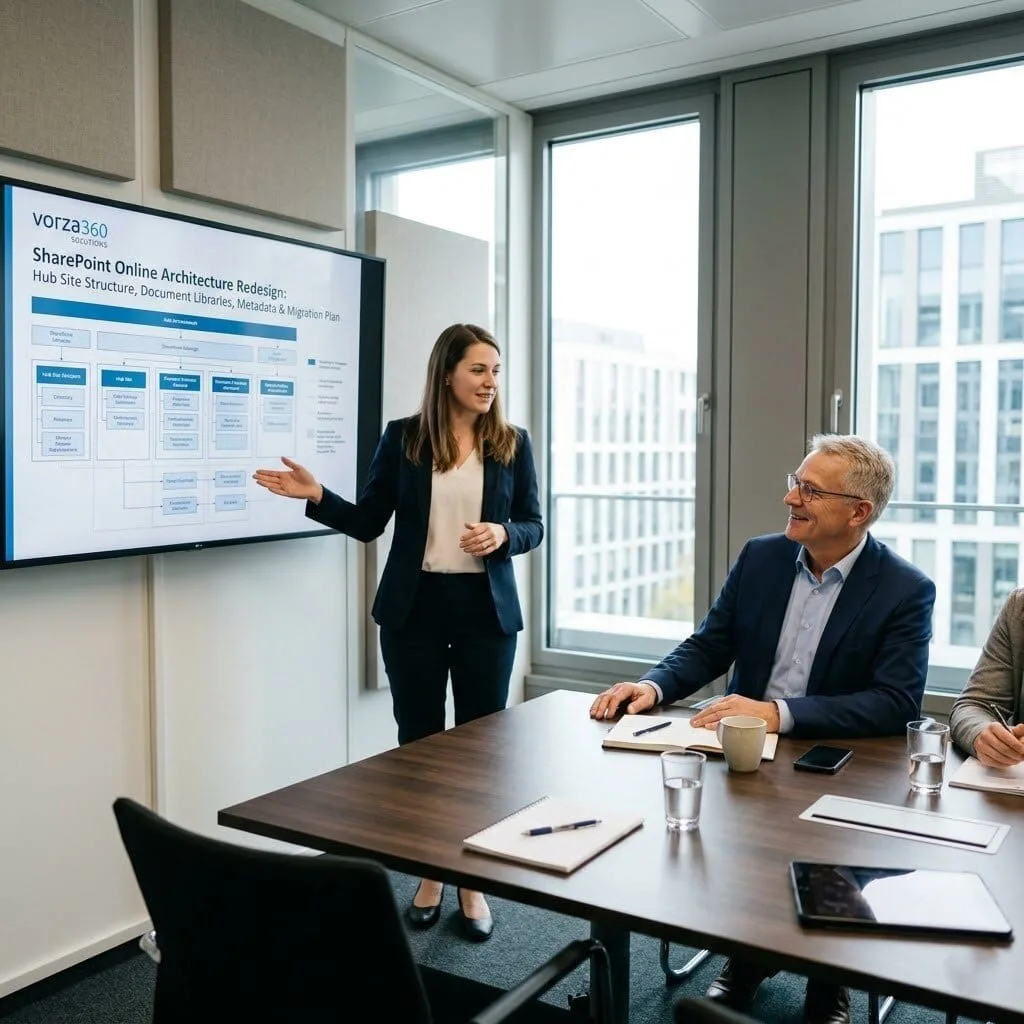
The vorza360 Solution: vorza360 redesigned the SharePoint Online information architecture: hub site and communication site structure aligned to their business units, document libraries set up with consistent naming and metadata, permission model simplified to department-based access, and a migration plan for their most important shared folder content from on-premises file servers.
The Result: SharePoint adoption improved significantly after the redesigned structure was deployed and accompanied by a short user orientation. Staff found the logical hub structure intuitive, the migrated content was accessible immediately, and the email attachment culture began to change as using SharePoint became easier than alternatives.
Fatima Al-Hamdan (Kuwait)
The Challenge: Fatima’s company had SharePoint Online sites with permission structures that had grown completely unmanageable, hundreds of unique permissions broken at individual file level, no clear ownership of sites, and IT spent hours every week on permission requests that should have been handled by business owners.
The vorza360 Solution: vorza360 performed a SharePoint permission audit, rationalised unique permissions back to inheritance where appropriate, implemented a site ownership model where each site had a documented owner responsible for permissions, and trained site owners on self-service permission management. SharePoint groups replaced individual permission grants.
The Result: IT permission requests dropped by 70% as business owners managed access to their own sites. Fatima’s IT team recovered the hours they had been spending on SharePoint permission management, and the permission structure became understandable, any site’s access could be explained clearly rather than requiring a permission report to decode.
Bogdan Andrei (Romania)
The Challenge: Bogdan’s company used SharePoint Online for project documentation but had no version control process, no document lifecycle management, and staff regularly overwrote each other’s changes on collaborative documents. Recovering previous versions was possible but nobody knew how, and important document history was regularly lost.
The vorza360 Solution: vorza360 configured SharePoint Online version history settings appropriately, implemented check-out requirements for the documents where concurrent editing wasn’t appropriate, set up retention labels for project documents aligned to their document management policy, and ran a 30-minute training session with the project management team on SharePoint collaboration best practices.
The Result: Document overwrite incidents stopped after check-out was enabled on the critical document libraries. Bogdan’s project teams started using version history and co-authoring features they hadn’t known were available, and the retention labels ensured project documents were retained for the required period without manual management.
Ravi Shankar (India)
The Challenge: Ravi’s company had SharePoint Online connected to an on-premises file server through a legacy SharePoint farm that was approaching end of support. Migrating from the legacy farm to SharePoint Online properly had been deferred repeatedly because the content migration had been attempted and failed twice.
The vorza360 Solution: vorza360 used the SharePoint Migration Tool for the content migration, pre-migrated to a staging SharePoint Online tenant to identify and resolve migration errors before they affected production, and executed the production migration during a planned migration event. Legacy SharePoint customisations were replaced with SharePoint Online equivalents.
The Result: The content migration that had failed twice was completed successfully using the staging approach that resolved errors before production. Ravi’s organisation decommissioned the legacy SharePoint farm and the associated Windows Server infrastructure, reducing operational complexity and eliminating the end-of-support risk.
Petter Eriksson (Norway)
The Challenge: Petter’s company used SharePoint Online as their intranet but the content was badly out of date, news posts from years ago were still on the homepage, the employee directory hadn’t been updated in months, and there was no governance process to keep content current. Staff had stopped trusting the intranet as a source of accurate information.
The vorza360 Solution: vorza360 redesigned the intranet with governance built in: content ownership assigned to specific roles in each department, automated content expiry notifications reminding owners to review and update, a news submission workflow requiring approval before homepage publication, and a quarterly site audit process.
The Result: The intranet content quality improved as owners received automated reminders and had a clear responsibility for their section. Petter’s staff began trusting the intranet again as accurate information replaced the outdated content. The news workflow produced a higher volume of quality posts as the submission process was clear and the homepage audience was visible.
Chioma Nwosu (Nigeria)
The Challenge: Chioma’s company stored sensitive HR and financial documents on SharePoint Online in sites that had broader access than the documents warranted. An audit had found that all staff could read HR documents that should have been restricted to HR and management.
The vorza360 Solution: vorza360 restructured the SharePoint Online permission model: separate site collections for HR and Finance content with access restricted to the appropriate teams, sensitivity labels applied to documents so that label-based access policies supplemented the site permissions, and an access review process to ensure permission assignments were reviewed quarterly.
The Result: The over-broad access to sensitive HR and financial documents was resolved. Chioma’s audit finding was addressed, and the label-based protection meant that even if a document was accidentally shared, the sensitivity label maintained the access restriction. The quarterly access review gave the compliance team ongoing evidence of appropriate access management.
Your Company’s Digital Home
In a busy office, files often end up scattered across different computers and email folders. This makes it hard for your team to find what they need and work together on the same project. At vorza360, we provide the service of turning that clutter into a clean, organized “Digital Home.” We don’t just give you storage; we build a custom space where your team can talk, share ideas, and find every important document in a few clicks.
Our Office 365 SharePoint online support ensures that your company’s knowledge is always protected and easy to reach. Whether your team is in the office or working from home, we provide a smooth, managed experience that keeps everyone on the same page. By letting vorza360 handle the technical setup and daily SharePoint online support activities, you can stop searching for files and start focusing on your business goals.
vorza360’s Tech Edge
SharePoint Admin Center
Site Collections & Hub Sites
Document Libraries & Metadata
+ 2
More
Permission Inheritance Control
SharePoint Migration Tool
vorza360’s Tech Edge
SharePoint Admin Center
Our team uses this central command post to manage your entire system, ensuring your sites are healthy and your data is always safe.
Site Collections & Hub Sites
We organize your business into logical “neighborhoods,” connecting different department sites so that finding company news and files is a breeze.
Document Libraries & Metadata
We move beyond simple folders by adding “smart tags” to your files. This makes SharePoint online support for special characters and searching as easy as using a search engine.
Permission Inheritance Control
We manage the “who-sees-what” of your business, ensuring sensitive files are only accessible to the right people without making things complicated for the rest of the team.
SharePoint Migration Tool
Moving from old servers to the cloud can be scary, but we use professional tools to move your data safely, keeping all your file history and settings intact.
Tools
Tools and Plugins for Frameworks
PnP PowerShell
A professional tool we use to automate your site settings and save you time.
SharePoint Framework (SPFx)
The modern toolkit we use to add custom “web parts” and features to your pages.
Power Automate
A plugin that connects your SharePoint files to your email and other business apps.
Term Store Management
A tool for organizing your “Smart Tags” so your file searching stays perfect as you grow.
Here is what our Clients are saying About us
Anni Saarinen (Finland)
Our SharePoint Online had grown into an unnavigable mess, sites everywhere, inconsistent permissions, content nobody could find. vorza360 redesigned the information architecture, reorganised content into a logical structure, and implemented proper navigation. Our team actually uses SharePoint now instead of avoiding it.
Reem Al-Mutairi (Kuwait)
vorza360 built a SharePoint Online intranet for our organisation that serves as a genuine hub for company news, policies, and team sites. The ‘actually-used-intranet’ they delivered replaced a SharePoint site that had been ignored for years because it was confusing and outdated. Staff engagement with internal communications improved noticeably.
Mihai Popa (Romania)
Our SharePoint permissions had been granted ad-hoc over years and nobody understood who had access to what. vorza360 audited the entire permission structure, removed excessive access, implemented a group-based permission model, and documented the intended access design. Clean, understandable, and properly governed.
Sanjay Menon (India)
vorza360 configured SharePoint Online document libraries with the metadata columns, views, and content types our team needed to manage our project documentation effectively. The ‘find-anything-in-seconds’ library structure they built replaced a folder hierarchy that had made document retrieval genuinely painful.
Katrine Eriksen (Denmark)
vorza360 set up SharePoint Online site templates for our project teams so every new project site starts with a consistent structure, the right libraries, columns, pages, and permissions, without anyone having to build it from scratch. New project sites that used to take half a day to set up now take five minutes.
Chioma Eze (Nigeria)
vorza360 migrated our on-premises file server content to SharePoint Online while preserving the folder structure our team was familiar with. They handled the migration in phases, trained our staff on the new access methods, and provided support during the transition period. The move went more smoothly than anyone expected.
More about Microsoft 365 Services
Exchange Online Support
Keep your business communication running smoothly with vorza360’s expert exchange online support services.
Got questions? We’ve got answers. Find everything you need to know about using our platform, plans, and features
What does vorza360's SharePoint Online support service cover?
Our SharePoint Online support service covers the complete spectrum of SharePoint configuration, content management, and user enablement for your organization. Services include SharePoint site architecture design and creation covering team sites, communication sites, and hub sites, document library structure and metadata configuration, SharePoint permissions and access management at site, library, and item levels, page and web part configuration for intranet and communication portals, SharePoint lists for structured data and simple workflow management, Power Automate integration for automating SharePoint-based approval and notification workflows, SharePoint search configuration, custom branding and navigation setup, external sharing policy configuration, SharePoint migration from on-premises SharePoint or other platforms, and SharePoint site monitoring and health management. We help your organization get genuine business value from SharePoint, not just use it as a file dump.
How does vorza360 design a SharePoint Online site architecture for a business?
SharePoint architecture design is one of the most impactful decisions in a Microsoft 365 deployment, a well-designed architecture helps users find content quickly and naturally, while a poorly designed one creates confusion and governance problems. vorza360 designs SharePoint architectures following Microsoft’s modern SharePoint guidance: we use Hub Sites to connect related Team Sites thematically, a Sales Hub connecting the Sales team site, Customer References site, and Proposals Library, providing unified navigation and shared search scope without relying on the old subsites model. We determine the appropriate content organization based on how your team actually works and searches for content, department-based, project-based, or topic-based, rather than replicating a hierarchical file server structure. We define clear governance guidelines covering who creates sites, who manages permissions, how libraries are structured, and how long content is retained.
How does vorza360 configure SharePoint Online permissions to protect sensitive content?
SharePoint permissions are one of the most commonly misconfigured aspects of Microsoft 365, many organizations end up with overly broad permissions or confusingly complex permission hierarchies. vorza360 configures SharePoint permissions using the principle of least privilege: we use Microsoft 365 Groups and SharePoint Groups as the mechanism for granting access rather than individual user permissions which are difficult to manage at scale. We configure the default sharing settings to prevent sharing outside the intended audience without appropriate permissions. We implement SharePoint sensitivity labels for sites containing confidential information, applying appropriate restrictions on external sharing and conditional access. We break permission inheritance only at the site level, not at the library or item level where possible. We conduct regular permission reviews to identify and resolve access drift over time.
How does vorza360 migrate content to SharePoint Online from on-premises file servers or older SharePoint?
Migrating file server content or on-premises SharePoint content to SharePoint Online requires both a technical migration tool and thoughtful pre-migration planning, migrating disorganized content to the cloud simply moves the disorganization to a more expensive location. vorza360 manages SharePoint migrations through a structured approach: we start with a content audit to inventory what exists, identify content that is genuinely needed versus what has not been accessed in years and can be archived, and map the desired SharePoint Online destination structure. For the actual migration, we use the SharePoint Migration Tool for file server and on-premises SharePoint migrations, or third-party tools like ShareGate for complex migrations with advanced metadata mapping requirements. We migrate in phases starting with less sensitive content to validate the process, then progress to business-critical content, conducting post-migration validation of file counts, metadata, and permissions.
How does vorza360 help organizations use SharePoint Online as an intranet portal?
SharePoint Online communication sites, combined with hub sites and Microsoft Viva Connections, provide everything organizations need for a modern company intranet, company news, staff directory, department portals, policy libraries, benefits information, and onboarding resources. vorza360 designs and builds SharePoint intranets that employees actually use: we work with your internal communications and HR teams to understand what content employees most frequently need, design an intuitive navigation structure that makes finding information natural, create attractive communication site pages using SharePoint’s modern page editor with appropriate web parts including News, Quick Links, People, Events, and Highlighted Content, implement a company news workflow that makes publishing updates straightforward for non-technical content owners, and configure SharePoint home page to serve as a personalized gateway showing each user content most relevant to their role and team memberships.