Protect your business from data loss with vorza360’s professional backup and restore solutions. We provide complete system recovery and automated backups to keep your files safe and your business running.
The Challenge: Klaus’s company had Windows Server Backup configured but had never tested it. When a junior administrator accidentally deleted a production share containing several months of project files, the recovery attempt revealed the backup job had been failing silently for two months. The data was gone.
The vorza360 Solution: After recovering what was possible from VSS shadow copies, vorza360 rebuilt the backup strategy with verification as a core requirement: Windows Server Backup replaced with a monitored backup solution that tested restoration viability daily, off-site backup replication to cloud, and an alert that fired immediately on any backup job failure, not the next morning.
The Result: The silent failure problem was solved by design. Klaus’s team went from false confidence to verified backup capability, and the daily restoration tests meant they knew their backup worked every day rather than discovering it didn’t when they needed it. The new infrastructure has not had a backup failure go undetected since implementation.
Faiza Al-Omari (UAE)
The Challenge: Faiza’s company needed a backup strategy for their Windows Server environment that satisfied their enterprise clients’ due diligence requirements. Their clients were asking for documented RPO and RTO figures, and Faiza’s honest answer, that these hadn’t been defined or tested, was not acceptable for the contracts they were pursuing.
The vorza360 Solution: vorza360 designed a backup strategy that met the RPO and RTO targets Faiza’s contracts required, implemented it using Veeam Backup & Replication with offsite replication, ran a timed recovery test for each protected server, and produced a recovery capability document with actual measured times that Faiza could include in client due diligence responses.
The Result: Faiza’s company won two significant contracts that had previously been blocked by the inability to provide recovery documentation. The backup investment paid back within the first month through the contract revenue it enabled, and the organisation had genuine, tested recovery capability rather than an aspiration.
Adrian Nica (Romania)
The Challenge: Adrian’s company had a DR requirement for their Windows Server environment but was running all their servers in a single physical location with no off-site backup. A burst pipe in a neighbouring unit had caused minor damage, and the close call prompted them to finally address the single-location risk.
The vorza360 Solution: vorza360 implemented a hybrid backup strategy: local backup for fast recovery of individual files and recent data, plus daily replication of full server backups to cloud storage in a different geographic region. Recovery procedures were documented for both local failure scenarios and site-loss scenarios.
The Result: Adrian’s company had genuine geographic redundancy for their Windows Server backups within three weeks of the near-miss incident. The local backup met their RTO for day-to-day recovery needs, and the cloud replication met their requirement for site-loss survival. The implementation cost was a fraction of what a secondary physical site would have required.
Ashwin Patel (India)
The Challenge: Ashwin’s company needed to demonstrate backup and recovery capability for an ISO 27001 certification. Their current backup consisted of manual file copies to an external drive that was often left in the same room as the servers, not backup, the auditor noted, but a second copy in an inadequate location.
The vorza360 Solution: vorza360 implemented a proper Windows Server backup strategy meeting ISO 27001 requirements: automated daily backups with retention policy, encrypted off-site replication, documented recovery procedures, tested annually with results recorded, and access to backup systems restricted to authorised administrators with audit logging.
The Result: The ISO 27001 audit passed the backup and recovery controls section. Ashwin’s team had moved from a manual, inadequate backup approach to a documented, tested, compliant backup capability, a gap that had been an ISO 27001 blocker for over a year was resolved in three weeks.
Petter Lindgren (Sweden)
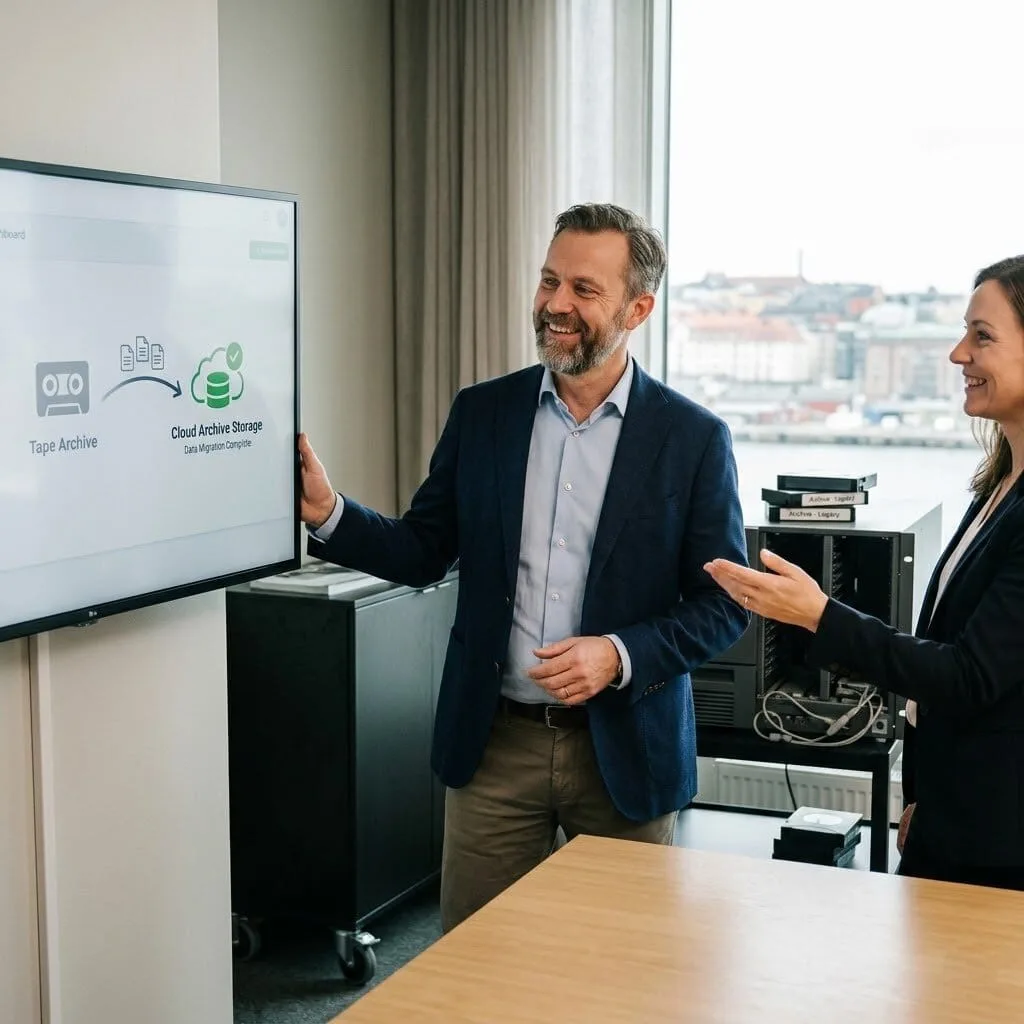
The Challenge: Petter’s company needed to migrate from a tape-based backup approach to a modern cloud backup solution without disrupting their recovery capability during the transition. Their tapes represented years of archive data that needed to be accessible even after the tape infrastructure was decommissioned.
The vorza360 Solution: vorza360 managed the migration in phases: cloud backup implemented and running in parallel before tape was decommissioned, historical tape archive data restored and transferred to long-term cloud archive storage, tape verification performed before each tape was retired, and the tape library decommissioned only after all data was confirmed accessible in the cloud.
The Result: The tape decommission completed with all historical data accessible in cloud archive storage. Petter’s company eliminated the operational overhead of tape management, rotation, offsite storage, hardware maintenance, and gained faster, more reliable recovery from the cloud-based backup. The archive data that had been locked in tape was accessible in minutes rather than requiring a tape restore.
Chiamaka Ezeh (Nigeria)
The Challenge: Chiamaka’s organisation had multiple Windows Servers but only their primary file server was being backed up. Application servers, the domain controller, and print server had no backup at all, a gap they were aware of but hadn’t addressed. When a domain controller had a hardware failure, the manual domain rebuild took two days.
The vorza360 Solution: vorza360 implemented comprehensive backup coverage for all Windows Servers including bare-metal recovery capability for the domain controller, application server state backup, and system state backup alongside data backup for all servers. Recovery runbooks were written for each scenario, including the domain controller recovery that had cost two days.
The Result: The backup gap was eliminated across the entire Windows Server estate. The domain controller recovery scenario, the most painful incident they had experienced, was rehearsed from the new backup and completed in under three hours following the runbook. Chiamaka’s organisation had recovery confidence across their entire server infrastructure for the first time.
vorza360’s Tech Edge
Windows Server Backup Configuration
Bare-Metal Recovery Planning
Snapshot & Versioning Strategy
+ 2
More
Offsite Backup Integration
Recovery Testing Procedures
vorza360’s Tech Edge
Windows Server Backup Configuration
We set up a dedicated Windows backup and restore plan that saves your entire server environment every day.
Bare-Metal Recovery Planning
Our team prepares a “total reset” option, allowing us to restore your complete system onto brand-new hardware if your original machine fails.
Snapshot & Versioning Strategy
We save different “versions” of your files so you can undo accidental changes or recover from a virus by going back in time.
Offsite Backup Integration
We move your data to a secure second location, ensuring your files are safe even if there is an emergency at your main office.
Recovery Testing Procedures
We don’t just save data; we regularly “test-restore” it to prove that our backup and restoration recovery solutions actually work when you need them.
Complete Windows Backup and Restore Services
We manage your entire Windows environment to ensure your operating system and files are always recoverable.
Advantages
Setting up automated daily schedules so you never forget to back up.
Configuring Windows backup and restore software to protect your core system files.
Organizing your backups to use the least amount of storage space possible.
Creating "System Repair" disks that help us fix a computer that won't start.
Providing a human-led service that handles all the technical setup for you.
Enterprise Backup and Restore Solutions
We build a high-level data protection plan that covers all your business applications and servers.
Advantages
Linking all your office computers to one central, secure backup hub.
Encrypting your backups so that only you can see your private business info.
Monitoring your backup health 24/7 to catch any errors immediately.
Using advanced backup and restore solution techniques to save data in real-time.
Delivering a managed partnership where we handle the recovery for you.
Cloud & Salesforce Backup and Restore Solutions
We protect your online data, providing a second copy of your cloud-based information for extra safety.
Advantages
Implementing specialized Salesforce backup and restore solutions to protect your customer lists.
Protecting your emails and cloud documents from accidental deletion.
Syncing your local files to the cloud for easy access from anywhere.
Ensuring your cloud backups meet modern privacy and security laws.
Providing a simple way to pull your data back from the cloud if an app fails.
Disaster Recovery & System Restore Backup Solutions
We provide a “Quick Restart” plan for your business, ensuring you are back online in minutes after a crash.
Advantages
Designing system restore backup solutions that fix software errors without losing data.
Mapping out a step-by-step recovery guide for your specific office.
Setting up "Failover" systems that take over if your main server goes down.
Acting as your rapid-response team to get your business moving again.
Prioritizing your most important files so they are restored first during an emergency.
Managed Restoration & Validation Services
vorza360 doesn’t just “save” your data; we provide a professional service to ensure it is always ready for use.
Advantages
Checking your backup files for corruption or "data rot" regularly.
Performing monthly "mock disasters" to test our backup and restoration recovery solutions.
Updating your backup plan as you add new computers or employees.
Restoring individual files or folders for your team whenever they are lost.
Offering expert advice on the best Windows backup and restore software for your budget.
Complete Windows Backup and Restore Services
We manage your entire Windows environment to ensure your operating system and files are always recoverable.
ADVANTAGES
Setting up automated daily schedules so you never forget to back up.
Configuring Windows backup and restore software to protect your core system files.
Organizing your backups to use the least amount of storage space possible.
Creating "System Repair" disks that help us fix a computer that won't start.
Providing a human-led service that handles all the technical setup for you.
Enterprise Backup and Restore Solutions
We build a high-level data protection plan that covers all your business applications and servers.
ADVANTAGES
Linking all your office computers to one central, secure backup hub.
Using advanced backup and restore solution techniques to save data in real-time.
Encrypting your backups so that only you can see your private business info.
Monitoring your backup health 24/7 to catch any errors immediately.
Delivering a managed partnership where we handle the recovery for you.
Cloud & Salesforce Backup and Restore Solutions
We protect your online data, providing a second copy of your cloud-based information for extra safety.
ADVANTAGES
Implementing specialized Salesforce backup and restore solutions to protect your customer lists.
Syncing your local files to the cloud for easy access from anywhere.
Protecting your emails and cloud documents from accidental deletion.
Ensuring your cloud backups meet modern privacy and security laws.
Providing a simple way to pull your data back from the cloud if an app fails.
Disaster Recovery & System Restore Backup Solutions
We provide a “Quick Restart” plan for your business, ensuring you are back online in minutes after a crash.
ADVANTAGES
Designing system restore backup solutions that fix software errors without losing data.
Mapping out a step-by-step recovery guide for your specific office.
Setting up "Failover" systems that take over if your main server goes down.
Prioritizing your most important files so they are restored first during an emergency.
Acting as your rapid-response team to get your business moving again.
Managed Restoration & Validation Services
vorza360 doesn’t just “save” your data; we provide a professional service to ensure it is always ready for use.
ADVANTAGES
Performing monthly "mock disasters" to test our backup and restoration recovery solutions.
Checking your backup files for corruption or "data rot" regularly.
Updating your backup plan as you add new computers or employees.
Restoring individual files or folders for your team whenever they are lost.
Offering expert advice on the best Windows backup and restore software for your budget.
Why Choose vorza360 for This Service?
A backup is only as good as the team behind it. We make sure your data is never truly gone.
Human-Led Recovery
We are a service company. If you lose a file, you don’t have to fight with a backup and restore solution, you just call us, and we handle the recovery for you.
Zero-Knowledge Safety
We explain your Windows backup and restore health in very easy words. You don’t need to be a tech expert to know your business is safe.
Proven Reliability
From Salesforce backup and restore solutions to local server saves, we use industry-standard methods to ensure your data is 100% accurate and available.
Tools
Tools & Plugins We Use
Veeam
A world-class tool for backup and restoration recovery solutions that can save entire servers at once.
Acronis
A professional plugin we use for system restore backup solutions and fast bare-metal recovery.
OwnBackup
Our preferred tool for specialized Salesforce backup and restore solutions.
Windows Server Backup
The reliable, built-in tool we fine-tune to provide a rock-solid Windows backup and restore foundation.
Here is what our Clients are saying About us
Kari Virtanen (Finland)
We discovered our Windows Server backups had been failing silently for three months when we tried to restore after a hardware failure. vorza360 rebuilt our entire backup strategy, fixed the underlying issues, and put monitoring in place so we’re immediately alerted if a backup job fails. Never again.
Nour Sabbagh (Syria)
vorza360 designed a comprehensive backup solution for our Windows Server environment covering system state, application data, and file shares with both onsite and offsite copies. The ‘always-two-copies’ model they implemented gives us genuine protection against both hardware failure and site-level disasters.
Bogdan Munteanu (Romania)
vorza360 replaced our unreliable manual backup process with an automated solution using Windows Server Backup and Azure Blob offsite replication. The first full DR test we ran after the new setup was flawless, complete environment restored in under two hours from bare metal.
Deepa Nair (India)
Our backup strategy had focused entirely on file data and completely ignored system state and application data. vorza360 came in, redesigned the entire approach, and made sure everything critical was included. The gaps they found would have made recovery genuinely impossible in a major incident.
Rasmus Lund (Denmark)
vorza360 implemented a tiered backup strategy for our Windows Server environment, hourly snapshots for critical systems, daily full backups, weekly offsite replication, with retention policies that balance recovery capability against storage cost. Thoughtful design rather than just ‘back everything up’.
Fatima Al-Jabri (Bahrain)
vorza360 ran a full disaster recovery exercise for our Windows Server environment after setting up our new backup solution. Watching our entire environment restore correctly from bare metal in a test scenario gave our management team confidence they’d never had before. The exercise itself was worth the investment.
More about Windows Server
Windows Server Installation & Setup
Get a rock-solid foundation for your business with vorza360’s professional Windows Server…
Got questions? We’ve got answers. Find everything you need to know about using our platform, plans, and features
What Windows Server backup solutions does vorza360 implement?
vorza360 implements Windows Server backup solutions appropriate to your recovery requirements, infrastructure, and budget. For smaller environments, we configure Windows Server Backup (the built-in tool) for system state and volume backups with scheduled execution and off-site copy via Windows Server Backup to network share. For business-critical environments requiring faster recovery times, more granular restoration options, and better verification, we deploy enterprise-grade backup solutions including Veeam Backup and Replication (for both virtual and physical servers), Acronis Cyber Protect (for physical servers and endpoints), and Azure Backup for hybrid environments. For Active Directory specifically, we ensure system state backups capture the AD database and SYSVOL consistently. All backup solutions are configured with off-site or cloud-based secondary storage so that a single site failure cannot destroy both the production data and the backup.
How does vorza360 design a Windows Server backup strategy to meet specific Recovery Time and Recovery Point Objectives?
A backup strategy is defined by two key business requirements: Recovery Time Objective (RTO), how quickly the server must be restored after a failure, and Recovery Point Objective (RPO), how much data loss is acceptable, expressed as the maximum age of the most recent backup. vorza360 designs backup strategies around these objectives: for an RTO of 4 hours and RPO of 24 hours (acceptable for a non-critical file server), daily full backups to local and off-site storage with Windows Server Backup is sufficient. For an RTO of 1 hour and RPO of 1 hour (required for a business-critical application server), we implement hourly incremental backups using Veeam or Acronis with instant VM recovery capability that can bring a virtual server back online in minutes from the backup. For near-zero RPO requirements (database servers, Active Directory), we complement backups with replication or log shipping to minimize data that could be lost between backup intervals.
How does vorza360 test Windows Server backups to verify they are actually restorable?
A backup that has never been tested is an assumption, not a guarantee. vorza360 implements backup validation as a regular, documented practice for every client environment we manage. We schedule monthly restore tests in an isolated environment, either a dedicated test server or a non-production VM, where we perform a complete restore of the backup, verify that the operating system boots, check that critical services start and function, compare folder and file structure against the production server, and run application-specific validation where applicable (for example, starting SQL Server and running test queries after restoring a database server). Each test is documented with the test date, the backup set used, the restore duration, and the test outcome. This documentation provides evidence of disaster recovery capability for auditors and gives management confidence that the backup investment is delivering actual protection.
How does vorza360 perform bare-metal recovery for a Windows Server that has completely failed?
Bare-metal recovery (BMR) is the most complete recovery scenario, restoring an entire server, including the operating system, all installed roles, applications, and data, to new or replacement hardware from a backup. vorza360 prepares for BMR proactively: we ensure backup solutions are configured to capture system state and bare-metal recovery data (not just file-level data), that Windows PE recovery media is available and tested, and that the complete server recovery procedure is documented step by step. When a BMR is required, we boot the replacement hardware from the Windows PE recovery media, connect to the backup repository, and execute the restore, which writes the complete disk image to the replacement hardware. For virtual environments with Veeam, we use Instant VM Recovery to bring the restored server online from the backup repository within minutes while data is migrated to production storage in the background. We validate all services after restore and confirm with the business before releasing the recovered server for use.
How does vorza360 protect Windows Server backups from ransomware that might target backup repositories?
Modern ransomware specifically targets backup repositories because attackers know that businesses can restore from backup if the backup is available. vorza360 implements multiple backup protection strategies: immutable backup storage using solutions like Azure Blob Storage with immutability policies, Veeam’s hardened Linux repository, or AWS S3 with Object Lock, these storage types prevent backup files from being modified or deleted for a defined retention period, even by accounts with administrative access to the backup server. We implement the 3-2-1 backup rule: three copies of data (production, local backup, off-site backup), on two different media types, with one copy completely off-site or in the cloud. We segregate backup server credentials from the domain, the backup server uses local or separate accounts not reachable through domain credential compromise. We restrict network access to the backup repository to authorized backup server IPs only, preventing direct access from production servers.