Maximize your hardware with vorza360’s expert hyper-V virtualization services. We help you run multiple systems on a single server, reducing costs and making your IT easier to manage.
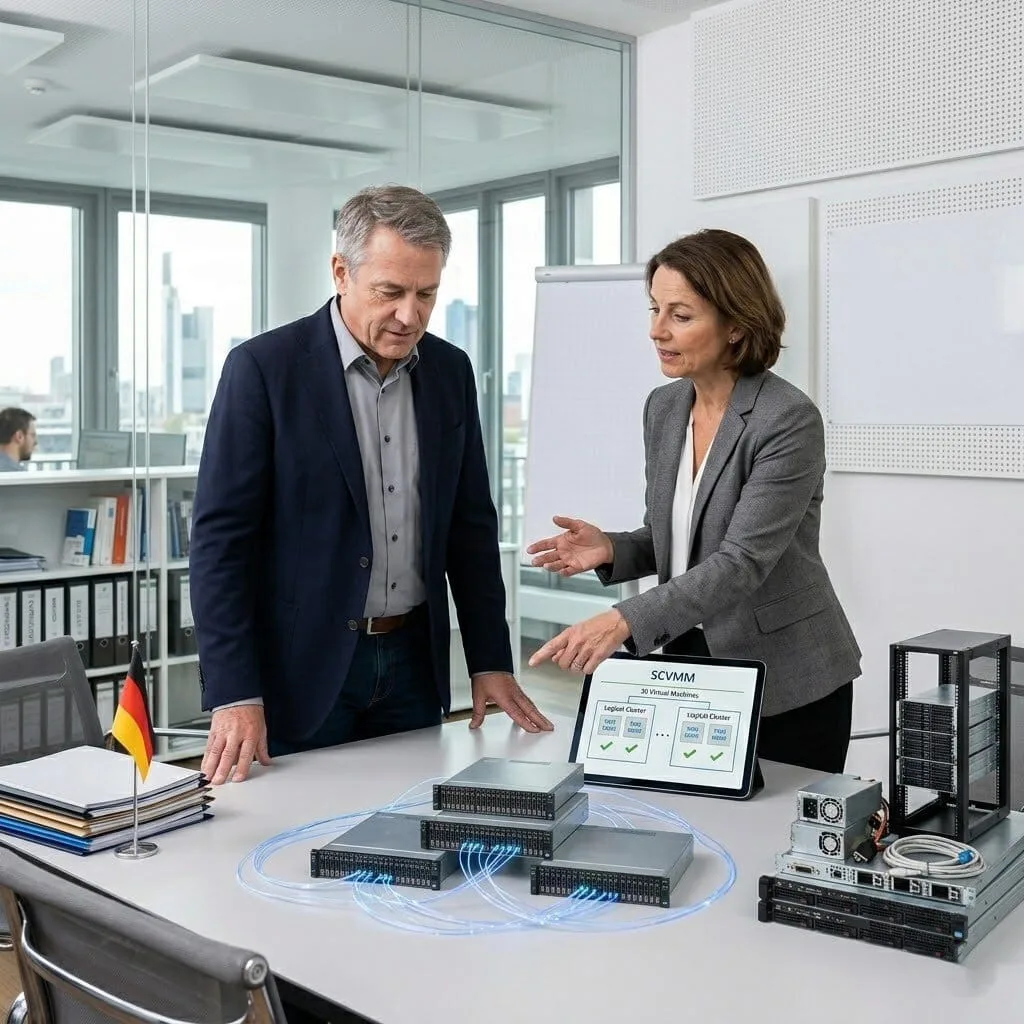
The Challenge: Gerhard’s company was drowning in hardware. They had 30 separate physical servers, each running just one application. This meant 30 sets of parts to fail, 30 power cables, and no centralized way to see if a server was dying until a user called to complain.
The vorza360 Solution: We implemented Hyper-V Virtualization technology to consolidate those 30 physical machines into just three powerful servers. We used SCVMM (System Center) to give Gerhard a single “command center” to manage all his new virtual servers. Now, instead of 30 points of failure, he has a streamlined environment with automated health checks.
The Result: Hardware costs and power bills dropped by 70%. Gerhard’s team moved from being “reactive” to “proactive.” They now catch potential issues in the virtual layer before the physical hardware even feels the heat, and routine management takes minutes instead of hours.
Hind Al-Farsi (UAE)
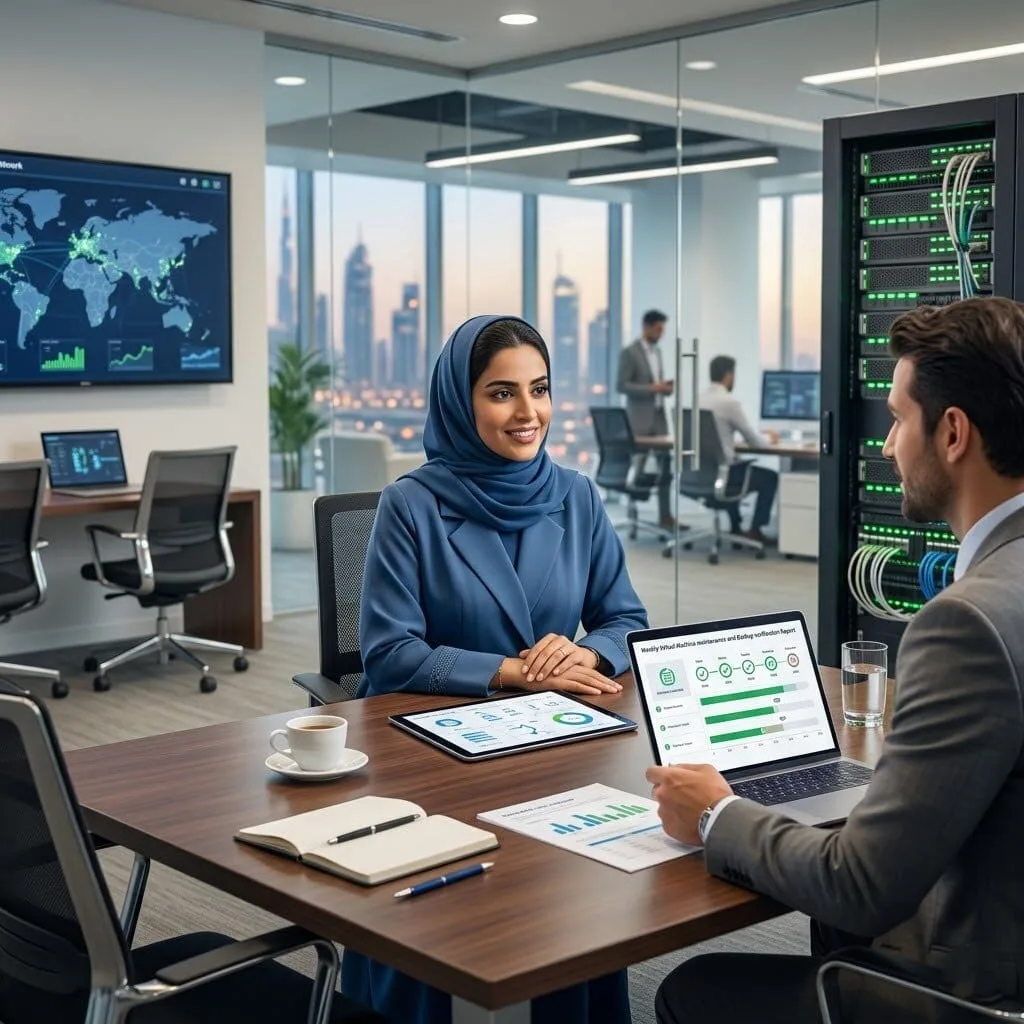
The Challenge: Hind’s company used an outside provider to manage their servers, but they had zero visibility into the actual work being done. Auditors were worried because there was no “paper trail” showing that their Microsoft Hyper-V virtualization platform was being updated or backed up correctly.
The vorza360 Solution: We set up a managed Hyper-V Virtual Machine auditing system. We used PowerShell Automation to create weekly reports that automatically export Hyper-V virtual machine status and maintenance logs. This gave Hind a clear dashboard to see exactly when updates were applied and when backups were verified.
The Result: Hind gained total oversight. The first month’s report actually proved that some billed maintenance hadn’t been done, allowing her to hold the provider accountable. The “visibility gap” was closed, and the auditors were satisfied with the new, transparent process.
Radu Popa (Romania)
The Challenge: Radu’s small team wanted to move to virtualization, but every time they tried, they were overwhelmed by “alert fatigue.” Their previous tools sent hundreds of emails for every tiny spike in a Hyper-V virtual network adapter, leading the team to ignore the notifications entirely.
The vorza360 Solution: We took a “Smart Resource Sharing” approach. We configured the Hyper-V Manager to only alert the team on critical issues, like when a virtual machine actually runs out of memory or a physical disk fails. We tuned the resource limits so that no single app could “steal” power from the others, keeping the alert volume low and meaningful.
The Result: The team now receives only about three alerts a week, and every single one is a “must-fix” item. They stopped ignoring the system because the system stopped crying wolf. Radu’s team now has a high-performance virtual environment that helps them work rather than adding to their to-do list.
Vikram Chandra (India)
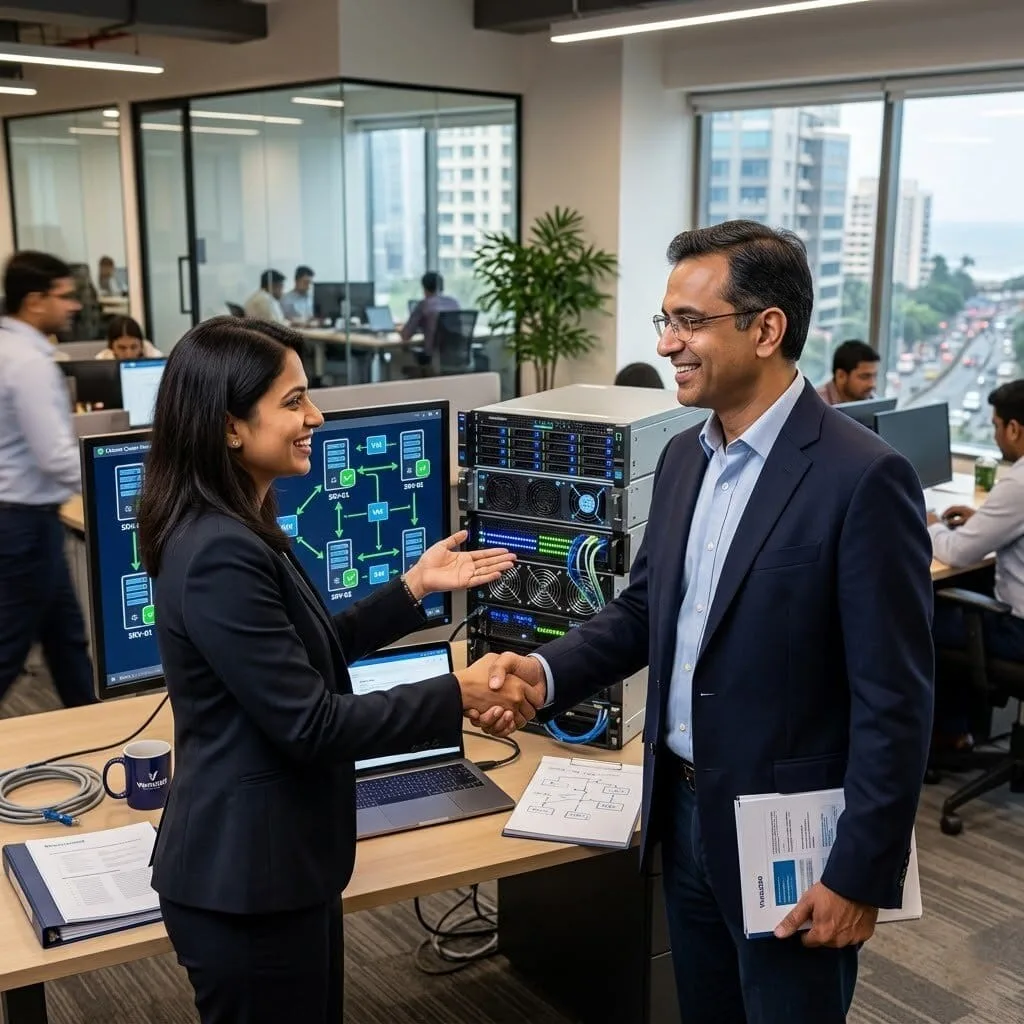
The Challenge: Vikram needed to prove to his big enterprise clients that his server infrastructure was “enterprise-grade.” His clients wanted to see evidence of high availability, basically, proof that if a server died, the business wouldn’t stop.
The vorza360 Solution: We deployed a Failover Cluster Manager setup. This is a “high-level” tool that links multiple physical servers together. If one physical box fails, the Hyper-V virtual machines automatically “jump” to another server and keep running. We documented this entire process and provided monthly uptime reports.
The Result: Vikram passed his client security audits with flying colors. He can now show his partners a formal, documented virtualization program. Not only did he win the new contracts, but his internal operations are now more resilient than ever before.
Henrik Andersen (Denmark)
The Challenge: Henrik’s IT team had different skill levels. The senior engineers were busy with big projects, but the junior engineers didn’t have a safe way to practice or perform routine tasks like setting up a new Hyper-V virtual environment without risking the live data.
The vorza360 Solution: We implemented our “Sandbox Success” method. We built isolated test environments where junior engineers can trial new software or updates safely using Hyper-V virtualization software. We also set up Role-Based Access, giving the junior team a guided interface to perform simple tasks like starting or stopping a specific virtual machine.
The Result: Mistakes dropped to near zero because the junior staff had “guardrails” to work within. The senior engineers were freed up for complex strategy, and the whole team’s skill level improved through hands-on practice in the safe “sandbox” we built.
Segun Olatunji (Nigeria)
The Challenge: Segun’s office had a mix of old Windows servers and some specialized Linux distributions (like Ubuntu and CentOS). Managing these across different physical machines was a nightmare, and they never knew if an update on one would break the connection on another.
The vorza360 Solution: We provided Multiple Platform Support on a single Hyper-V host. We moved their Windows, Linux, and even older “Legacy” business apps into their own Hyper-V virtual homes. We configured specialized Hyper-V virtual network adapter rules to ensure the different systems could talk to each other safely and at high speed.
The Result: Segun’s “messy” office turned into a managed, structured routine. We established weekly automated health checks that report on the status of every virtual machine, regardless of the operating system. Crisis management has been replaced by planned, steady work.
How we do it
We provide a managed service that turns one physical server into many, giving your business room to grow without buying more gear.
Creative Approaches
We use a “Sandbox Success” method with hyper-V virtualization technology. This allows us to creatively build isolated test environments where we can trial new software or updates safely, ensuring they work perfectly before they ever touch your live business data.
Insightful Strategies
Our strategy focuses on “Smart Resource Sharing.” We provide an insightful review of your server’s power to ensure that every hyper-V virtual machine gets exactly the memory and speed it needs, preventing any single app from slowing down the rest of your office.
Tailored Solutions
Every business has a different pace. We offer custom hyper v virtualization software setups that fit your specific goals whether you need a simple backup server or a complex microsoft hyper-V virtualization platform to run your entire company’s software.
Creative Approaches
We use a “Sandbox Success” method with hyper-V virtualization technology. This allows us to creatively build isolated test environments where we can trial new software or updates safely, ensuring they work perfectly before they ever touch your live business data.
Insightful Strategies
Our strategy focuses on “Smart Resource Sharing.” We provide an insightful review of your server’s power to ensure that every hyper-V virtual machine gets exactly the memory and speed it needs, preventing any single app from slowing down the rest of your office.
Tailored Solutions
Every business has a different pace. We offer custom hyper v virtualization software setups that fit your specific goals whether you need a simple backup server or a complex microsoft hyper-V virtualization platform to run your entire company’s software.
Tools
Tools vorza360 Offers for This Service
Hyper-V Manager
The core tool we use to create, start, and stop your virtual machines with precision.
Failover Cluster Manager
A high-level tool we use to ensure your virtual systems stay online even if a physical server fails.
SCVMM (System Center)
Advanced hyper-V virtualization software for managing large groups of virtual servers from one screen.
PowerShell Automation
We use custom scripts to export hyper-V virtual machine data and automate daily health checks.
Multiple Platform Support
As your virtualization partners, we ensure your Microsoft Hyper-V virtualization platform works with all your favorite systems.
Windows Server
Seamless support for all modern versions of Windows Server (2016 to 2025).
Linux Distributions
We provide full support for Ubuntu, CentOS, and Debian running inside Hyper-V.
Windows Desktop
Perfect for running Windows 10 or 11 in an isolated hyper-V virtual environment.
Azure Hybrid Cloud
We link your local virtual machines to the Microsoft Azure cloud for extra power.
Legacy Systems
We help you keep older, necessary business apps running on modern hardware.
FreeBSD
Expert configuration for specialized networking and security tools on the Hyper-V platform.
Windows Server
Seamless support for all modern versions of Windows Server (2016 to 2025).
Linux Distributions
We provide full support for Ubuntu, CentOS, and Debian running inside Hyper-V.
Windows Desktop
Perfect for running Windows 10 or 11 in an isolated hyper-V virtual environment.
Azure Hybrid Cloud
We link your local virtual machines to the Microsoft Azure cloud for extra power.
Legacy Systems
We help you keep older, necessary business apps running on modern hardware.
FreeBSD
Expert configuration for specialized networking and security tools on the Hyper-V platform.
Multiple Framework Support
.NET Framework
Optimized performance for your custom Windows-based business applications.
Docker Containers
We set up Hyper-V to host modern “containers” for faster app deployment.
SQL Server
Fine-tuning virtual memory so your databases run as fast as they would on physical gear.
IIS Web Server
Creating specialized hyper-V virtual network adapter rules for high-speed web hosting.
Python
Providing stable, isolated environments for data processing and automation scripts.
Node.js
Scalable virtual setups for modern web apps and real-time business tools.
Java (JVM)
Careful resource allocation to ensure your Java-based enterprise tools stay snappy.
PHP
Reliable virtual hosting for your company websites and internal portals.
Custom Headless Development
We are an eCommerce website design company, that uses the best creative skills to meet your business needs and ensure customer satisfaction. We’re with you every step of the way, from the beginning of your project to its completion.
Fashion & Apparel
Food & Grocery
Retail
FMCG
Real Estate
Construction
Hotel
Healthcare
Telecom
Fintech
Manufacturing
Automotive
Our Service Cycle
vorza360 follows a professional, simple path to virtualize your business.
Step 1
Hardware Check
Step 2
Role Setup
Step 3
Network Linking
Step 4
Machine Creation
Step 5
Data Migration
Step 6
Human Care
Step 1
Hardware Check
We audit your physical server to ensure it is ready for hyper-V virtualization technology.
Step 2
Role Setup
Our experts perform the professional installation of the Hyper-V role on your system.
Step 3
Network Linking
We configure your hyper-V virtual network adapter so your virtual machines can talk to the internet.
Step 4
Machine Creation
We build your new virtual servers and install the operating systems you need.
Step 5
Data Migration
We safely move your existing apps and files into their new hyper-V virtual homes.
Step 6
Human Care
vorza360 provides ongoing support, managing updates and helping you export hyper-V virtual machine backups regularly.
Here is what our Clients are saying About us
Matti Järvinen (Finland)
Moving from physical servers to Hyper-V was something our team had been putting off for years. vorza360 planned the entire virtualisation project, migrated our workloads one by one with zero downtime, and left us with a well-configured Hyper-V environment that’s been solid ever since.
Lara Haddad (Lebanon)
vorza360 configured Hyper-V clustering across our two host servers with live migration and automatic failover. The ‘always-available’ VM infrastructure they built means we can take a host down for maintenance without scheduling downtime for our applications. A significant operational improvement.
Mihai Popescu (Romania)
Our Hyper-V environment had been set up without any real thought for performance, VMs sharing resources inefficiently, no memory optimisation, default network settings. vorza360 reconfigured everything properly and our VM density on the same hardware increased by 40%.
Vaibhav Sharma (India)
vorza360 set up Hyper-V replication between our primary site and DR site so our critical VMs are continuously replicated and can be failed over within minutes. The first time we tested the failover in a planned drill, it worked exactly as designed. Genuine peace of mind.
Freija Hansen (Denmark)
vorza360 migrated our VMware environment to Hyper-V as part of a licensing cost reduction project. They handled the VM conversions, reconfigured networking, and verified every workload was running correctly before we decommissioned the old platform. The migration went smoother than any of us expected.
Ngozi Okafor (Nigeria)
vorza360 set up a Hyper-V environment for our development team that lets them spin up isolated test environments on demand. The ‘self-service virtualisation’ model they built means our developers aren’t waiting for IT to provision test machines, they create what they need in minutes.
More about Windows Server
Windows Server Installation & Setup
Get a rock-solid foundation for your business with vorza360’s professional Windows Server…
Got questions? We’ve got answers. Find everything you need to know about using our platform, plans, and features
What is Hyper-V and what are the business benefits of running virtualization on Windows Server?
Hyper-V is Microsoft’s built-in hypervisor technology in Windows Server that allows multiple Virtual Machines (VMs), each running its own operating system, applications, and workloads, to run simultaneously on a single physical server. The business benefits of Hyper-V virtualization are substantial: server consolidation dramatically reduces hardware costs by running what previously required 10 separate physical servers on one powerful machine. Development and test environments can be created in minutes as isolated VMs that can be deleted when no longer needed. Snapshots allow point-in-time checkpoints before risky changes, if an update breaks something, reverting to the pre-update state takes seconds. Live Migration enables moving running VMs between Hyper-V hosts without downtime for hardware maintenance. And Hyper-V’s integration with Azure hybrid cloud allows VMs to span between on-premises Hyper-V and Azure, providing flexible capacity expansion.
How does vorza360 design and implement a Hyper-V virtualization environment?
vorza360 designs Hyper-V environments based on your workload requirements, budget, and growth plans. We begin by inventorying your current server workloads, documenting the CPU, memory, storage, and network requirements of each application, and calculating the physical host hardware specification needed to consolidate them with appropriate headroom for growth and peak load handling. We configure Hyper-V hosts with best practices: BIOS-level hardware virtualization (Intel VT-x or AMD-V) and IOMMU enabled, Generation 2 VMs for modern operating systems, Integration Services installed and current in all VMs, virtual switch configuration using VLAN-tagged external switches for network segmentation, dynamic memory configured for VMs with variable workloads, virtual hard disks on a dedicated data volume separate from the host OS volume, and regular Hyper-V host updates. For environments requiring high availability, we implement Hyper-V Failover Clustering so VMs migrate automatically between hosts during planned maintenance or unplanned failures.
How does vorza360 configure Hyper-V networking for enterprise environments?
Hyper-V networking determines how VMs communicate with each other, with the physical network, and with the internet, and its configuration directly impacts both security and performance. vorza360 configures Hyper-V virtual switches as External switches (connected to a physical network adapter, allowing VMs to communicate with the physical network and internet), Internal switches (accessible to both the host and VMs but not the external network, used for secure VM-to-VM and VM-to-host communication), or Private switches (accessible only between VMs, used for completely isolated environments). For enterprise environments with VLANs, we configure VM network adapters with VLAN IDs matching the network segmentation policy, ensuring VMs in different security zones are properly isolated. We implement NIC teaming on the physical host for network redundancy and throughput aggregation, and configure Hyper-V virtual switch bandwidth management to prevent any single VM from monopolizing network capacity.
How does vorza360 manage Hyper-V VM backups and snapshots?
Backup and snapshot management are critical in a Hyper-V environment because VMs represent complete server environments, a backup failure means the loss of an entire server’s state and data. vorza360 manages Hyper-V backups using enterprise backup solutions (Veeam Backup and Replication being the industry standard) that leverage Hyper-V’s VSS-based backup mechanism to take application-consistent backups of running VMs without downtime. Veeam’s Instant VM Recovery allows a backed-up VM to be started directly from the backup repository within minutes, providing very fast recovery even for large VMs. We distinguish between production backups (regular, scheduled, automated, stored off-site) and Hyper-V snapshots, snapshots are point-in-time checkpoints for short-term use during maintenance and testing, not a backup substitute, as they grow in size over time and degrade VM performance if retained long-term. We implement automatic snapshot cleanup policies to prevent snapshot sprawl.
How does vorza360 implement Hyper-V Failover Clustering for high availability VMs?
Hyper-V Failover Clustering allows VMs to run on clustered Hyper-V hosts and automatically migrate to a surviving host if the host they are running on fails, providing high availability for VM workloads without manual intervention. vorza360 implements Hyper-V Failover Clustering by configuring two or more Windows Server Hyper-V hosts as a Windows Server Failover Cluster, providing shared storage accessible to all cluster nodes (either a SAN, iSCSI target, SMB 3.0 file share, or Storage Spaces Direct), configuring Cluster Shared Volumes (CSVs) for the VM storage, and setting VM failover policies that define which host each VM should start on, the preferred node, and the failover order. We implement Cluster Aware Updating (CAU) for automated, rolling host patching that migrates VMs to other nodes before patching each host, maintaining VM availability throughout the update process. We test cluster failover by simulating host failures before the environment goes into production service.