Secure your remote workforce with vorza360’s Cisco VPN setup and management services. We provide reliable, encrypted tunnels for safe remote access and office-to-office connections.
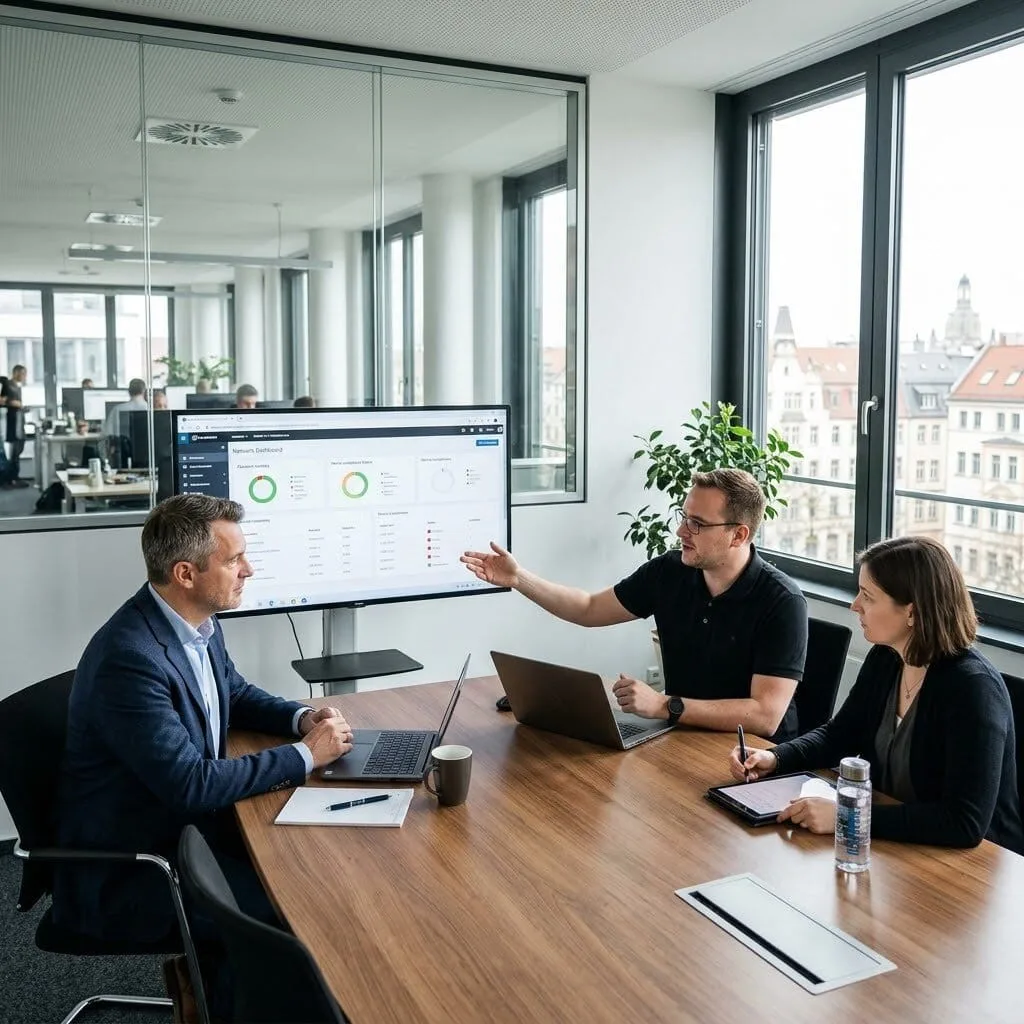
The Challenge: Stefan’s company had a major “open door” problem. Anyone could walk into the office, plug a laptop into a wall jack, and get full access to the corporate network. Their security policy required a “digital ID check” to ensure only managed, healthy company laptops could reach sensitive financial files.
The vorza360 Solution: We implemented VPN Authentication & Authorization combined with network access control. We set up a system where every connection point, whether in the office or remote, requires a secure login. We configured “Posture Assessment,” which acts like a health inspector, checking that a laptop has its antivirus and updates before allowing it onto the main network.
The Result: Unmanaged devices are now automatically blocked or sent to a “Remediation Zone” where they can get updated. Stefan’s team finally has total visibility into every device on their network, ensuring that only the right people and the right machines can “enter” the company’s digital vault.
Nora Al-Sayed (UAE)
The Challenge: Nora’s remote staff were working from home using personal internet connections. Without the office firewall to protect them, several employees accidentally downloaded malware while browsing. She needed a way to extend the office’s “security shield” to every employee’s home without slowing down their internet.
The vorza360 Solution: We deployed Cisco AnyConnect Remote VPN with a specialized “roaming” security layer. This provides a “work-from-anywhere” portal that scrambles and protects all internet traffic. It acts as a permanent digital bodyguard, blocking malicious sites at the source before any harmful files can ever be downloaded to an employee’s laptop.
The Result: Security is now consistent whether a user is at their desk in Dubai or at a coffee shop. Nora’s team can see and block suspicious patterns in real-time, providing “vault-grade” protection for the entire workforce without the need for complex hardware in every home.
Florin Barbu (Romania)
The Challenge: Florin needed to enforce Multi-Factor Authentication (MFA), the “second code” on your phone, for everyone working remotely. His team had the software but was stuck on how to link it to their Cisco VPN without making the login process so difficult that employees would complain.
The vorza360 Solution: We performed an Advanced Encryption Setup integrated with a simple “Push-to-App” login. We linked their Cisco VPN to a modern identity system, so when an employee logs in, they just tap “Approve” on their phone. We started with the IT team to test the “digital tunnel” before rolling it out to the whole company.
The Result: The entire company was secured in just three weeks. Florin met his cyber insurance requirements, and the staff actually found the new “one-tap” login easier than the old, clunky password system they used before.
Rahul Agarwal (India)
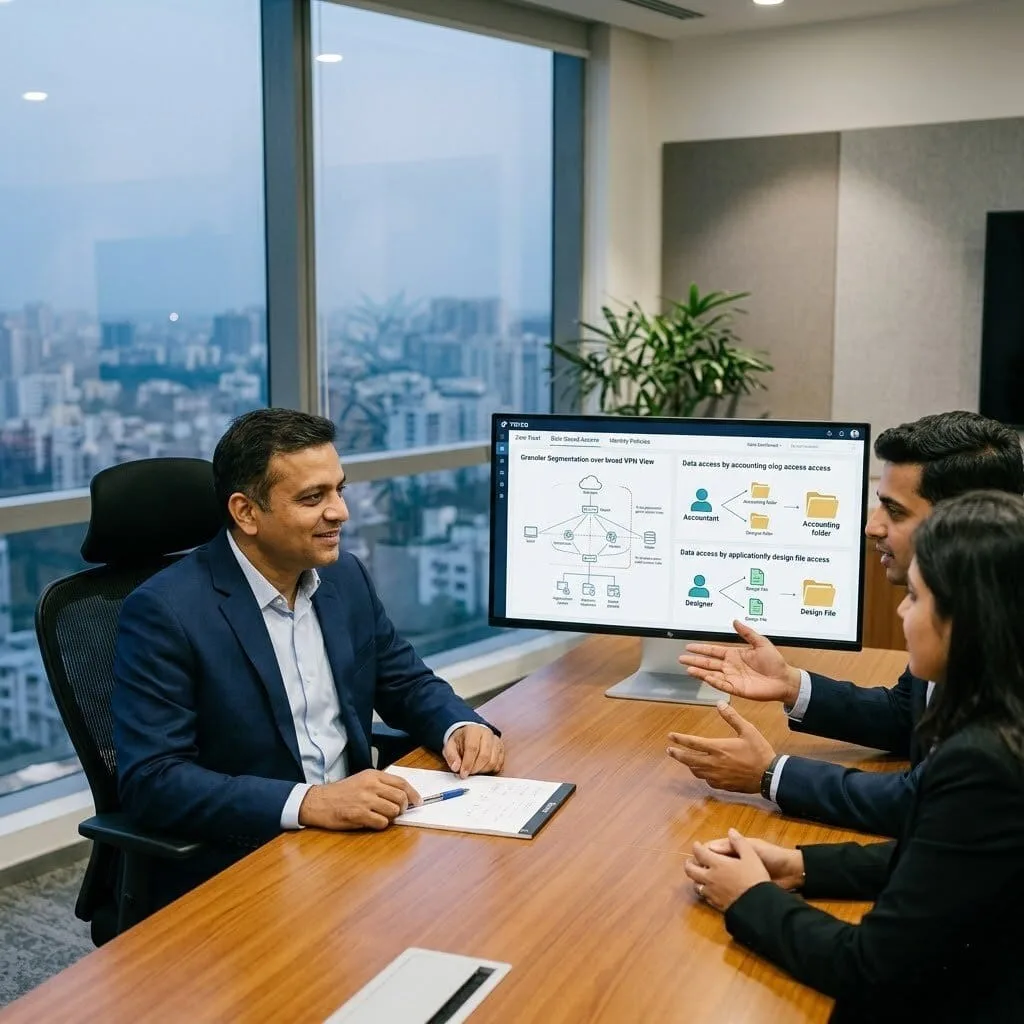
The Challenge: Rahul wanted to move to a “Zero Trust” model. Currently, once an employee logged into the VPN, they could see everything on the network. He wanted a “Least-Privilege” system where an accountant could only see accounting folders, and a designer could only see design files.
The vorza360 Solution: We implemented a Cisco Remote VPN with specific Identity & Access Control rules. Instead of placing users on the general network, we built “Role-Based Tunnels.” We defined per-application policies so that the VPN only “opens the door” to the specific apps a staff member needs for their job.
The Result: Remote users now only see what they need to see. Rahul’s security team achieved their two-year goal of a “Zero Trust” environment, and most users found the new, targeted access much faster and simpler than the old, broad VPN.
Astrid Larsson (Sweden)
The Challenge: Astrid’s team had a Cisco VPN and Management system in place, but they were too nervous to turn on the “Enforcement” mode. They were worried that if they tightened the security “locks,” they might accidentally lock out the CEO or a critical office printer.
The vorza360 Solution: We performed a Connection Stability & Maintenance audit. We reviewed six months of data to identify every device, from laptops to IP phones. We then created custom “ID-check” profiles for each one. We turned on the security locks one switch at a time to make sure the “digital tunnels” remained stable.
The Result: The security locks were tightened across the whole campus without a single person losing access. Astrid’s team moved from just “watching” threats to actually “blocking” them, finally getting the full value out of their security investment.
Adewale Ogundimu (Nigeria)
The Challenge: Adewale’s company suffered a phishing attack where a hacker stole a password and accessed their private SharePoint files. He needed a “Military-grade” VPN setup and MFA deployed immediately to ensure that even if a hacker has a password, they still can’t get in.
The vorza360 Solution: We executed a Safe Office Networking refresh in just ten days. We protected their email and VPN with a “Push Notification” system. We also used IKEv2 technology, which keeps the connection rock-solid even if the local Wi-Fi is spotty, ensuring the secure tunnel snaps back into place instantly.
The Result: The “back door” was slammed shut. When the company ran a “fake” phishing test later, they found that even when staff accidentally gave away a password, the MFA blocked the hacker every single time. The company is now protected against the very attack that hurt them before.
vorza360’s Tech Edge
IPsec Site-to-Site VPN
Cisco AnyConnect Remote VPN
Tunnel Encryption Algorithms
+ 2
More
VPN Authentication & Authorization
Secure Key Exchange (IKEv2)
vorza360’s Tech Edge
IPsec Site-to-Site VPN
We provide “office-bridge” connections that link your branch locations together securely over the internet, making multiple offices feel like one single, private network.
Cisco AnyConnect Remote VPN
Our team builds “work-from-anywhere” portals that allow your employees to log in securely from laptops or phones, giving them safe access to office files from home or on the road.
Tunnel Encryption Algorithms
We provide “vault-grade” protection using advanced math (like AES-256) to scramble your data as it travels, ensuring hackers can’t read your private business emails or documents.
VPN Authentication & Authorization
Our team creates “ID-check” systems that verify exactly who is logging in, ensuring only the right staff members can reach sensitive company folders.
Secure Key Exchange (IKEv2)
We provide “auto-reconnect” technology that keeps your VPN stable; if your Wi-Fi drops for a second, IKEv2 snaps the secure connection back into place instantly.
Secure Office Networking
We provide permanent “digital tunnels” that connect your different business locations safely.
Advantages
Reliable VPN setup for branch offices.
Encrypted data flow between buildings.
Fast setup VPN & management for routers.
Continuous uptime monitoring for all sites.
Reduced costs compared to private lines.
Remote Employee Access
Our team builds easy-to-use login systems for your staff to work safely from home.
Advantages
Simple VPN setup on laptops and mobile.
Safe "one-click" connection for employees.
Expert setup VPN for chrome and browsers.
Secure setup VPN extension for quick tasks.
Full support for Cisco AnyConnect software.
Advanced Encryption Setup
We provide high-level security settings that keep your business data private and scrambled.
Advantages
Modern AES-256 bit security standards.
Protection against data theft and snooping.
"Military-grade" VPN setup and management services.
Regular security key updates for safety.
Prevention of "Man-in-the-Middle" attacks.
Identity & Access Control
Our team creates strict rules to make sure only authorized people can enter your network.
Advantages
Multi-factor (MFA) login for extra safety.
Automatic blocking of suspicious login attempts.
User-specific access to certain office folders.
Clear reporting on who accessed the network.
Safe VPN setup for guest contractors.
Connection Stability & Maintenance
We provide ongoing support to ensure your VPN is always fast, stable, and updated.
Advantages
Proactive setup VPN & management fixes.
Instant reconnection for mobile workers.
Speed checks to prevent network slowdowns.
Regular software updates for Cisco hardware.
24/7 technical help for connection issues.
Secure Office Networking
We provide permanent “digital tunnels” that connect your different business locations safely.
ADVANTAGES
Reliable VPN setup for branch offices.
Encrypted data flow between buildings.
Fast setup VPN & management for routers.
Reduced costs compared to private lines.
Continuous uptime monitoring for all sites.
Remote Employee Access
Our team builds easy-to-use login systems for your staff to work safely from home.
ADVANTAGES
Simple VPN setup on laptops and mobile.
Safe "one-click" connection for employees.
Expert setup VPN for chrome and browsers.
Secure setup VPN extension for quick tasks.
Full support for Cisco AnyConnect software.
Advanced Encryption Setup
We provide high-level security settings that keep your business data private and scrambled.
ADVANTAGES
Modern AES-256 bit security standards.
Protection against data theft and snooping.
"Military-grade" VPN setup and management services.
Regular security key updates for safety.
Prevention of "Man-in-the-Middle" attacks.
Identity & Access Control
Our team creates strict rules to make sure only authorized people can enter your network.
ADVANTAGES
Multi-factor (MFA) login for extra safety.
User-specific access to certain office folders.
Automatic blocking of suspicious login attempts.
Clear reporting on who accessed the network.
Safe VPN setup for guest contractors.
Connection Stability & Maintenance
We provide ongoing support to ensure your VPN is always fast, stable, and updated.
ADVANTAGES
Proactive setup VPN & management fixes.
Instant reconnection for mobile workers.
Regular software updates for Cisco hardware.
Speed checks to prevent network slowdowns.
24/7 technical help for connection issues.
Here is what our Clients are saying About us
Pekka Virtanen (Finland)
Remote access VPN had been a constant source of complaints from our staff, slow connections, frequent drops, complicated setup on new devices. vorza360 rebuilt our Cisco AnyConnect implementation from scratch with proper split tunnelling and the complaints stopped almost immediately.
Layla Al-Farsi (Bahrain)
vorza360 configured site-to-site IPSec VPN between our three offices using Cisco routers. The tunnels have been stable since deployment and our staff access resources across sites as if they were on the same local network. A reliable connection that replaced an expensive MPLS circuit at a fraction of the cost.
Cristian Popescu (Romania)
Our Cisco VPN configuration had multiple legacy tunnels from old partnerships that nobody had decommissioned. vorza360 audited every VPN tunnel, removed the inactive ones, tightened the security parameters on the remaining tunnels, and documented what exists and why. Clean and secure.
Deepak Verma (India)
vorza360 set up Cisco AnyConnect with certificate-based authentication and multi-factor integration for our remote workforce. The ‘identity-verified VPN’ model they implemented replaced our shared-secret approach and significantly raised our remote access security posture without complicating the user experience.
Signe Eriksen (Denmark)
vorza360 configured DMVPN across our Cisco router estate to enable direct spoke-to-spoke communication between our branch offices without all traffic having to route through our hub site. Branch-to-branch application performance improved noticeably and our hub site bandwidth requirements dropped significantly.
Chidi Nwosu (Nigeria)
vorza360 set up FlexVPN for our organisation after our previous VPN solution had become difficult to scale as we added new remote sites. The new architecture is cleaner, easier to extend, and better documented than what it replaced. Adding a new site now takes a fraction of the time it previously did.
More about Cisco IT Service
Cisco Router Configuration
Build a rock-solid business foundation with vorza360’s professional Cisco router…
Got questions? We’ve got answers. Find everything you need to know about using our platform, plans, and features
What types of Cisco VPN solutions does vorza360 configure and manage?
vorza360 configures and manages the full range of Cisco VPN technologies based on each use case’s requirements. For permanent site-to-site connectivity between offices, we configure IPsec site-to-site VPN tunnels on Cisco ISR routers or ASA firewalls, providing encrypted connectivity between office networks over the internet. For scalable enterprise site-to-site connectivity (particularly for hub-and-spoke topologies with many branch offices), we implement Cisco DMVPN (Dynamic Multipoint VPN) which allows branch-to-branch communication without routing all traffic through the central hub. For remote access VPN, we configure Cisco AnyConnect SSL VPN on ASA or Firepower appliances, providing secure remote access for individual employees from any device with an internet connection. For clientless remote access to web-based internal applications, we configure Cisco SSL VPN with clientless portal mode. We select the appropriate VPN technology for each requirement based on performance, scalability, and client device compatibility.
How does vorza360 configure a Cisco IPsec site-to-site VPN between offices?
Cisco IPsec site-to-site VPN creates an encrypted tunnel between two network locations over the public internet, allowing devices at each site to communicate as if they were on the same private network. vorza360 configures IPsec site-to-site VPN on Cisco routers and ASA firewalls by defining the IKE Phase 1 policy (specifying the encryption algorithm, hash algorithm, DH group, and lifetime, we use AES-256, SHA-256, and DH group 14 or higher as the minimum standard) and the IKEv2 or IKE Phase 2 transform set (defining the IPsec encryption and integrity algorithms for the data tunnel). We configure the crypto map or IKEv2 profile that links these policies to the specific peer IP address and interesting traffic definition (the subnets at each end that should be routed through the tunnel). We configure NAT exemption rules to prevent NAT from translating tunnel traffic. We test the tunnel with ICMP and TCP connectivity tests and verify tunnel status with show crypto ipsec sa and show crypto isakmp sa commands.
How does vorza360 configure Cisco AnyConnect for remote employee VPN access?
Cisco AnyConnect is the industry-leading SSL VPN client for remote access, providing a seamless, secure tunnel from employee devices to the corporate network over any internet connection. vorza360 configures AnyConnect VPN on Cisco ASA or Firepower appliances by creating an AnyConnect connection profile (defining the IP address pool assigned to VPN clients, DNS servers, split tunneling policy, and idle timeout), generating or installing the SSL certificate for the VPN gateway (critical for AnyConnect to trust the connection and avoid security warnings), uploading the AnyConnect client package to the ASA for automatic distribution to connecting clients, configuring group policies with appropriate access controls defining what network resources each user group can reach over VPN, and implementing multi-factor authentication through integration with Cisco Duo or a RADIUS server for significantly enhanced security. We provide user configuration guides in plain language for non-technical staff.
What is Cisco DMVPN and when does vorza360 recommend it for multi-site businesses?
Cisco DMVPN (Dynamic Multipoint VPN) is a scalable VPN architecture designed for enterprises with multiple branch offices that need both hub-to-branch and branch-to-branch connectivity. In a traditional hub-and-spoke IPsec VPN, all traffic between branch offices must travel through the hub headquarters, a branch in Manchester communicating with a branch in Birmingham would route through London even if the Manchester and Birmingham sites are geographically close. DMVPN solves this by enabling dynamic spoke-to-spoke tunnels that form on demand, when the Manchester branch needs to communicate with Birmingham, a direct encrypted tunnel forms automatically between them, bypassing the hub for that traffic flow. This dramatically reduces latency for inter-branch communication and reduces bandwidth requirements at the hub. vorza360 recommends DMVPN for businesses with five or more branch offices that frequently communicate with each other, or when hub bandwidth is a constraint in a traditional hub-and-spoke design.
How does vorza360 monitor and maintain Cisco VPN tunnels to ensure continuous availability?
VPN tunnels that appear to be up in management interfaces can sometimes fail to pass traffic due to IKE negotiation failures, NAT-T issues, or dead peer detection timeouts, making proactive monitoring essential. vorza360 monitors Cisco VPN tunnel health through several mechanisms: we configure SNMP monitoring on VPN tunnel state changes that alert our team when a site-to-site tunnel goes down; we implement Cisco IP SLA with ICMP probes through the VPN tunnel that continuously test end-to-end reachability and trigger alerts if probes fail; we review VPN tunnel statistics (bytes encrypted/decrypted, SA lifetime, renegotiation frequency) regularly to identify any tunnels showing unusual patterns that might indicate negotiation problems. When VPN tunnels fail, we diagnose using debug crypto isakmp, debug crypto ipsec, and show crypto sessions commands to identify whether the failure is at the IKE Phase 1, IKE Phase 2, or data plane level, and resolve the specific failure mode identified.