
Firmware Updates & Maintenance
Keep your hardware running at its best with vorza360’s firmware updates and maintenance. We provide a managed service to patch security gaps and unlock new features without disrupting your workday.

Shopify

WordPress

Figma

PHP

Flutter

React Js

Node Js

Python

Swift

Java

Vue.js

Kotlin

CSS

HTML

JavaScript
Customer Success Story
Henrik Nygaard (Denmark)
The Challenge Henrik was frustrated because his office Wi-Fi in Copenhagen had started acting up. Every afternoon, his team would experience “ghost disconnects,” where their laptops would drop the signal for no reason right in the middle of important video calls. He suspected it was a hardware bug, but he was terrified that a manual update might crash his entire network, leaving his business in total darkness.
The vorza360 Solution We acted as Henrik’s dedicated guardian, performing a complete wireless access point optimization. Using our professional tools, we pushed silent firmware update patches to all his Wi-Fi antennas at once during his off-hours. We followed our “staged rollout” strategy, testing a single device first to ensure compatibility before updating the rest of the office. It is like having a professional tuner come in and sharpen every musical instrument in an orchestra, once we were done, every antenna was playing in perfect harmony.
The Result The “ghost disconnects” have completely vanished, and the office Wi-Fi is now faster than ever. Henrik loves that his team stayed connected without a single second of lag during the process. He values the easy words we used to explain his network safety and feels confident that his digital gateway is now fully shielded against hidden bugs.

Isabella Rossi (Italy)
The Challenge Isabella manages a high-end design studio in Milan and noticed that her company-issued headsets were having trouble connecting to the new office tablets. She didn’t realize that a simple airpods firmware update could fix the issue, and she didn’t want her designers wasting hours trying to troubleshoot their own gear. She needed a way to keep all her peripheral devices updated without interrupting the creative flow of her studio.
The vorza360 Solution We extended our firmware maintenance services to cover all of Isabella’s smaller devices. Using the Apple Configurator, we automated the airpods firmware update process for her entire team, ensuring their accessories were always running the latest code. We also performed regular maintenance on her printers and scanners to avoid those annoying “offline” errors that happen at the worst times. It is like having a digital valet service that keeps all your tools sharpened and ready to use before you even walk into the room.
The Result Isabella’s designers can now switch between devices seamlessly, and the technical “hiccups” with their gear have disappeared. She loves the “all-device” safety check we provide and appreciates the human-centered service that keeps her studio running at its best. Her business in Italy is now more productive because her team can focus entirely on their art.

Julian Vance (Canada)
The Challenge: Julian runs a data-heavy firm in Toronto and was worried about the “hidden holes” in his server hardware. He knew his HP ProLiant servers were the “brain” of his business, but he hadn’t performed any HP ProLiant firmware maintenance in over a year. He was terrified that an old BIOS or a buggy RAID controller could lead to a catastrophic data storage error, but he couldn’t afford any downtime during his busy work week.
The vorza360 Solution We stepped in to provide enterprise server firmware management with a “time machine” safety plan. We scheduled his deep-level updates for a Saturday night, ensuring zero impact on his business hours. We used the HP Service Pack for ProLiant to deliver the exact right files for his specific models, updating everything from the power supplies to the management ports. It is like taking a high-performance sports car in for a professional tune-up in the middle of the night, it’s ready to race the moment the sun comes up.
The Result Julian’s servers are now running on a stable, secure foundation with much better cooling and speed. He no longer loses sleep over potential hardware crashes and appreciates the professional documentation we provide for his audit records. He values the proactive protection vorza360 offers to keep his business-critical applications online and healthy.

Petra Dimitrova (Bulgaria)
The Challenge: Petra’s startup in Sofia was growing fast, but her internet router was still running on the same software it had the day she bought it. She knew that hackers often look for “back doors” in outdated hardware, and she needed to update router firmware to close those gaps. However, she was worried that a bad update might break her connection to her cloud apps or her office printer, causing a total network outage.
The vorza360 Solution We took the stress out of the situation by handling the entire update router firmware process for her. We started by backing up her unique settings and validating that the new update wouldn’t break her existing connections. We used our centralized firmware repository to pick a version we had already tested and proven to be safe. It is like having a professional locksmith come in to upgrade your front door, they make sure the new lock is stronger, but they also ensure your old keys still work perfectly.
The Result: Petra’s internet gateway is now shielded by the latest security patches, and her connection to her cloud tools is rock-solid. She loves that we explained the “why” behind every step in very easy words and values the human-first service we provide. Her startup in Bulgaria is now legally and digitally safe, meeting all the insurance standards for her industry.
Mateo Salazar (Mexico)
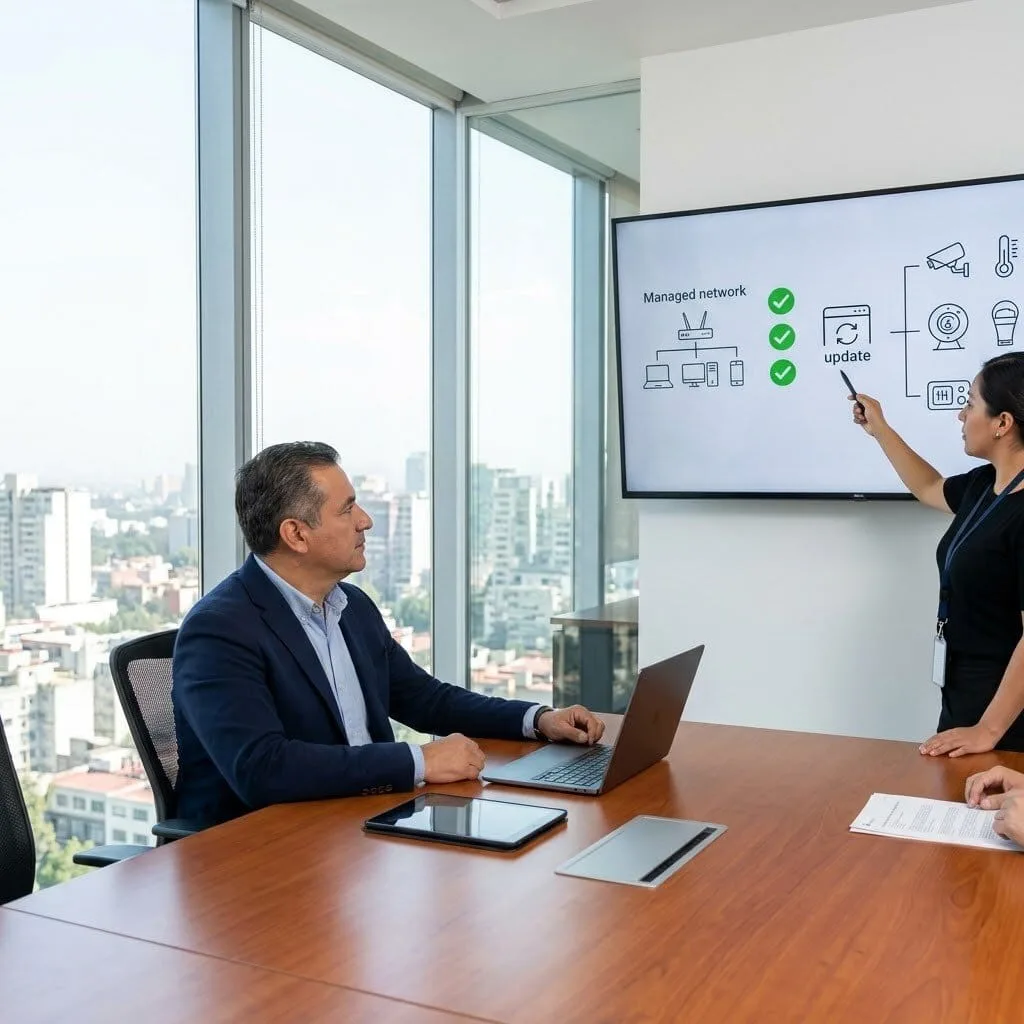
The Challenge: Mateo manages a large office complex in Mexico City and was struggling to keep his smart office devices (IoT) secure. His cameras and smart thermostats were all on different update schedules, and he was worried that an unpatched camera could become a security risk. He needed a managed service that could handle the firmware routine maintenance for all his “invisible” software in one go.
The vorza360 Solution We implemented a centralized management plan using the TP-Link Omada Controller to push silent firmware update batches to all his network switches and IoT devices. We prioritize critical security patches the moment they are released, ensuring his hardware never becomes an invisible problem. It is like having a 24/7 security guard who also knows how to fix the cameras and the air conditioning without ever being seen.
The Result Mateo now has a complete “all-device” safety check for his entire office. He no longer has to track dozens of different update schedules because vorza360 handles it all for him. He appreciates the cost-effective and proactive protection we provide, ensuring his office hardware stays modern and secure for his tenants.

Sophie Lefebvre (France)
The Challenge Sophie runs a medical platform in Paris and must meet very strict compliance rules for her hardware security. She needed a partner who could not only perform firmware maintenance services but also provide the audit records to prove it. She was looking for an expert who could manage her Cisco firewalls and ensure that her “shields” were always up without disrupting her patients’ access to their records.
The vorza360 Solution We acted as Sophie’s expert partner, using Cisco DNA Center to manage and update router firmware across her entire network from one secure screen. We documented every single patch and update we performed, giving her a perfect paper trail for her legal requirements. We also focused on downtime-controlled upgrades, ensuring her platform stayed 100% online during her busiest hours. It is like having a professional legal team and a technical crew rolled into one, we keep you safe and we prove it.
The Result Sophie’s platform passed its latest security audit with flying colors. She loves the peace of mind that comes with our rollback and recovery planning, knowing that we always have a backup plan ready. She values the insightful strategies we use to keep her patients’ data protected and her hardware running at its best in France.
vorza360’s Tech Edge
Centralized Firmware Repository
Staged Firmware Rollouts
Downtime-Controlled Upgrades
+ 2
More
Firmware Compatibility Validation
Rollback & Recovery Planning
vorza360’s Tech Edge
Centralized Firmware Repository
We maintain a master library of tested updates, so you never have to guess if a firmware update is safe for your office.
Staged Firmware Rollouts
Our team updates a single device first to test for issues before updating the rest of your office, preventing total network outages.
Downtime-Controlled Upgrades
We schedule your update router firmware tasks during late nights or weekends to ensure zero impact on your business hours.
Firmware Compatibility Validation
We double-check that new updates won’t break your existing connections to printers, servers, or cloud apps.
Rollback & Recovery Planning
If an update goes wrong, we have a “time machine” plan ready to restore your original settings in minutes.
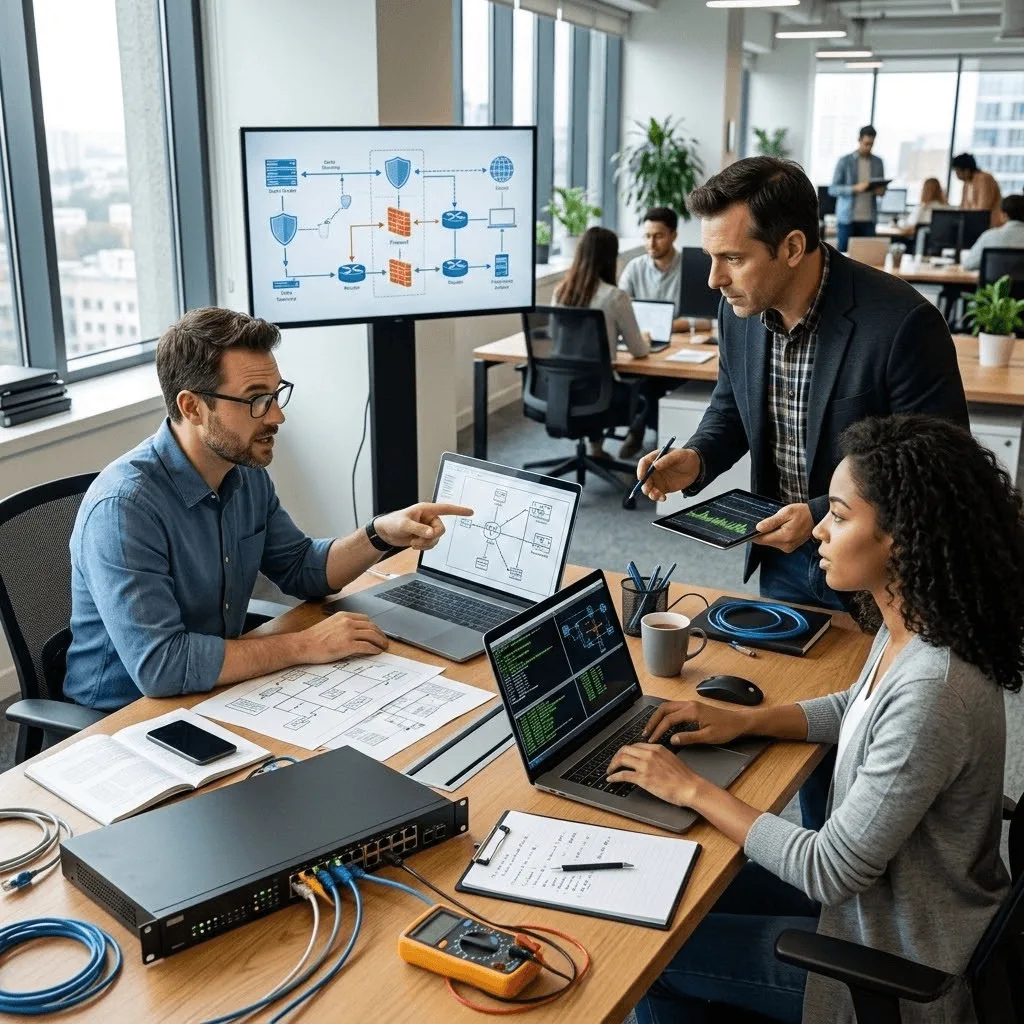
Professional Router & Firewall Maintenance
We act as your dedicated guardian, ensuring your internet gateway is always shielded.
Advantages
- Managing the complete update router firmware process to fix security holes.
- Reviewing manufacturer notes to find and fix hidden hardware bugs.
- Backing up your unique settings before every firmware routine maintenance task.
- Verifying that your firewall rules remain active after the update.
- Providing a human-led service that explains your network safety in easy words.
Enterprise Server Firmware Management
We keep your company’s “brain” healthy with specialized HP ProLiant firmware maintenance.
Advantages
- Updating BIOS and RAID controllers to prevent data storage errors.
- Performing firmware routine maintenance on server power supplies and fans.
- Managing iLO and management ports for secure remote access.
- Scheduling deep-level updates that require professional server restarts.
- Delivering a stable foundation for your business-critical applications.


Wireless Access Point Optimization
We ensure your office Wi-Fi is always running the latest, fastest signals.
Advantages
- Pushing silent firmware update patches to all your Wi-Fi antennas at once.
- Fixing "ghost disconnects" that are often caused by old, buggy code.
- Unlocking new Wi-Fi features and speed boosts through regular maintenance.
- Testing signal strength after every update to ensure 100% coverage.
- Offering a managed service that keeps your team connected without lag.
Peripheral & IoT Device Updates
We extend our firmware maintenance services to the smaller devices that matter.
Advantages
- Managing the airpods firmware update and peripheral patches for your team's gear.
- Keeping printers and scanners updated to avoid annoying "offline" errors.
- Securing smart office devices (IoT) like cameras and smart thermostats.
- Automating the airpod firmware update checks for company-issued accessories.
- Providing a complete "all-device" safety check for your entire office.


Compliance & Security Patching
vorza360 ensures your hardware meets the strict rules required for your industry.
Advantages
- Documenting every firmware update we perform for your audit records.
- Prioritizing "Critical Security Patches" as soon as they are released.
- Using firmware maintenance services to meet insurance and legal standards.
- Closing the "back doors" that hackers use to enter outdated hardware.
- Acting as your expert partner to keep your business legally and digitally safe.
Professional Router & Firewall Maintenance
We act as your dedicated guardian, ensuring your internet gateway is always shielded.
ADVANTAGES
- Managing the complete update router firmware process to fix security holes.
- Reviewing manufacturer notes to find and fix hidden hardware bugs.
- Backing up your unique settings before every firmware routine maintenance task.
- Verifying that your firewall rules remain active after the update.
- Providing a human-led service that explains your network safety in easy words.
Enterprise Server Firmware Management
We keep your company’s “brain” healthy with specialized HP ProLiant firmware maintenance.
ADVANTAGES
- Updating BIOS and RAID controllers to prevent data storage errors.
- Managing iLO and management ports for secure remote access.
- Performing firmware routine maintenance on server power supplies and fans.
- Scheduling deep-level updates that require professional server restarts.
- Delivering a stable foundation for your business-critical applications.
Wireless Access Point Optimization
We ensure your office Wi-Fi is always running the latest, fastest signals.
ADVANTAGES
- Pushing silent firmware update patches to all your Wi-Fi antennas at once.
- Fixing "ghost disconnects" that are often caused by old, buggy code.
- Unlocking new Wi-Fi features and speed boosts through regular maintenance.
- Testing signal strength after every update to ensure 100% coverage.
- Offering a managed service that keeps your team connected without lag.
Peripheral & IoT Device Updates
We extend our firmware maintenance services to the smaller devices that matter.
ADVANTAGES
- Managing the airpods firmware update and peripheral patches for your team's gear.
- Keeping printers and scanners updated to avoid annoying "offline" errors.
- Securing smart office devices (IoT) like cameras and smart thermostats.
- Automating the airpod firmware update checks for company-issued accessories.
- Providing a complete "all-device" safety check for your entire office.
Compliance & Security Patching
vorza360 ensures your hardware meets the strict rules required for your industry.
ADVANTAGES
- Documenting every firmware update we perform for your audit records.
- Prioritizing "Critical Security Patches" as soon as they are released.
- Using firmware maintenance services to meet insurance and legal standards.
- Closing the "back doors" that hackers use to enter outdated hardware.
- Acting as your expert partner to keep your business legally and digitally safe.
Why Choose vorza360 for This Service?
Firmware is the “invisible” software that runs your hardware. We make sure it never becomes an invisible problem.
Risk Management
Updating firmware can be risky. We take the stress away by handling the update router firmware process with professional backup and recovery tools.
Proactive Protection
We don’t wait for things to break. Our firmware routine maintenance finds and fixes bugs while your devices are still running perfectly.
Human-First Service
We are a service company, not just a script. We explain the “why” behind every firmware update in very easy words so you always know your tech is in good hands.
Tools
Tools and Plugins For Frameworks

TP-Link Omada Controller
We use this to manage and push silent firmware update batches to all your office Wi-Fi points and switches at once.

HP Service Pack for ProLiant (SPP)
A specialized tool our team uses for HP ProLiant firmware maintenance, ensuring your servers get the exact right files for their model.

Cisco DNA Center
A high-level platform we use to update router firmware across multiple office locations from one secure screen.

Apple Configurator
We use this professional utility to manage and automate the airpods firmware update process for your company-issued mobile accessories.
Here is what our Clients are saying About us

Ville Leinonen (Finland)
Our Omada devices had been running outdated firmware for over a year because nobody was confident updating them without causing disruption. vorza360 managed the entire firmware update process, staging in test first, then rolling out to production devices methodically. Everything updated without a single connectivity interruption.
Rania Barakat (Jordan)
vorza360 set up a firmware management schedule for our Omada environment so updates are reviewed, tested, and applied on a regular cycle rather than ignored until something forces the issue. The ‘planned-maintenance’ approach they introduced has kept our devices current without the anxiety of unplanned updates.
Mircea Dumitru (Romania)
After a firmware update went wrong and took down our wireless network, we brought in vorza360 to both fix the immediate issue and put a better process in place. They recovered the affected APs, rolled back where needed, and implemented a staged update procedure that prevents the same thing happening again.
Neha Joshi (India)
vorza360 audited our Omada device firmware versions and found several APs running versions with known security vulnerabilities. They planned and executed the updates during a low-traffic window with zero disruption. The ‘security-first firmware review’ they conducted is something we now do on a quarterly basis.
Jakob Andersen (Denmark)
vorza360 manages our Omada firmware updates as part of an ongoing maintenance arrangement. They review release notes for each update, test on a non-critical AP first, and roll out to the rest of the environment once confirmed stable. We benefit from current firmware without any of the maintenance burden falling on our team.
Chidinma Obi (Nigeria)
vorza360 established a firmware baseline across our Omada environment where every device ran inconsistent versions inherited from different deployment phases. Standardising everything to a current, tested version resolved several intermittent issues our team had been unable to explain. A simple maintenance task with a surprisingly significant impact.
More about Omada (TP-Link)
Omada Cloud Access Configuration
Manage your business network from anywhere in the world with vorza360’s omada cloud…
Omada Controller Setup
Get total control over your business Wi-Fi with vorza360’s professional omada controller
Access Point Deployment & Configuration
Eliminate Wi-Fi dead zones with vorza360’s professional wireless access point deployment.
SSID & VLAN Management
Organize and secure your office network with vorza360’s SSID & VLAN management…
Wireless Security Settings
Protect your business Wi-Fi from intruders with vorza360’s professional wireless security…
Bandwidth & QoS Management
Turn your Wi-Fi into a professional business asset with vorza360’s captive portal setup.
+ 5
More
Bandwidth & QoS Management
Stop lag and slow speeds with vorza360’s professional bandwidth management QoS services.
Omada Mesh Network Setup
Expand your Wi-Fi coverage without messy cables using vorza360’s omada mesh setup.
Firmware Updates & Maintenance
Keep your hardware running at its best with vorza360’s firmware updates and maintenance.
More about Omada (TP-Link)
Omada Controller Setup
Omada Cloud Access Configuration
Access Point Deployment & Configuration
+ 12
More
SSID & VLAN Management
Wireless Security Settings
Captive Portal Setup
Bandwidth & QoS Management
Guest Network Configuration
Frequently Asked Questions
Got questions? We’ve got answers. Find everything you need to know about using our platform, plans, and features
Why is keeping TP-Link Omada firmware up to date important and what risks come from outdated firmware?
Firmware is the embedded software that runs on Omada access points, switches, gateways, and controllers. Like any software, network device firmware contains code and vulnerabilities that are discovered over time and addressed in firmware updates released by TP-Link. Outdated firmware on network devices carries serious risks: known vulnerabilities in older firmware versions can be exploited by attackers to gain unauthorized access to the network device, intercept or manipulate network traffic, or use the compromised device as a platform for further attacks. Beyond security, firmware updates often include performance improvements, bug fixes for connectivity issues, support for new features in the Omada controller, and compatibility updates for new device types. vorza360 treats firmware updates as a routine, scheduled maintenance task, not something to do only when a problem occurs. Keeping all Omada devices on current, supported firmware is a fundamental security baseline.
How does vorza360 manage TP-Link Omada firmware updates safely without causing network disruption?
Firmware updates on network devices, particularly access points, cause a brief reboot during which connected clients are disconnected. Managing this disruption requires careful timing and sequencing. vorza360’s firmware update process: we first check the TP-Link release notes for the new firmware to understand what changes are included and whether any known issues are reported for our specific hardware models. We schedule updates during a defined maintenance window, typically late evening or weekend hours when network usage is minimal. For multi-access-point deployments, we use the Omada controller’s batch update feature with staggered sequencing, updating access points in groups rather than all simultaneously, so there is always a portion of the network serving clients while others reboot. We monitor the update process from the controller dashboard to confirm each device successfully completes the update and returns online. We document the pre- and post-update firmware versions and any issues encountered.
How does vorza360 handle the Omada controller software version alongside hardware firmware updates?
The Omada controller software and the firmware of managed devices (access points, switches, gateways) have version compatibility requirements, certain controller versions require minimum firmware versions on managed devices, and controller updates may add features that require firmware updates to utilize. vorza360 manages the controller and device firmware versions in coordination: we review TP-Link’s compatibility matrices before updating either the controller or device firmware to ensure the planned update path is supported. We update the controller software before updating device firmware (since the controller update may release firmware versions for managed devices). For Software Controller deployments, we backup the controller configuration before updating the controller software, providing a rollback point if the update causes unexpected issues. For Hardware Controllers (OC200/OC300), we follow the same backup-then-update sequence. We maintain a version history log for all Omada components so we have a clear record of each environment’s current and previous software states.
What routine maintenance does vorza360 perform on a TP-Link Omada network beyond firmware updates?
Firmware updates are one component of a broader routine maintenance program that vorza360 performs for managed Omada networks. Regular maintenance includes: controller backup verification, confirming that scheduled configuration backups are completing successfully and that backup files are stored safely off-site; configuration audit, reviewing the running configuration against the documented intended configuration to identify any unauthorized or unintended changes; device health check, reviewing the controller’s device status for any access points, switches, or gateways showing degraded performance, elevated error counts, or hardware alerts; RF environment review, checking for new neighboring networks or RF interference sources that may be impacting channel utilization since the last review; client experience check, reviewing connection success rates and authentication failure counts for any patterns indicating connectivity issues; and performance trend review, comparing current throughput and latency metrics against historical baselines to identify gradual degradation.
How does vorza360 handle a failed Omada firmware update that leaves a device unresponsive?
Firmware update failures, though rare, can occur due to power interruption during the update, network connectivity loss mid-update, or incompatibility issues. A failed firmware update can leave an Omada device in an unresponsive state that requires manual recovery. vorza360 is prepared for this scenario with documented recovery procedures: most Omada access points and switches have a hardware reset button that, when held during power-on, initiates the device’s recovery mode from a protected firmware partition that cannot be overwritten by a failed update. In recovery mode, the device broadcasts a default SSID or accepts a direct cable connection that allows a fresh firmware image to be uploaded. For hardware controllers (OC200/OC300), TP-Link provides a firmware recovery procedure using a direct Ethernet connection and a factory reset sequence. We document the recovery procedure for every device type in the client’s network, and for critical environments we maintain a pre-downloaded firmware image for each device type to accelerate recovery without waiting for a download. IT SUPPORT › TP-LINK OMADA › SUBPAGE 11